
AiSudo Prompt Studio
Verified
AI Text to Image Tool
A prompt editor that helping you write precise instructions, creating image and generating article.
Promoted
 Sidrune AI85% off. Stable Claude API for agent developers. Pay as you go. Invoices & refunds available.
 Pixmax.aiPixmax.ai is an all-in-one AI workspace for videos, visual stories, and marketing content.
 RewindType any X/Twitter handle. Get their year back as a narrated video story. Then ask it anything.
 KurodyneSell the tools from your AI side projects. Listing is free.
 SEOify - Improve your SEO & rankingsBuild links to rank in Google. Improve your DR with links you can start building now.Advertise here270,000+ people visit Dang.ai every month.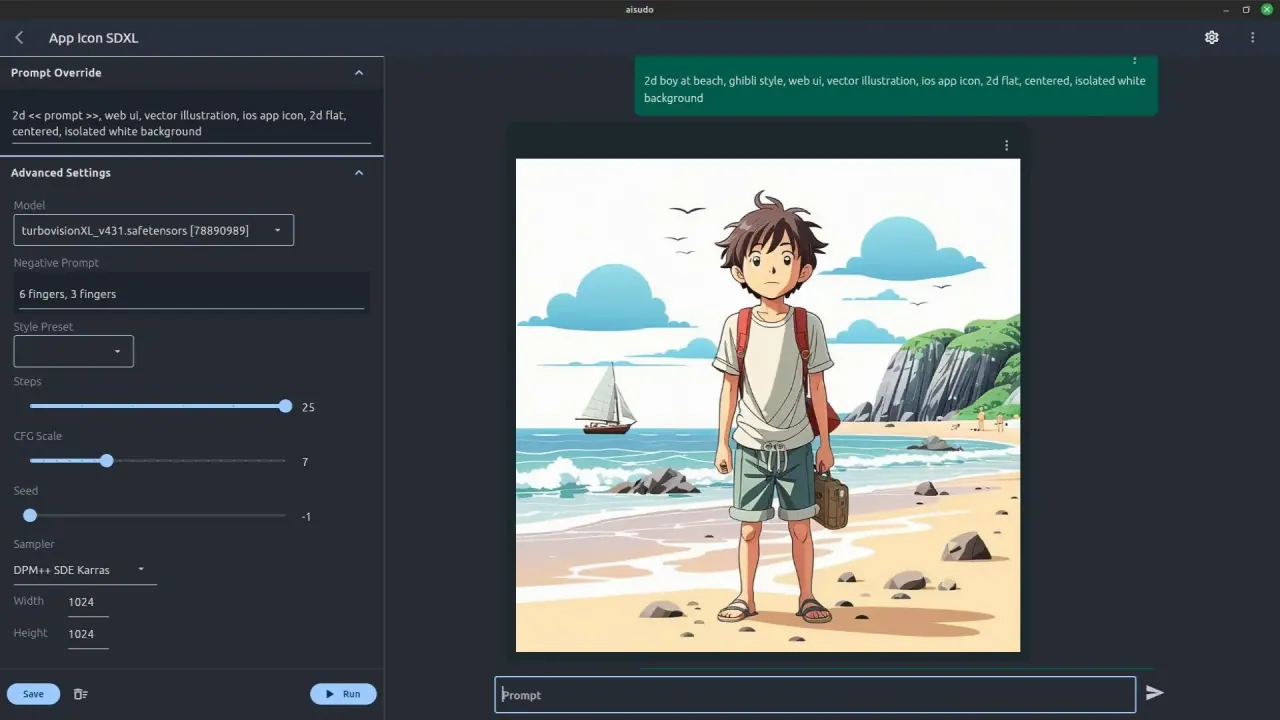
What does AiSudo Prompt Studio do?
What is AiSudo?
AiSudo is an AI chat and image generation in one app. It puts you in the driver’s seat, giving you control over how the AI operates. It combines chat with AI-powered image generation, presets, and a community gallery, accessible via web app or mobile download.
What can I do with AiSudo?
- Generate AI art and visuals using text prompts through the AI art generator
- Chat with an AI that understands context and adapts its tone
- Generate articles or content with an article generator
- Design AI bot characters with distinct personalities
- Use a simple search-style prompt to understand topics quickly
- Create social media content and marketing material
- Prepare marketing pitches, ad titles, and content on the fly
How do I generate images with AiSudo?
- Enter a prompt in the text field and press Generate, or click Random to fill in a prompt automatically, then click Generate/Get Answer
- Browse and apply ready-to-use presets (e.g., Ghibli Style, DnD Character Art Generator)
- You can also explore the Community Gallery for inspiration and prompts
What is the AiSudo Community Gallery and what presets are available?
- Community Gallery features user-created images across genres such as Fantasy, Comedy, Adventure, Mystery, Dystopian, Science fiction, Romance, Horror, and more
- Latest ready-to-use presets include styles like Ghibli Style and DnD Character Art Generator, plus other playful, design-focused options
How can AiSudo help with brainstorming and problem-solving?
AiSudo can spark ideas and offer structured approaches to problems. For example, you can use prompts that explore:
- Potential themes for a science fiction novel
- Evaluating the viability of new business ideas
- Analyzing a product launch in a different market using structured thinking approaches (e.g., Six Thinking Hats)
- Crafting a strong brand using the Golden Circle model
- Generating creative content and perspectives tailored to your goals
How can I access AiSudo?
- Web app: accessible from any modern web browser (PC or mobile)
- Mobile: downloadable app for Apple iOS and macOS
- The service works best in Chrome and Edge
Is there a demo video I can watch?
Yes, AiSudo provides a demo video to help you understand how the platform works.
Where can I find pricing information?
Pricing details are available on the Pricing page of AiSudo.
What other resources does AiSudo provide to learn more?
AiSudo offers articles and tutorials, including content on image generation sessions and related workflows, to help users get the most out of the platform.
This listing is claimed
Own AiSudo Prompt Studio? Sign in with the email used to claim it to manage this listing, or upgrade to Pro for featured-first placement and a newsletter feature.