OnlineNotepad101
Note Taking AI Tools
OnlineNotepad101 is a free, browser-based text editor for distraction-free writing, with auto-save and easy note sharing via links.
- Pricing
- Free
- Category
- Note Taking
- Listed
- Aug 31, 2026
- Updated
- Sep 6, 2026
Promoted
 Sidrune AI85% off. Stable Claude API for agent developers. Pay as you go. Invoices & refunds available.
 Pixmax.aiPixmax.ai is an all-in-one AI workspace for videos, visual stories, and marketing content.
 AI Checker PlusAI detector that highlights which passages AI wrote. Free check, no sign-up. Plagiarism too.
 RewindType any X/Twitter handle. Get their year back as a narrated video story. Then ask it anything.
 KurodyneSell the tools from your AI side projects. Listing is free.
 SEOify - Improve your SEO & rankingsBuild links to rank in Google. Improve your DR with links you can start building now.Advertise here270,000+ people visit Dang.ai every month.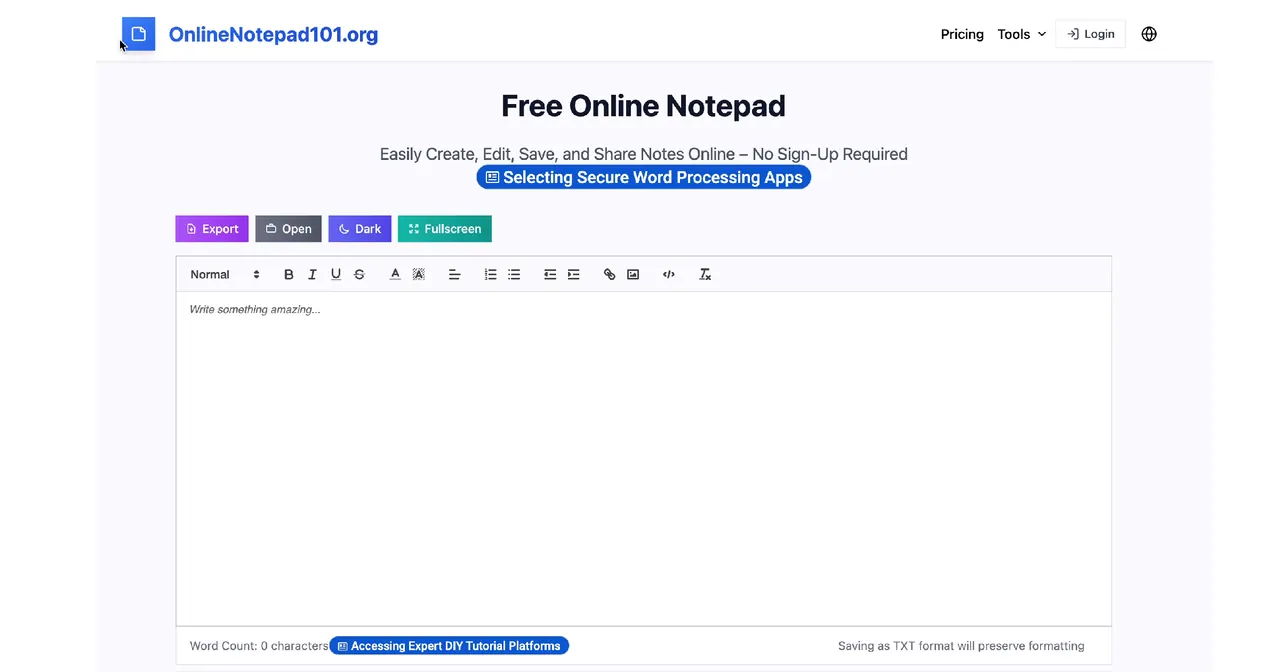
What does OnlineNotepad101 do?
OnlineNotepad101 is a free online notepad and text editor designed for quick, distraction-free writing. Open it in your browser (no installation required), start typing immediately, and rely on autosave as you write.
Use the formatting toolbar to style your text with options like bold, italic, underline, multiple fonts and sizes, and special characters. You can also switch to dark mode, use fullscreen for a larger writing area, and check your word count as you go.
When you’re ready, save your notes by downloading them as a text file (TXT) or print directly from the browser. For sharing, generate shareable links so others can access your notes easily, with an expiration setting available for public shares.
Do I need an account to use OnlineNotepad101?
No—use the notepad right away with no sign-up required.
Is my note content saved automatically?
Yes. Your notes are automatically saved while you type, and they’re stored locally in your browser.
What happens to my notes if I close or reopen the browser?
Your notes persist locally in your browser. You can return later and continue where you left off.
Can I share notes with other people?
Yes. You can generate shareable links and also download or print your notes from the browser.
What file format can I download?
Notes can be saved as plain text TXT files, and exporting as TXT preserves formatting.
Which browsers work with OnlineNotepad101?
It works on modern browsers such as Chrome, Firefox, Safari, and Edge. Using the latest version is recommended for best performance.
This listing is claimed
Own OnlineNotepad101? Sign in with the email used to claim it to manage this listing, or upgrade to Pro for featured-first placement and a newsletter feature.