
Off Hours
AI Advertising Tools
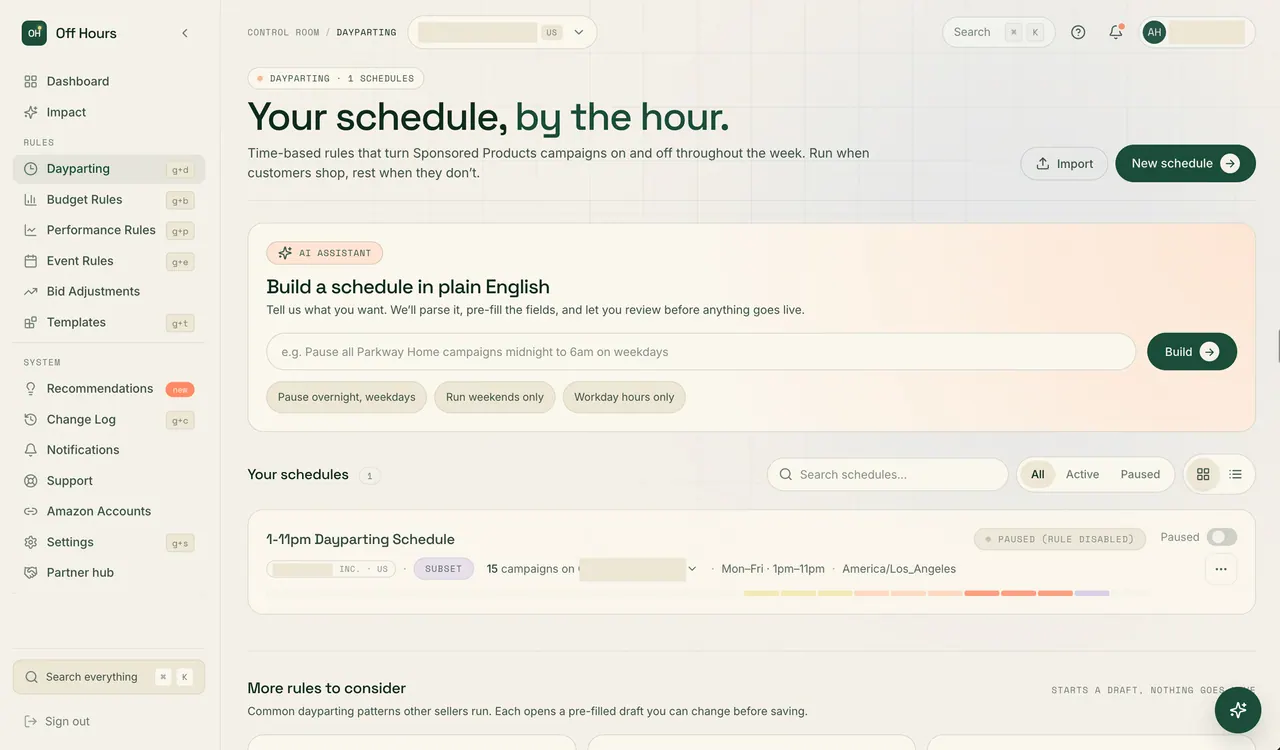
Off Hours automates Amazon Ads dayparting and rules to pause campaigns and adjust budgets on schedules you approve, checked every 15 minutes.



- Category
- Advertising
- Listed
- Oct 8, 2026
- Updated
- Nov 6, 2026
Promoted
 AI Checker PlusAI detector that highlights which passages AI wrote. Free check, no sign-up. Plagiarism too.
 RewindType any X/Twitter handle. Get their year back as a narrated video story. Then ask it anything.
 KurodyneSell the tools from your AI side projects. Listing is free.
 Pixmax.aiPixmax.ai is an all-in-one AI workspace for videos, visual stories, and marketing content.
 SEOify - Improve your SEO & rankingsBuild links to rank in Google. Improve your DR with links you can start building now.Advertise here330,000+ people visit Dang.ai every month.
What does Off Hours do?
Off Hours is Amazon Ads dayparting and automation software for Seller Central and Vendor Central accounts. It helps you stop managing routine campaign changes by hand—pausing campaigns by hour and raising or restoring budgets on a schedule—using the rules you set.
Create rules manually or use the AI rule builder. Describe what you want in plain English (for example, pausing specific campaigns overnight or running a date-range event window), review the proposed summary, and approve it before anything goes live. After setup, you can edit the rule fields so you stay in control of what’s applied and to which campaigns.
Off Hours keeps running continuously once configured. Rules are checked every 15 minutes, 24/7, and executed with the execution lag described by the product (≤15 minutes). It includes five rule types: Dayparting, Budget, Event windows, Performance actions, and Bid adjustments.
Spend Alerts are included for free on every plan and continuously monitor each account’s daily spend against its own baseline to flag unusual spikes, drops, or drift—even if no matching rule was created. Pricing is $149 per month per Amazon Ads account (flat, billed monthly), with a 14-day free trial that includes full access and requires no credit card.
What does Off Hours automate in Amazon Ads?
It automates dayparting and rule-based changes such as pausing campaigns by hour, scheduling budget increases and automatic restores, running date-range event windows, applying performance-based actions, and adjusting bids.
Which Amazon Ads account types can I use with Off Hours?
Off Hours is built for Amazon Ads accounts in both Seller Central and Vendor Central.
How do I create a rule, and does it run automatically right away?
You can configure rules manually or describe your intent using the AI rule builder in plain English. Your rule is only activated after you explicitly approve it, and you can edit rule fields afterward.
How often are rules checked and when do changes execute?
Rules are checked every 15 minutes, 24/7, and changes execute based on the schedule you approved, with the product targeting an execution lag of 15 minutes or less.
What are Spend Alerts, and how are they different from rules?
Spend Alerts run continuously and compare your account’s daily spend to its own baseline to surface unusual spikes, drops, or drift. Rules are what you set to actively change campaigns (status, budgets, bids, or performance actions).
How much does Off Hours cost, and is there a trial?
Off Hours is $149 per month per Amazon Ads account, billed monthly. It also includes a 14-day free trial with full access and no credit card required.
This listing is claimed
Own Off Hours? Sign in with the email used to claim it to manage this listing, or upgrade to Pro for featured-first placement and a newsletter feature.