Speechgen
Realistic Text to Speech AI Coverter
Generate high-quality voiceovers with Speechgen's realistic text-to-speech AI converter.
Promoted


What does Speechgen do?
Can I use SpeechGen for commercial purposes?
Yes. You can use the generated audio for commercial purposes (for example, YouTube, TikTok, Instagram, Facebook, Twitch, Twitter, podcasts, video ads, advertising, e-books, presentations, and more).
How does SpeechGen's pricing work?
SpeechGen uses a pay-as-you-go pricing model with no subscriptions. Pricing starts at $0.08 per 1,000 characters, and you pay for only what you convert. Higher usage limits are available by purchasing paid plans.
What are the text length limits and how long can a single request be?
- By default, a single text request can be up to 2,000 characters.
- If your limit balance is sufficient, you can convert up to 2,000,000 characters in a single query.
How many languages and voices does SpeechGen support?
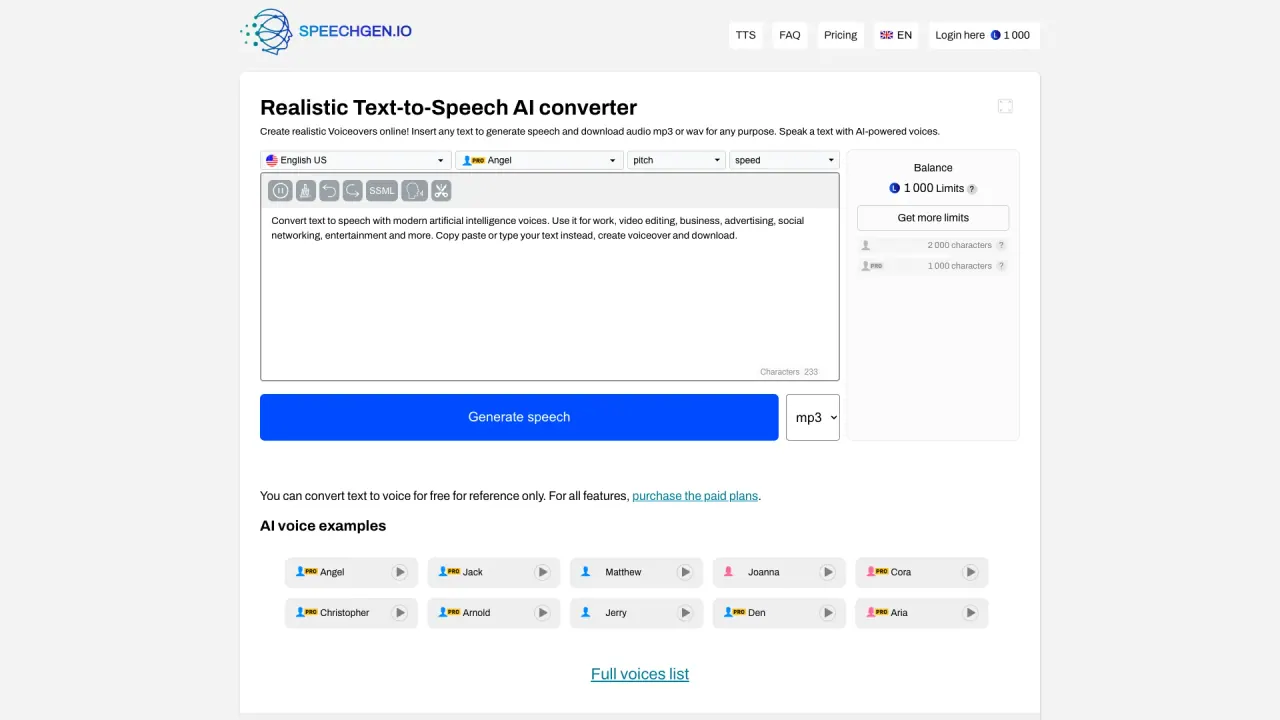
SpeechGen supports 146 languages and offers over 1,000 natural-sounding voices, including male, female, children's, and elderly voices. This includes languages such as English (US and UK), Spanish (Mexico/US), French, German, Chinese, Japanese, and more.
In what audio formats can I download the results?
You can download the generated audio in MP3, WAV, or OGG formats.
Can I use multiple voices within one text?
Yes. SpeechGen provides a Multi-voice editor that lets you use several voices at once in a single text.
Does SpeechGen support SSML?
Yes. SSML is supported, and you can adjust speed, pitch, pronunciation, intonation, emphasis, pauses, and more.
Can I convert SRT subtitles to audio?
Yes. SpeechGen can convert subtitles (SRT files) into multilingual voiceovers with timed audio.
Can I convert PDFs or Word documents to audio?
Yes. SpeechGen offers PDF to Audio and DOCx to MP3 conversions, turning documents into speech-ready audio.
Is my history saved online?
Yes. All your files and texts are automatically saved in your profile on SpeechGen’s cloud server, and you can add tracks to your favorites easily.
Which editing/video software is SpeechGen compatible with?
SpeechGen works with editing programs and video creation software. It’s compatible with tools such as Adobe Premiere, After Effects, Audition, DaVinci Resolve, Apple Motion, Camtasia, iMovie, Audacity, and more.
How can I get support?
Support is available via Telegram Group, Telegram Chat, and GitHub.
Can I preview or test all voices for free?
Yes. You can test all voices for free (SpeechGen provides free voice previews in the interface).
Is there a WordPress plugin to embed audio on my site?
Yes. SpeechGen offers a WordPress plugin to add article voiceovers and embed an audio player on your site.
What is the Limit System and how can I get more limits?
Limits determine how much text you can convert. Limits are consumed as you process text, and you can increase them by purchasing paid plans or using balance-based payments.
This listing is claimed
Own Speechgen? Sign in with the email used to claim it to manage this listing, or upgrade to Pro for featured-first placement and a newsletter feature.