
jpgtotext.com
Note Taking AI Tools
Extract editable text from JPG, PNG, and more using an online OCR converter with free credits and premium upgrades.
- Pricing
- Free
- Category
- Note Taking
- Listed
- Aug 15, 2026
- Updated
- Oct 15, 2026
Promoted
 Sidrune AI85% off. Stable Claude API for agent developers. Pay as you go. Invoices & refunds available.
 Pixmax.aiPixmax.ai is an all-in-one AI workspace for videos, visual stories, and marketing content.
 SEOify - Improve your SEO & rankingsBuild links to rank in Google. Improve your DR with links you can start building now.Advertise here270,000+ people visit Dang.ai every month.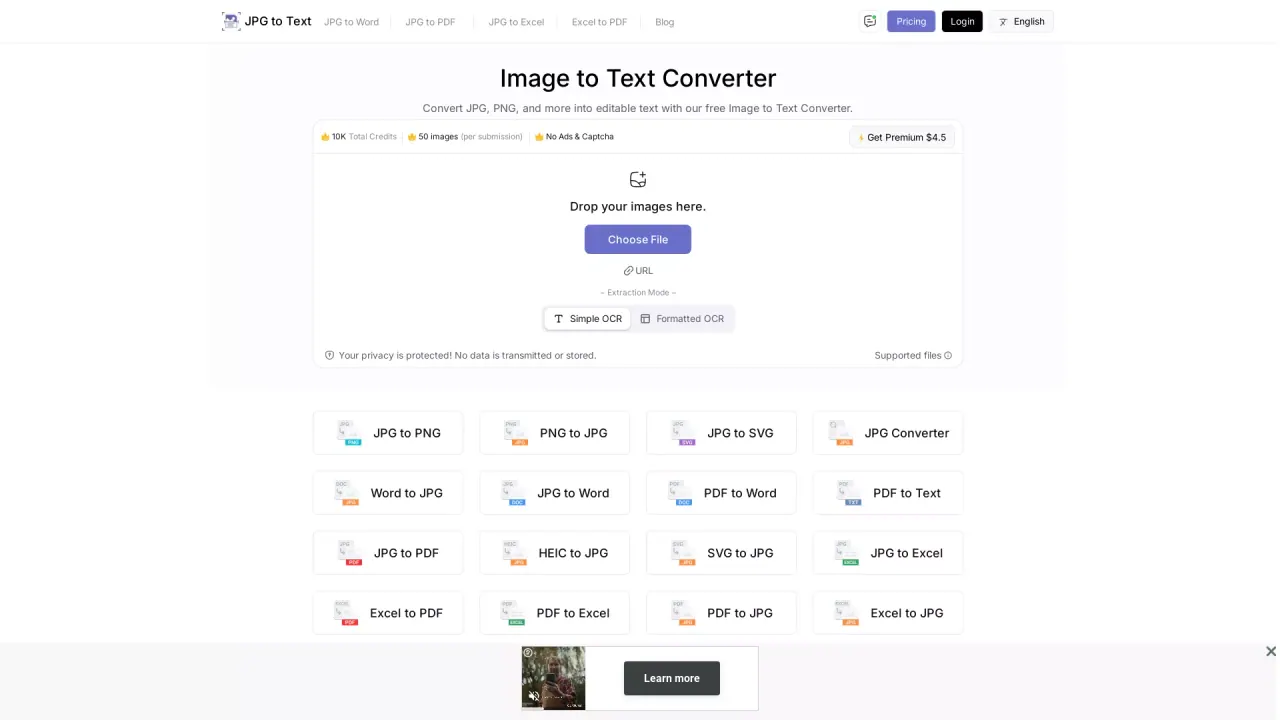
What does jpgtotext.com do?
Jpgtotext.com is an online Image to Text (OCR) converter that turns text in images into editable output you can copy, paste, and download. Upload a JPG, PNG, or other supported file—or provide an image URL—to extract the text in seconds.
You can choose between extraction modes: Simple OCR for straightforward conversion, or Formatted OCR to preserve more structure. After processing, download your extracted text as a .txt file or copy it to your clipboard for use in documents, notes, or workflows.
The tool is built for practical scenarios like digitizing screenshots, converting low-resolution or blurred images, and extracting text from multiple document types. It also supports multi-language extraction (in more than 50 languages) and works across devices via a web browser—no installation required.
There’s a free option with limited credits (including 50 images per submission), and a premium plan available for $4.5 to access more usage without ads or reCAPTCHA. Extraction doesn’t require you to install anything, and privacy protection is provided (no data is transmitted or stored).
What kinds of files can I convert to text?
You can extract text from JPG, PNG, and additional supported formats like HEIC and SVG converted to JPG, plus you can also convert PDF files to text.
How do I extract text from a JPG or PNG?
Drag and drop or upload your image (or paste a URL), then click Extract Now. The OCR output is generated and you can download it as .txt or copy it to your clipboard.
What’s the difference between Simple OCR and Formatted OCR?
Simple OCR focuses on extracting text plainly. Formatted OCR aims to preserve more of the original structure in the output.
Can I use this on mobile without installing anything?
Yes—it's a web-based tool, so you can access it from mobile browsers and extract text as long as you have an internet connection.
Is there a free plan, and how does credit usage work?
Yes. The free version includes a limited number of images (50 images per submission shown), and premium is available if you need more usage.
Does the tool support languages beyond English?
Yes. It supports multi-language extraction in more than 50 languages for detecting and extracting text from images.
Is this your tool?
Claim jpgtotext.com to manage this listing, or upgrade to Pro for featured-first placement and a newsletter feature.