
Helicon
AI Code Writers & Generator Tools
Helicon is a free, MIT-licensed GUI for Meta’s Muse Code CLI that shows threads, diffs, approvals, and estimated cost in one window.

- Pricing
- Free
- Category
- Code
- Listed
- Oct 13, 2026
- Updated
- Oct 27, 2026
Promoted
 AI Checker PlusAI detector that highlights which passages AI wrote. Free check, no sign-up. Plagiarism too.
 RewindType any X/Twitter handle. Get their year back as a narrated video story. Then ask it anything.
 KurodyneSell the tools from your AI side projects. Listing is free.
 Sidrune AI85% off. Stable Claude API for agent developers. Pay as you go. Invoices & refunds available.
 Pixmax.aiPixmax.ai is an all-in-one AI workspace for videos, visual stories, and marketing content.
 SEOify - Improve your SEO & rankingsBuild links to rank in Google. Improve your DR with links you can start building now.Advertise here270,000+ people visit Dang.ai every month.
What does Helicon do?
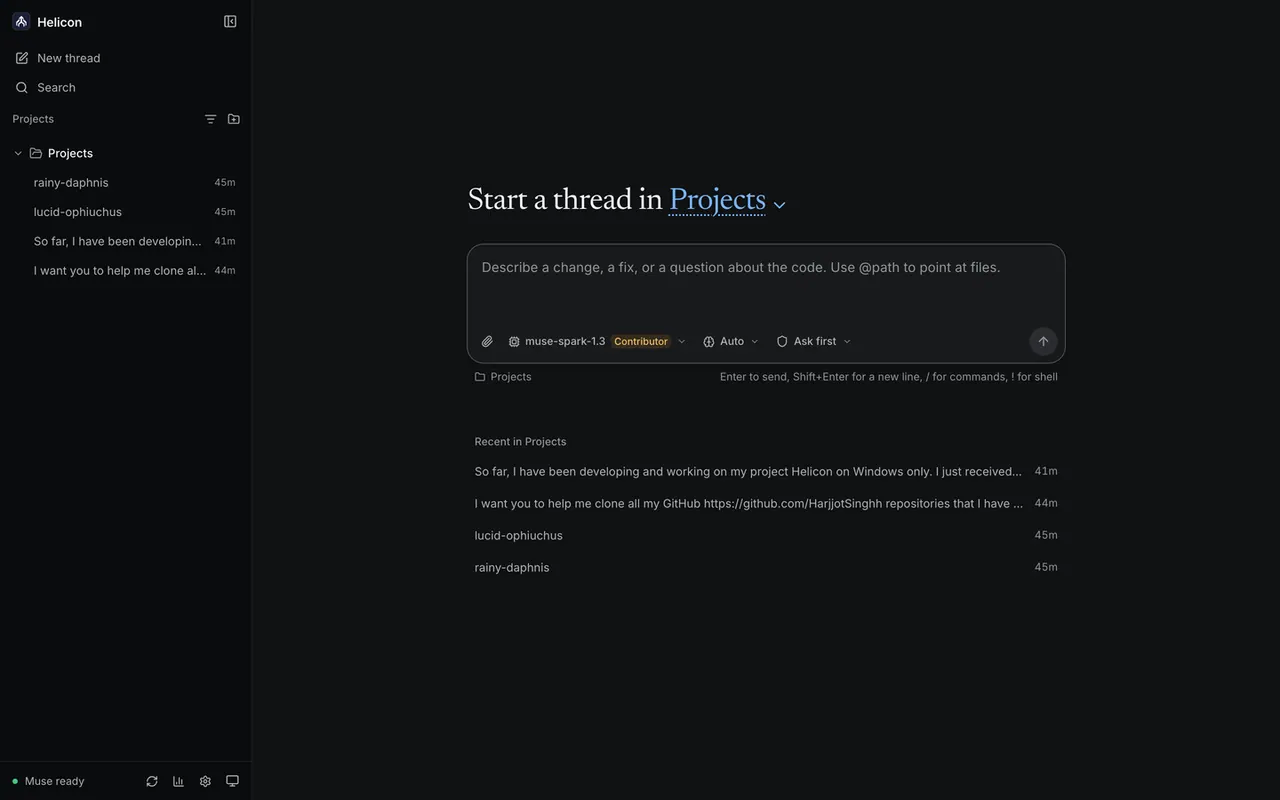
Helicon is a free, MIT-licensed desktop app for Windows, macOS, and Linux (native on Windows, no WSL needed), plus a VS Code extension. It’s designed to drive the Muse Code CLI you already use, giving you a single interface for sessions, code changes, and the review/approval steps.
With Helicon, threads are grouped by folder and worktree, so you can resume where you left off. As the agent works, edits appear as inline diffs right in the thread—so you don’t have to dig through terminal scrollback to understand what changed and where.
Helicon also surfaces approvals in real time. When Muse Code wants to run a command that requires your sign-off, Helicon shows the command and waits for your decision; nothing runs until you allow or reject that specific command. You can also start sessions from the Muse Code terminal TUI and see them appear in Helicon with full history and the ability to resume.
A usage and cost view provides an estimate of what each thread would cost at Meta’s published per-token API rates. Helicon itself is free and adds no second bill, and it doesn’t store or handle your credentials—auth stays with your existing Muse CLI login. Helicon is an unofficial community project and not affiliated with Meta.
Do I need a new API key to use Helicon?
No. Helicon uses your existing Muse Code login via the Muse Code CLI, with no separate API key and no second bill for Helicon itself.
How does Helicon handle approvals—can commands run without me?
Commands that require approval are shown one at a time, and nothing runs until you explicitly allow or reject the specific command.
Will sessions I start in the Muse Code terminal show up in Helicon?
Yes. Sessions started in the terminal TUI appear in Helicon’s sidebar with full history, and you can resume them from there.
Where are my credentials stored?
Credentials stay with the Muse CLI from your own muse login. Helicon doesn’t store or handle your credentials.
What does the cost view estimate?
It shows a meter-style estimate of what each thread would have cost at Meta’s published per-token API rates—useful for understanding the impact on your subscription. It’s not a billing statement.
Is Helicon affiliated with Meta?
No. Helicon is an unofficial community project, MIT licensed, and it’s not made, sponsored, or endorsed by Meta.
This listing is claimed
Own Helicon? Sign in with the email used to claim it to manage this listing, or upgrade to Pro for featured-first placement and a newsletter feature.