
Gemma4All Hardware Checker
Machine Learning AI Tools
Check in about 10 seconds which Gemma 4 model sizes your Mac, PC, or phone can run locally.

- Pricing
- Free
- Category
- ML
- Listed
- Jul 19, 2026
- Updated
- Oct 23, 2026
Promoted
 RewindType any X/Twitter handle. Get their year back as a narrated video story. Then ask it anything.
 KurodyneSell the tools from your AI side projects. Listing is free.
 Sidrune AI85% off. Stable Claude API for agent developers. Pay as you go. Invoices & refunds available.
 Pixmax.aiPixmax.ai is an all-in-one AI workspace for videos, visual stories, and marketing content.
 SEOify - Improve your SEO & rankingsBuild links to rank in Google. Improve your DR with links you can start building now.Advertise here270,000+ people visit Dang.ai every month.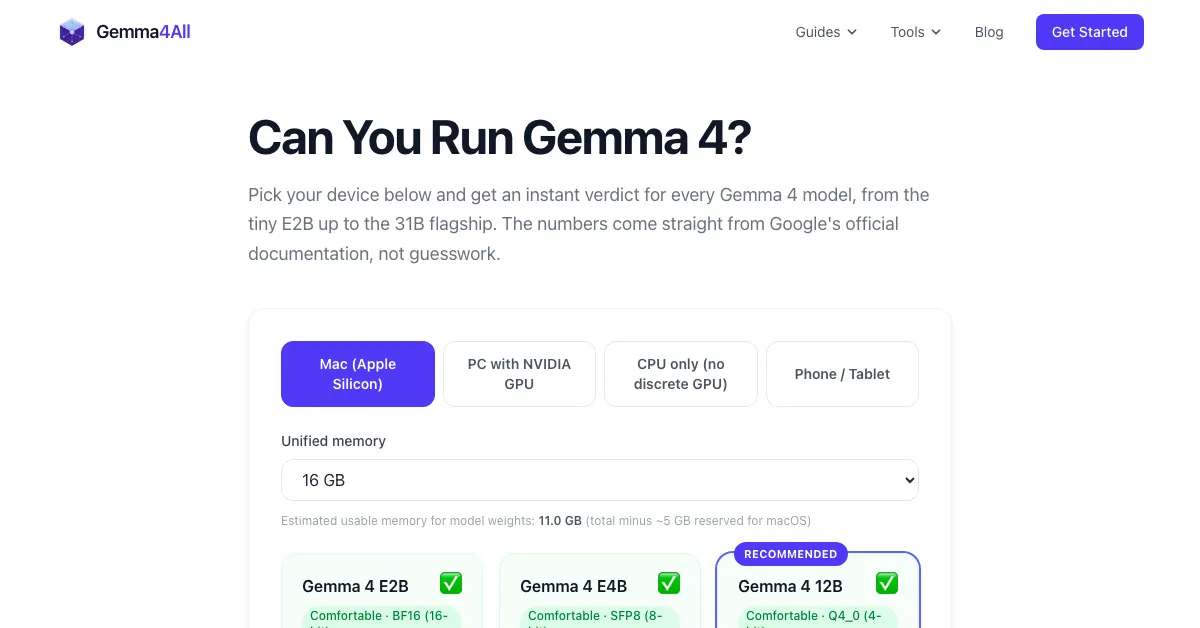
What does Gemma4All Hardware Checker do?
Gemma4All Hardware Checker helps you quickly determine whether your device can run Gemma 4 locally, and which model sizes fit best. It’s built for fast compatibility checks so you can pick the right Gemma 4 variant before downloading or deploying anything.
The checker returns an instant verdict across Gemma 4 model sizes, helping you match model size to your available hardware. Gemma 4 comes in multiple sizes (from smaller options to larger variants), and the “best” choice depends on what your device can comfortably handle for local inference.
Designed for privacy-first, on-device use, the goal is to support running Gemma 4 on your own Mac, PC, or phone rather than relying on a remote API. After you confirm what will run, you can use the site’s local deployment guides to get Gemma 4 running with common local tooling.
The hardware checker is free, requires no account, and provides results in roughly 10 seconds, so you can move from compatibility check to setup without lengthy reading.
How fast does the Gemma 4 Hardware Checker work?
It’s meant to be an instant compatibility check, typically returning results in about 10 seconds.
Do I need an account to use the hardware checker?
No—there’s no account needed to run the checker.
Which devices can I check with Gemma4All Hardware Checker?
You can check compatibility for a Mac, PC, or phone to see which Gemma 4 model sizes you can run locally.
What does the checker tell me?
It gives you an instant verdict for every Gemma 4 model size, helping you choose a model variant that matches your device.
Is this tool for running Gemma 4 locally or using a remote API?
It’s for local deployment—running Gemma 4 on your own device (on your Mac, PC, or phone) rather than using a remote API.
This listing is claimed
Own Gemma4All Hardware Checker? Sign in with the email used to claim it to manage this listing, or upgrade to Pro for featured-first placement and a newsletter feature.