
DeepImageAI
AI Image Enhancement Tool
Revolutionizing image enhancement with an AI-powered tool. Enhance image quality, increase resolution, eliminate artifacts, and more.
- Pricing
- Free trial
- Category
- ML
- Listed
- Aug 4, 2023
- Updated
- May 25, 2026
Promoted
 Sidrune AI85% off. Stable Claude API for agent developers. Pay as you go. Invoices & refunds available.
 Pixmax.aiPixmax.ai is an all-in-one AI workspace for videos, visual stories, and marketing content.
 RewindType any X/Twitter handle. Get their year back as a narrated video story. Then ask it anything.
 KurodyneSell the tools from your AI side projects. Listing is free.
 SEOify - Improve your SEO & rankingsBuild links to rank in Google. Improve your DR with links you can start building now.Advertise here270,000+ people visit Dang.ai every month.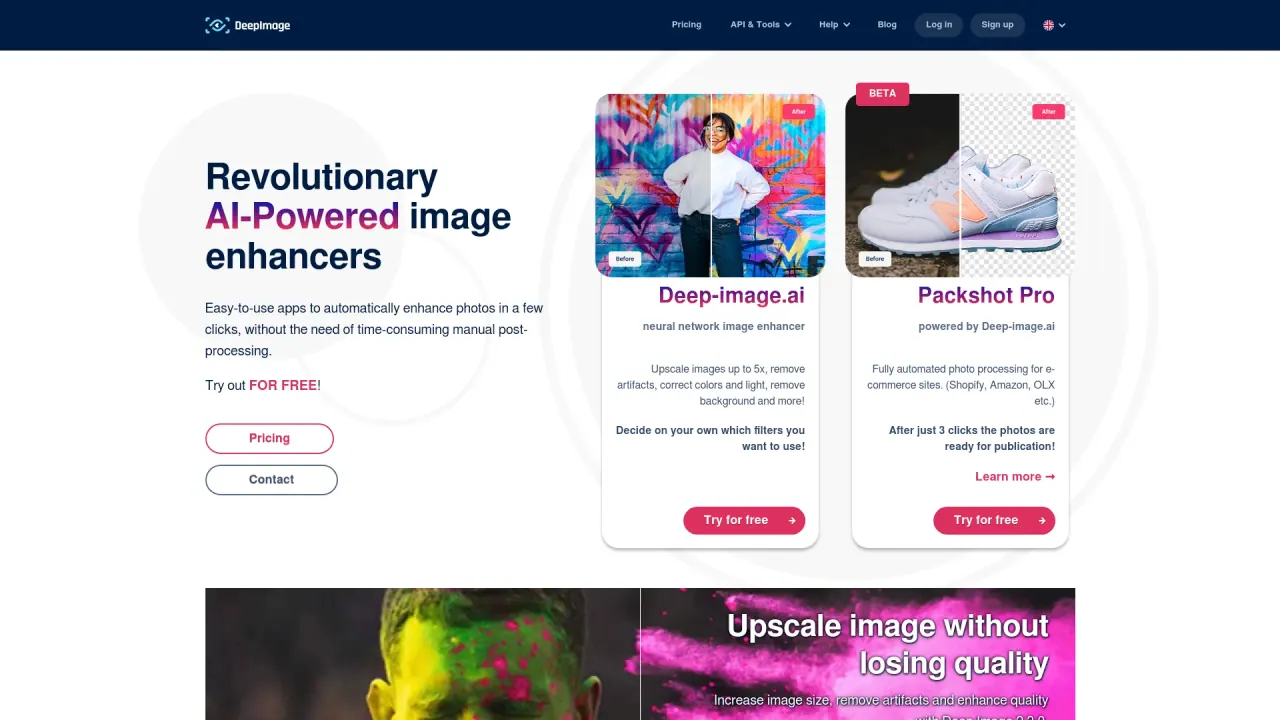
What does DeepImageAI do?
How does DeepImageAI enhance image quality?
DeepImageAI uses advanced AI to enhance images with upscaling, noise reduction, sharpening, and color correction. Its Generative Upscale method increases resolution up to 4x by creating new details within the image context, restores details in noisy or low-light photos, sharpens edges and faces, and can correct colors and lighting. It also offers background removal and the option to remove or generate backgrounds to suit your needs.
What features does DeepImageAI offer for e-commerce?
DeepImageAI provides ecommerce-focused capabilities such as automated photo processing to prepare product photos for platforms like Shopify, Amazon, and OLX. Features include background removal, background swapping, color and lighting corrections, and overall image enhancements. Packshot Pro automates this process so photos are ready for publication after a few clicks.
What is Packshot Pro?
Packshot Pro is a dedicated ecommerce photo enhancement feature that delivers fully automated photo processing for product images. Photos are ready in seconds after just three clicks, and the service supports ecommerce workflows across platforms like Shopify, Amazon, OLX, and more.
Can DeepImageAI help create digital artwork?
Yes. You can upscale generated images or generate brand-new ones using text prompts and image-to-image technology. It also supports creating avatars from facial details and reimagining an input image in different setups, enabling artists to produce high-quality digital art with AI assistance.
Does DeepImageAI offer an API?
Yes. DeepImageAI provides an API to integrate its capabilities into your workflows, including endpoints for image upscaling, auto-enhance, remove background, face enhance, print & DPI, image generation, and avatar maker. A Python client is also available for developers.
How many images can I process at once?
You can process up to 50 images simultaneously with the Generative Upscale feature.
Can DeepImageAI upscale images to meet print DPI requirements?
Yes. The service includes upscaling options designed to meet print DPI requirements for better print quality.
What real estate enhancements does DeepImageAI offer?
For real estate, you can fix white balance, apply HDR, and improve overall photo quality to better highlight property features and evoke a stronger visual impact.
What pricing plans exist and how do credits work?
Pricing includes both subscription plans and pay-as-you-go plans, with credits used for image transformations:
- Bronze: $7.50 per month, 100 credits (0.075 per credit)
- Silver: $32.50 per month, 500 credits (0.065 per credit)
- Gold: $57.50 per month, 1000 credits (0.0575 per credit)
- Starter (Pay-as-you-go): $1.99, 5 credits (0.398 per credit)
- Basic (Pay-as-you-go): $6.99, 25 credits (0.2796 per credit)
- Plus (Pay-as-you-go): $9.99, 50 credits (0.1998 per credit)
Custom plan options are available for specific needs.
What use cases does DeepImageAI support?
Use cases include Real estate, E-commerce, and Print.
Is it safe to upload images to DeepImageAI?
DeepImageAI states that it does not retain data submitted by users. Photos uploaded via the API are deleted from memory within one hour, and the company does not share user data with third parties or actively collect data beyond service needs. Note that the site does not list a public privacy policy; for a detailed understanding, contact the company and review the Terms of Service.
What products does DeepImageAI offer?
DeepImageAI lists a broad product lineup, including:
- AI Enhancer Studio
- AI Enhancer PRO
- AI Generator PRO
- Packshot Pro
- Create Avatar
- Generate Image
- Remove Background
- Uncrop Image AI
- AI Background Generator
- Inpainting Image AI
- Virtual Staging
- Face Swap
- Auto Enhance
- AI Drawing to Image
- Real Estate Designer
- AI Image Upscaler
- Business Photo Generator
- Document Upscaler
- Prompt Based Edit
- Deep Image x Zapier
- Deep Image x Make
How is Generative Upscale different from standard AI upscaling?
Generative Upscale not only enlarges images but also creates new details within the image context, aiming to recover previously lost or degraded details and produce higher-quality results as you upscale up to 4x.
How can I create avatars using DeepImageAI?
You can create avatars by using the Create Avatar function and by leveraging face detail features within the platform to generate personalized avatar visuals. You can also generate avatars or avatar-like outputs as part of the image generation options.
This listing is claimed
Own DeepImageAI? Sign in with the email used to claim it to manage this listing, or upgrade to Pro for featured-first placement and a newsletter feature.