
WhereWasTaken
AI Detector & Detecting Tools
WhereWasTaken uses AI to estimate the most likely place a photo was taken, showing confidence and supporting evidence without relying on GPS.
- Pricing
- Free
- Category
- AI Detector
- Listed
- Jul 15, 2026
- Updated
- Oct 15, 2026
Promoted
 KurodyneSell the tools from your AI side projects. Listing is free.
 Sidrune AI85% off. Stable Claude API for agent developers. Pay as you go. Invoices & refunds available.
 Pixmax.aiPixmax.ai is an all-in-one AI workspace for videos, visual stories, and marketing content.
 RewindType any X/Twitter handle. Get their year back as a narrated video story. Then ask it anything.
 SEOify - Improve your SEO & rankingsBuild links to rank in Google. Improve your DR with links you can start building now.Advertise here270,000+ people visit Dang.ai every month.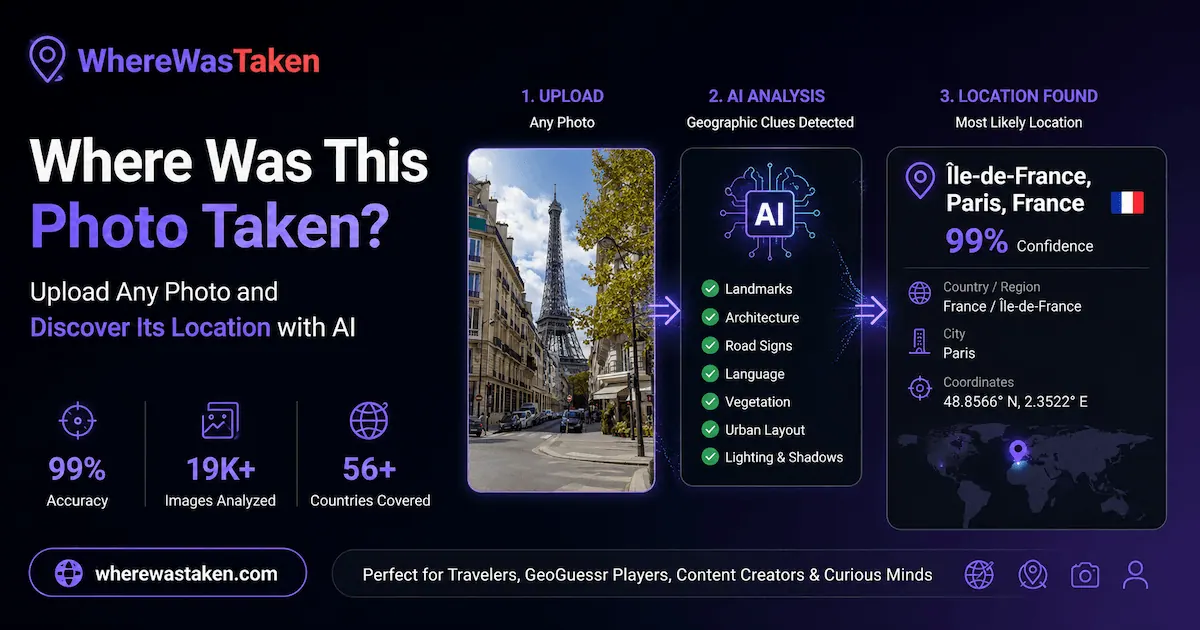
What does WhereWasTaken do?
WhereWasTaken is an AI-powered image location finder that helps you discover where a photo was taken by analyzing visual clues. Instead of depending on GPS metadata, it estimates a likely location using evidence drawn from what’s visible in the image.
To use it, upload a photo, screenshot, or a GeoGuessr round. The tool returns a location report that includes the most likely country, region, and city, plus a confidence score and supporting evidence to explain how the estimate was reached.
The analysis focuses on geographic signals such as landmarks, text, architecture, roads, streetlights, vegetation, and terrain. By combining these clues with geographic context, WhereWasTaken generates an evidence-based result you can review.
It’s a useful option for anyone trying to understand the location behind a photo—whether you have an image without GPS data or you want to investigate a GeoGuessr screenshot. Supported uploads include JPG, PNG, WEBP, and HEIC (up to 10MB). If you’re looking for an alternative workflow, the tool also references using GPS as optional rather than required.
What is an AI image location finder?
It’s a tool that estimates where a photo was taken by analyzing visual clues in the image and producing a location report with supporting evidence.
How can I find where a photo was taken?
Upload a photo (or screenshot/GeoGuessr round) and review the returned location report, including country, region, city, confidence score, and supporting evidence.
Can AI find the location of a photo without GPS metadata?
Yes. GPS is optional, and the location estimate is produced using visual and geographic clues rather than relying on GPS data.
What types of images can I upload?
You can upload JPG, PNG, WEBP, or HEIC files, including photos, screenshots, and GeoGuessr rounds. Files can be up to 10MB.
Can I use AI to find the location of a GeoGuessr image?
Yes. Upload a GeoGuessr round (or screenshot) and the tool will analyze roads, signs, landscapes, and other geographic clues to estimate possible locations.
Does WhereWasTaken tell me how it arrived at the location?
Yes. The output includes supporting evidence alongside the confidence score, highlighting the key clues used to estimate the most likely location.
This listing is claimed
Own WhereWasTaken? Sign in with the email used to claim it to manage this listing, or upgrade to Pro for featured-first placement and a newsletter feature.