
Toki
Verified
AI Assistant Tools
Toki is a free AI executive assistant that turns your messages and notes into scheduled plans, reminders, and calendar events.
Promoted
 AI Checker PlusAI detector that highlights which passages AI wrote. Free check, no sign-up. Plagiarism too.
 RewindType any X/Twitter handle. Get their year back as a narrated video story. Then ask it anything.
 KurodyneSell the tools from your AI side projects. Listing is free.
 Pixmax.aiPixmax.ai is an all-in-one AI workspace for videos, visual stories, and marketing content.
 SEOify - Improve your SEO & rankingsBuild links to rank in Google. Improve your DR with links you can start building now.Advertise here330,000+ people visit Dang.ai every month.
What does Toki do?
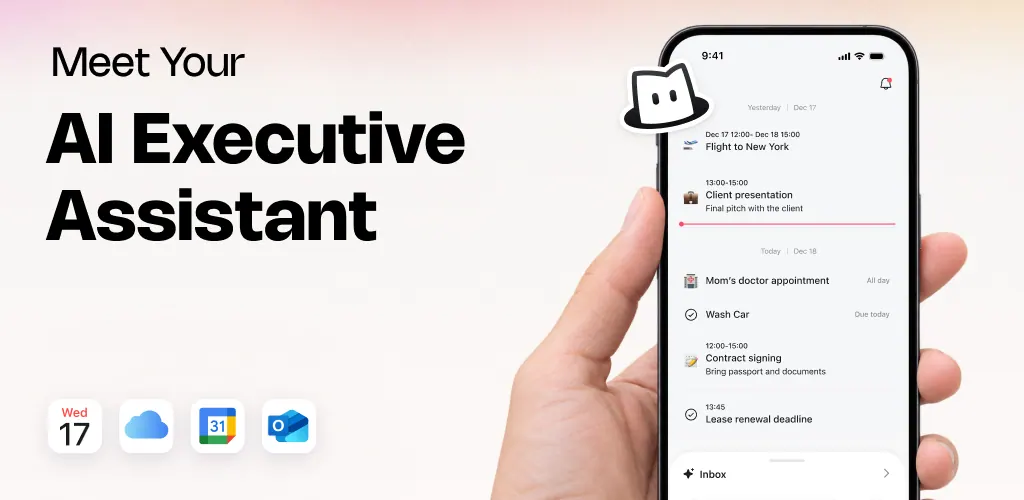
Toki is an AI executive assistant designed to coordinate your time across work and life. It helps you move from everyday information—like texts, voice notes, images, and emails—into actionable plans that get scheduled, prioritized, and followed up so nothing important slips through.
Use Toki to reach out and coordinate meetings, architect your daily schedule, and surface urgent tasks and deadlines. It goes beyond basic reminders by proactively planning ahead and helping you balance deep work with competing demands. For scheduling, it offers natural coordination workflows and scheduling links like you might expect from tools such as Calendly.
Toki also works with your inputs in a chat-like way. Capture quick thoughts or partial requests, and Toki turns them into notes, tasks, calendar events, and reminders. It learns your preferences over time, so your reminders and suggestions can get more relevant as you use it.
You can use Toki across devices (iPhone, iPad, Apple Watch, Mac, and Android). It supports Google Calendar, iCloud, and Outlook, and it can integrate with Siri. Toki is available as an open web app as well as downloadable apps, and it’s free to use.
What does Toki do?
Toki captures your messages, voice notes, screenshots/images, and emails, then turns them into scheduled plans—such as notes, tasks, calendar events, and reminders—with prioritization and follow-up.
How does Toki help with scheduling meetings?
Toki can reach out to attendees to find times that work for everyone, and it provides scheduling links to make booking simpler and reduce back-and-forth.
What kinds of reminders and follow-ups can Toki handle?
Toki supports adaptive reminders like push notifications and iOS alarms, plus additional escalation (CallMe) to help ensure your plans actually happen.
Does Toki work with my calendars?
Yes. Toki supports Google Calendar, iCloud, and Outlook, and it can sync activity across devices so your plans stay together in one place.
Where can I use Toki?
You can use Toki on iPhone, iPad, Apple Watch, and Mac, as well as on Android phones and tablets. It’s also available as an open web app.
Can I use Toki with WhatsApp?
Toki is no longer available directly through WhatsApp due to WhatsApp Business Solution Terms restrictions for standalone AI products. To continue, use the official Toki mobile app instead.
This listing is claimed
Own Toki? Sign in with the email used to claim it to manage this listing, or upgrade to Pro for featured-first placement and a newsletter feature.