MarkItDown
Verified
AI Code Writers & Generator Tools
Convert PDFs, Office files, images, and URLs into clean Markdown for AI workflows—free to start, instant, and no account required.
Promoted
 Sidrune AI85% off. Stable Claude API for agent developers. Pay as you go. Invoices & refunds available.
 Pixmax.aiPixmax.ai is an all-in-one AI workspace for videos, visual stories, and marketing content.
 RewindType any X/Twitter handle. Get their year back as a narrated video story. Then ask it anything.
 KurodyneSell the tools from your AI side projects. Listing is free.
 SEOify - Improve your SEO & rankingsBuild links to rank in Google. Improve your DR with links you can start building now.Advertise here270,000+ people visit Dang.ai every month.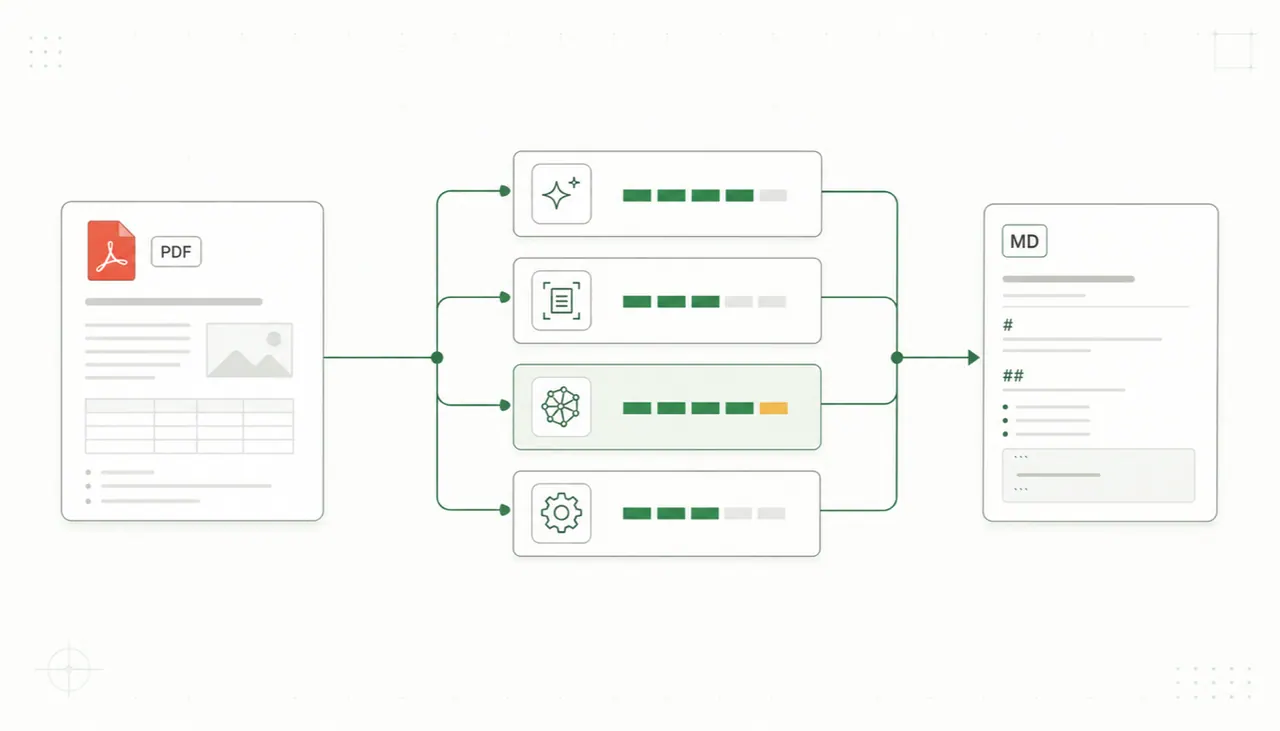
What does MarkItDown do?
MarkItDown is an online file-to-Markdown converter designed for AI workflows. Upload a document or provide a public URL, then preview and download clean .md output in seconds. It supports a wide range of inputs—PDFs, Word (.docx), PowerPoint (.pptx), Excel (.xlsx), HTML pages, CSV, EPUB, and more—so you can bring existing content into a structured, machine-readable form.
A core strength is preserving readability and structure. Headings, tables, lists, links, and inline formatting remain clear after conversion, making the result easier to use in LLM prompts, RAG pipelines, search indexes, knowledge bases, docs, and Git workflows. For scanned or image-based content, OCR modes are available; for other specialized content, you can choose the conversion approach that best fits the material (including cases where local extraction, server processing, or OCR may matter).
MarkItDown is also built for flexibility and extensibility. It’s inspired by Microsoft’s open-source MarkItDown utility, and this service self-hosts that MarkItDown service so your workflow stays consistent with a well-known conversion engine. It can also output for AI assistant integration via an MCP server option.
Pricing is free to start. You can upload files or fetch a public URL, then export Markdown without installing software or signing up.
What can I convert with MarkItDown?
You can convert PDFs, Office files (DOCX/PPTX/XLS/XLSX), HTML, CSV/TSV, JSON, XML, TXT/MD, EPUB, and more. It also supports images (with OCR) and public URLs.
How do I use MarkItDown—do I need to install anything?
No. MarkItDown runs in the browser and lets you upload a file or fetch a public URL, then preview and download the resulting .md output in seconds.
Does the conversion preserve structure like headings and tables?
Yes. Converted output keeps headings, tables, lists, links, and inline formatting readable so the Markdown stays structured for downstream AI or documentation workflows.
When should I use OCR modes?
Use OCR when your content is image-based or scanned (e.g., PNG/JPG/WebP) so text can be extracted and converted into Markdown. OCR modes help keep fields and symbols reviewable instead of producing unreadable text.
Can MarkItDown help with RAG or LLM prompting?
Yes. The goal is to produce clean, structured Markdown that’s easy to feed into LLM prompts, RAG pipelines, vector databases, search indexes, and knowledge bases.
Is MarkItDown free?
You can start for free. The page indicates “Free to start,” and conversion/export is available without signing in.
This listing is claimed
Own MarkItDown? Sign in with the email used to claim it to manage this listing, or upgrade to Pro for featured-first placement and a newsletter feature.