
Lazybird
AI Text to Speech Tools
Lazybird turns your scripts into realistic AI voiceovers using 500+ voices across 150+ languages, with easy exports to clean MP3 audio.
Promoted
 KurodyneSell the tools from your AI side projects. Listing is free.
 Pixmax.aiPixmax.ai is an all-in-one AI workspace for videos, visual stories, and marketing content.
 AI Checker PlusAI detector that highlights which passages AI wrote. Free check, no sign-up. Plagiarism too.
 RewindType any X/Twitter handle. Get their year back as a narrated video story. Then ask it anything.
 SEOify - Improve your SEO & rankingsBuild links to rank in Google. Improve your DR with links you can start building now.Advertise here330,000+ people visit Dang.ai every month.
What does Lazybird do?
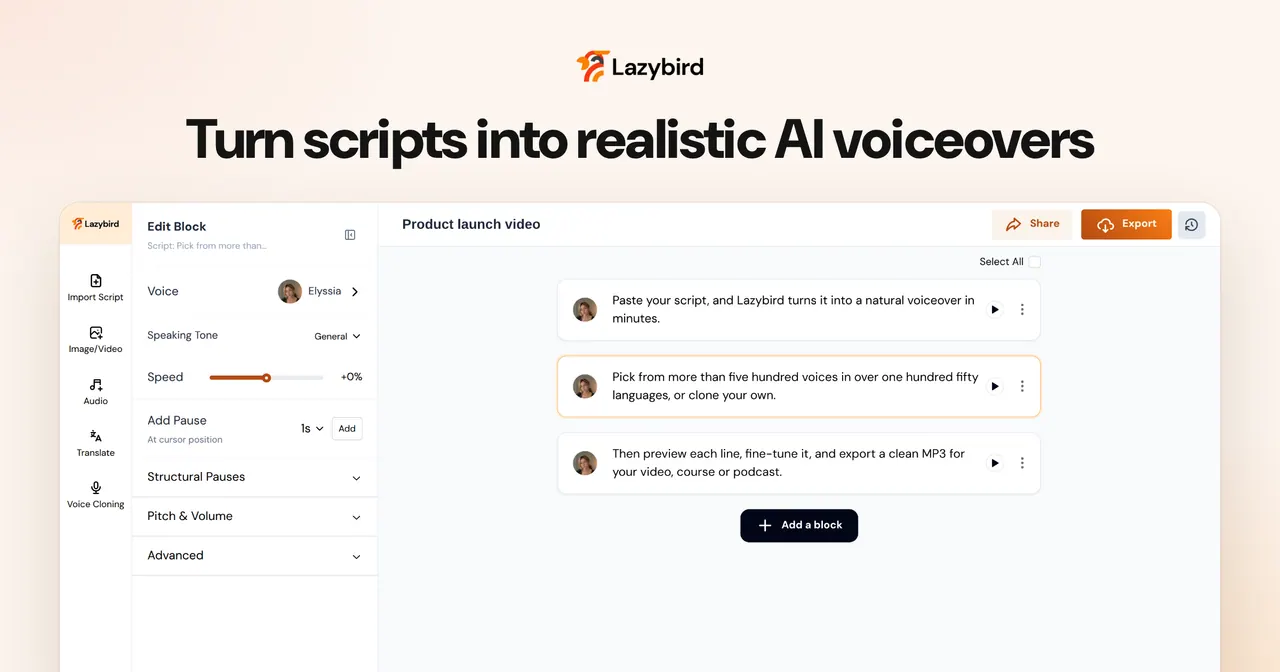
Lazybird is an AI voiceover generator that helps creators, educators, and teams turn scripts into realistic speech in minutes. Paste or import your text, choose a voice, test a short section, and export clean audio for your next video, course, podcast, audiobook, or product demo.
Work with long content easily: Lazybird can split longer scripts into blocks automatically and organize large documents into sections. For dialogue and multi-person narration, you can switch voices line by line—ideal for podcasts, storytelling, and instructional materials.
Need a familiar tone? Lazybird supports voice cloning from a short, clean recording, letting your clone read any script (in 81 languages). You can also design a voice by describing it, then fine-tune speed, pitch, and volume to match your project.
For developers, Lazybird provides a REST text-to-speech API with SSML support, so you can generate narration and other reusable audio assets inside your own apps or workflows. You can also use Lazybird with AI agents to go from a single message to a finished video workflow.
Start free with 10,000 credits per month (no credit card required). Paid plans start at $9/month and include commercial usage rights.
How do I create a Lazybird voiceover from my script?
Paste or import your script, pick a voice, test a short section, then generate and export clean MP3 audio for your project.
Can Lazybird handle long scripts or full documents?
Yes. Long scripts can be split into blocks automatically, and large documents are organized into sections so you can generate narration without copying everything manually.
Can I use different voices for different lines or speakers?
Yes. You can choose a different voice for each line, which works well for dialogue, podcasts, and story narration.
What voice options are available—can I clone my own voice?
You can clone your voice from a short recording so the clone reads any script. You can also design a new voice by describing it.
Can I download the generated audio?
Yes. After generating, you can export the voiceover as clean MP3 audio.
What are Lazybird’s free and paid plan limits?
You can start free with 10,000 credits per month (no credit card required). Paid plans start at $9/month and include commercial usage rights.
This listing is claimed
Own Lazybird? Sign in with the email used to claim it to manage this listing, or upgrade to Pro for featured-first placement and a newsletter feature.