
Just The Gist AI
AI Summarizer Tools
Turn YouTube videos, podcasts, and lectures into timestamped transcripts and structured summaries on your Mac in minutes.
- Pricing
- Free
- Category
- Summary
- Listed
- Aug 15, 2026
- Updated
- Aug 15, 2026
Promoted
 Pixmax.aiPixmax.ai is an all-in-one AI workspace for videos, visual stories, and marketing content.
 AI Checker PlusAI detector that highlights which passages AI wrote. Free check, no sign-up. Plagiarism too.
 RewindType any X/Twitter handle. Get their year back as a narrated video story. Then ask it anything.
 KurodyneSell the tools from your AI side projects. Listing is free.
 Sidrune AI85% off. Stable Claude API for agent developers. Pay as you go. Invoices & refunds available.
 SEOify - Improve your SEO & rankingsBuild links to rank in Google. Improve your DR with links you can start building now.Advertise here270,000+ people visit Dang.ai every month.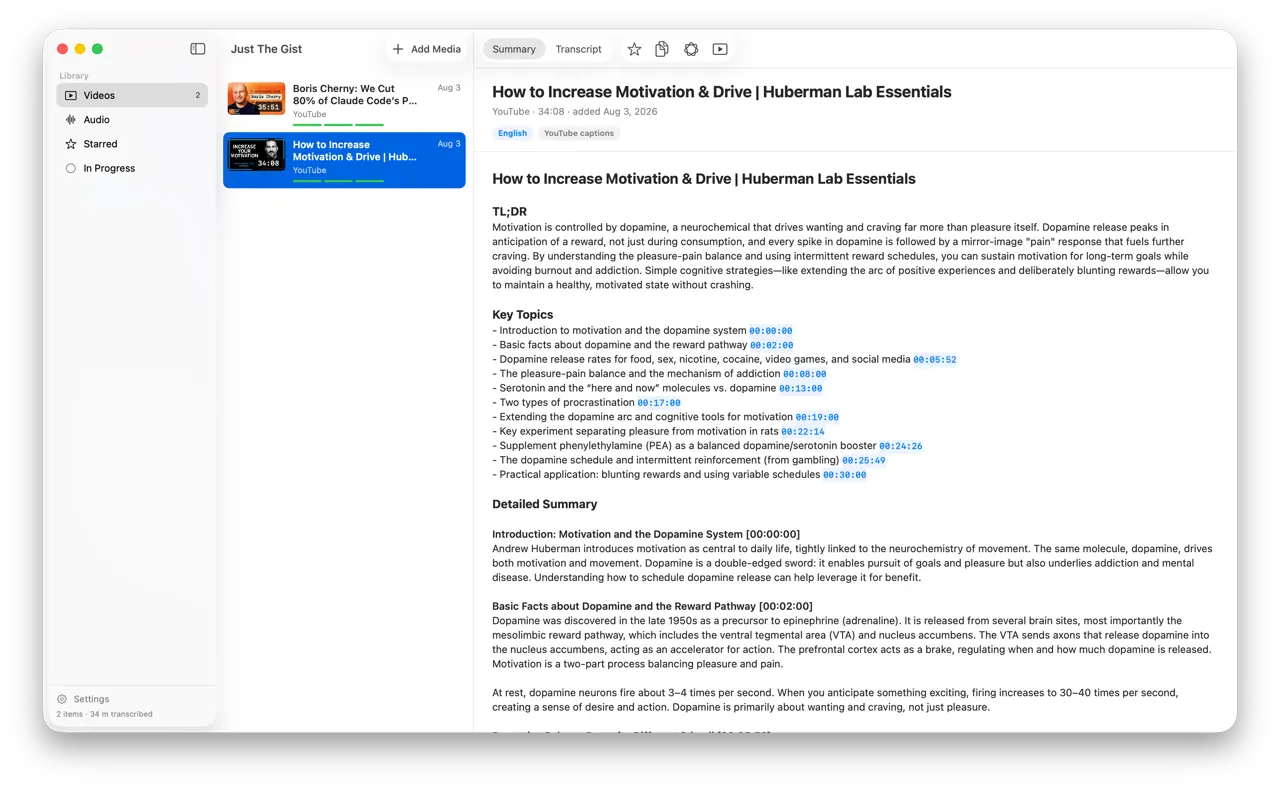
What does Just The Gist AI do?
Just The Gist turns long-form audio and video—YouTube, podcasts, lectures, and meeting-style recordings—into clean, timestamped transcripts and sharp summaries you can skim fast. Paste a YouTube link or drop an audio/video file (mp3, m4a, wav, mp4, mov) to get a TL;DR plus key topics broken out below, with clickable timestamps that jump back to the exact moment in the source.
Transcription runs on your Mac by default using Whisper, and a local language model downloads on first launch so summarizing also happens on-device. There’s no account, no API key, no credit card, and no subscription needed to use the core workflow.
If you want a bigger model, cloud AI is optional. You can connect OpenRouter or use Claude/OpenAI by providing a key or pointing to an OpenAI-compatible server; even then, only the finished text transcript is sent for summarizing. Just The Gist is a native macOS app with automatic updates and works on Apple Silicon Macs running macOS 14 Sonoma or later.
Is Just The Gist really free?
Yes—download the app for free with no subscription and no locked features. Donations help keep development going.
Do I need an account or API key to use it?
No. The default setup is 100% local by default, including transcription and summarizing, with no account and no API key.
What kinds of files can I summarize?
You can add YouTube links and local files including mp3, m4a, wav, mp4, and mov, as long as there’s speech to transcribe.
Does my audio leave my Mac?
Not when using the default local workflow. Your audio never leaves your machine; cloud AI is optional and only used if you choose to send the finished transcript for summarizing.
Can I use a local model like Ollama or LM Studio?
Yes, you can point the app at an OpenAI-compatible server so a larger model running through Ollama or LM Studio works out of the box.
What Mac do I need?
It runs on Apple Silicon Macs (M1 or newer) with macOS 14 Sonoma or later.
This listing is claimed
Own Just The Gist AI? Sign in with the email used to claim it to manage this listing, or upgrade to Pro for featured-first placement and a newsletter feature.