
Humanizer.help
AI Detector & Detecting Tools
Rewrites AI-assisted text into more natural, human-sounding writing while aiming to preserve meaning, plus a detector/review workflow.
- Category
- AI Detector
- Listed
- Nov 8, 2026
- Updated
- Nov 8, 2026
Promoted
 AI Checker PlusAI detector that highlights which passages AI wrote. Free check, no sign-up. Plagiarism too.
 RewindType any X/Twitter handle. Get their year back as a narrated video story. Then ask it anything.
 KurodyneSell the tools from your AI side projects. Listing is free.
 Sidrune AI85% off. Stable Claude API for agent developers. Pay as you go. Invoices & refunds available.
 Pixmax.aiPixmax.ai is an all-in-one AI workspace for videos, visual stories, and marketing content.
 SEOify - Improve your SEO & rankingsBuild links to rank in Google. Improve your DR with links you can start building now.Advertise here330,000+ people visit Dang.ai every month.
What does Humanizer.help do?
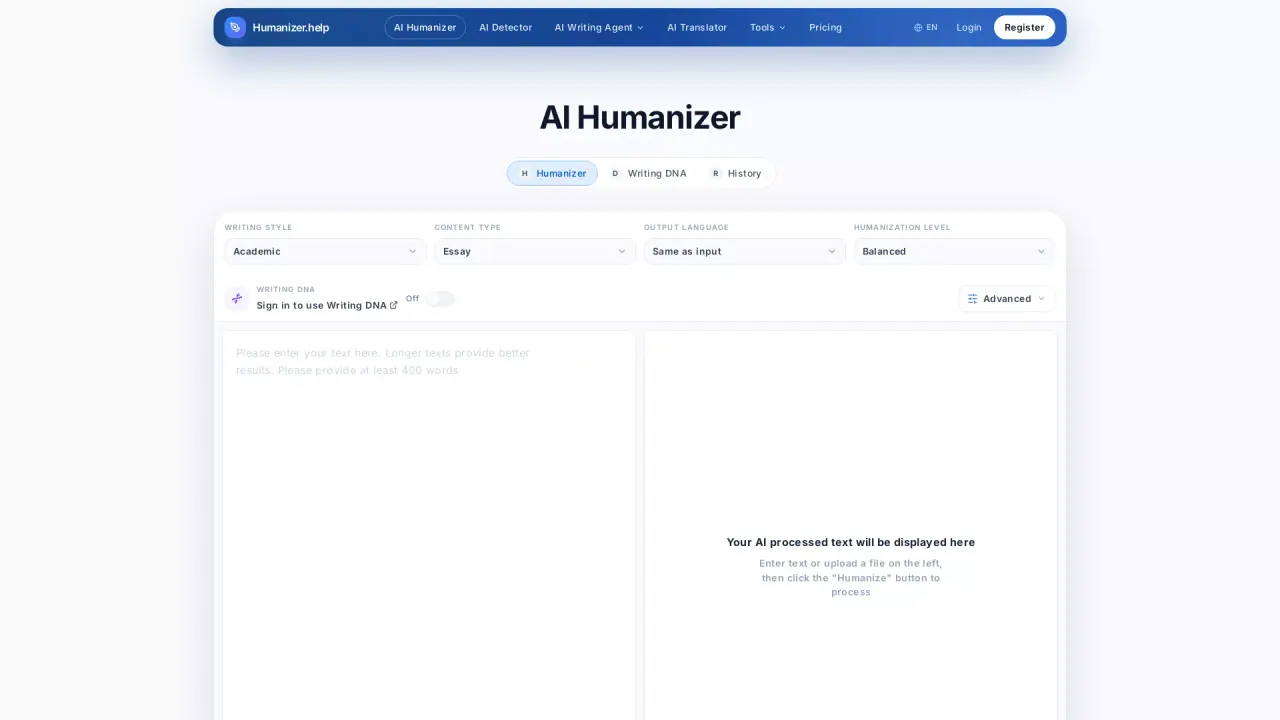
Humanizer.help is an AI Humanizer designed to refine AI-generated or AI-assisted text so it reads with a more natural rhythm, clearer flow, and a more human tone. It supports multiple writing tasks—refining drafts, rephrasing or reshaping text, and helping with content creation and academic writing workflows.
In the editor, you add a draft (paste text or upload a file up to 10 MB in supported formats like DOC/DOCX/TXT), choose a humanization mode, and run a “Humanize” pass to transform machine-like phrasing into more readable prose. A lightweight workflow helps you start from the tool’s output while keeping the responsibility on you: review the suggested wording, then edit for your own voice, facts, and context.
Humanizer.help also pairs rewriting with an AI-detection and review step. The detector is positioned as a signal to check remaining AI-like patterns rather than a guarantee—results can vary based on input, detector used, and detector updates. For best results, many users humanize first, then carefully review (especially for important academic or professional submissions).
Pricing is available via monthly or yearly plans, including Free and paid options (Basic, Pro, Unlimited). A 3-day money-back guarantee and a risk-free trial are offered, where applicable, and flexible payment options include Alipay and Stripe.
What does Humanizer.help do?
It rewrites AI-generated or AI-assisted text to sound more natural while aiming to preserve the original meaning. Use it as an editing pass, then review the output for accuracy, voice, and context.
Will Humanizer.help guarantee passing AI detectors like Turnitin?
No. Detector results can vary by tool, text length, topic, and detector updates. Treat the detector as a review signal and do a careful final human check.
How do I use it in a typical workflow?
Paste or upload your draft, click “Start Humanizing” / “Humanize,” choose a mode, then review the results. After that, edit for your own voice, facts, and any required citations or examples.
Does it change my meaning or facts?
The goal is meaning retention while restructuring for natural phrasing. You should still compare the result with the original and correct any changed nuance—especially for sensitive or academic content.
What file types and size limits are supported?
It supports DOC/DOCX/TXT, with a maximum file size of 10 MB for uploads.
Is my content stored or used for training?
You should review the Privacy Policy for details on storage and data use. The tool describes encryption for secure processing and states that it does not store your inputs.
Is this your tool?
Claim Humanizer.help to manage this listing, or upgrade to Pro for featured-first placement and a newsletter feature.