customergpt.ai
AI Assistant Tools
Dang.ai lists CustomerGPT, a no-code AI customer support chatbot trained on your own website links, FAQs, and documents.
- Pricing
- Free
- Category
- Assistant
- Listed
- Aug 16, 2026
- Updated
- Aug 17, 2026
Promoted
 AI Checker PlusAI detector that highlights which passages AI wrote. Free check, no sign-up. Plagiarism too.
 RewindType any X/Twitter handle. Get their year back as a narrated video story. Then ask it anything.
 KurodyneSell the tools from your AI side projects. Listing is free.
 Sidrune AI85% off. Stable Claude API for agent developers. Pay as you go. Invoices & refunds available.
 Pixmax.aiPixmax.ai is an all-in-one AI workspace for videos, visual stories, and marketing content.
 SEOify - Improve your SEO & rankingsBuild links to rank in Google. Improve your DR with links you can start building now.Advertise here270,000+ people visit Dang.ai every month.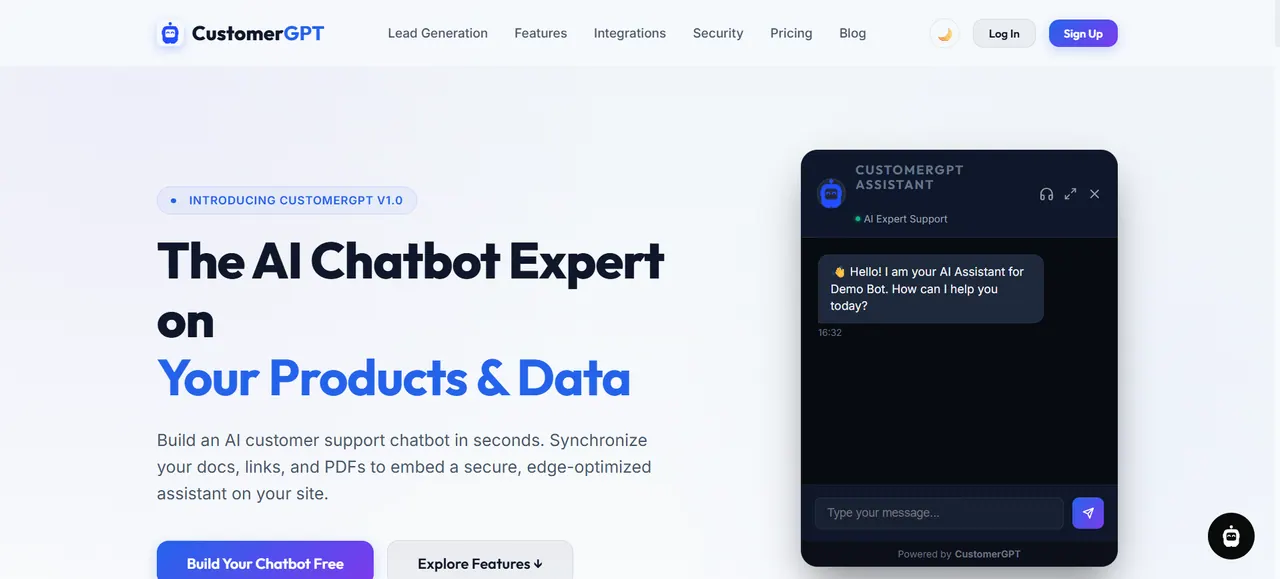
What does customergpt.ai do?
CustomerGPT is a no-code AI customer support chatbot that you can deploy on your site in minutes. It creates an assistant trained on your own data—using your website URLs, FAQs, and uploaded documents—so customer questions can be answered with context from your knowledge base.
Set up is designed around syncing and training: add a website URL, sitemap, or help center for smart crawling, then ingest multi-format files such as PDFs and other document types. Your chatbot can be customized with whitelabel branding, and it supports multilingual answers with automatic language detection.
For support workflows, you can embed the chatbot widget or sync conversations to tools like Slack and Telegram. Depending on your plan, updates to your knowledge base can run on a schedule or be triggered when your website changes, helping keep responses aligned with the latest information.
How does CustomerGPT train its support assistant?
You can train it by syncing website links/FAQs and uploading documents. The system also supports direct text input and can ingest content from document sources in addition to your site crawl.
What kinds of documents can I upload to train the chatbot?
Supported uploads include PDFs and other document formats listed in the training content options. You can also use text input when you don’t have pages to scrape.
How quickly can I deploy a chatbot on my website?
You can deploy a 24/7 support assistant in about 2 minutes using the provided widget/embed after training and sync are set up.
Can I keep the chatbot’s knowledge updated when my website changes?
Yes. Retraining/sync behavior depends on your tier, with options for scheduled syncing and webhook-triggered updates for faster changes.
Can I customize the chatbot’s appearance to match my brand?
Yes. You can customize widget colors, avatar, typography, welcome messages, and the launcher position.
Where can I embed the chatbot?
After training, you receive a copy-paste HTML script block that works on HTML/JS sites, including common platforms like WordPress, Shopify, Webflow, and React/Next.js.
This listing is claimed
Own customergpt.ai? Sign in with the email used to claim it to manage this listing, or upgrade to Pro for featured-first placement and a newsletter feature.