
ImageDescriptionGenerator
Image Description AI
Create accurate descriptions for any kind of image.
- Pricing
- Free trial
- Category
- Summary
- Listed
- Dec 9, 2025
- Updated
- May 25, 2026
What does ImageDescriptionGenerator do?
What does Image Description Generator do?
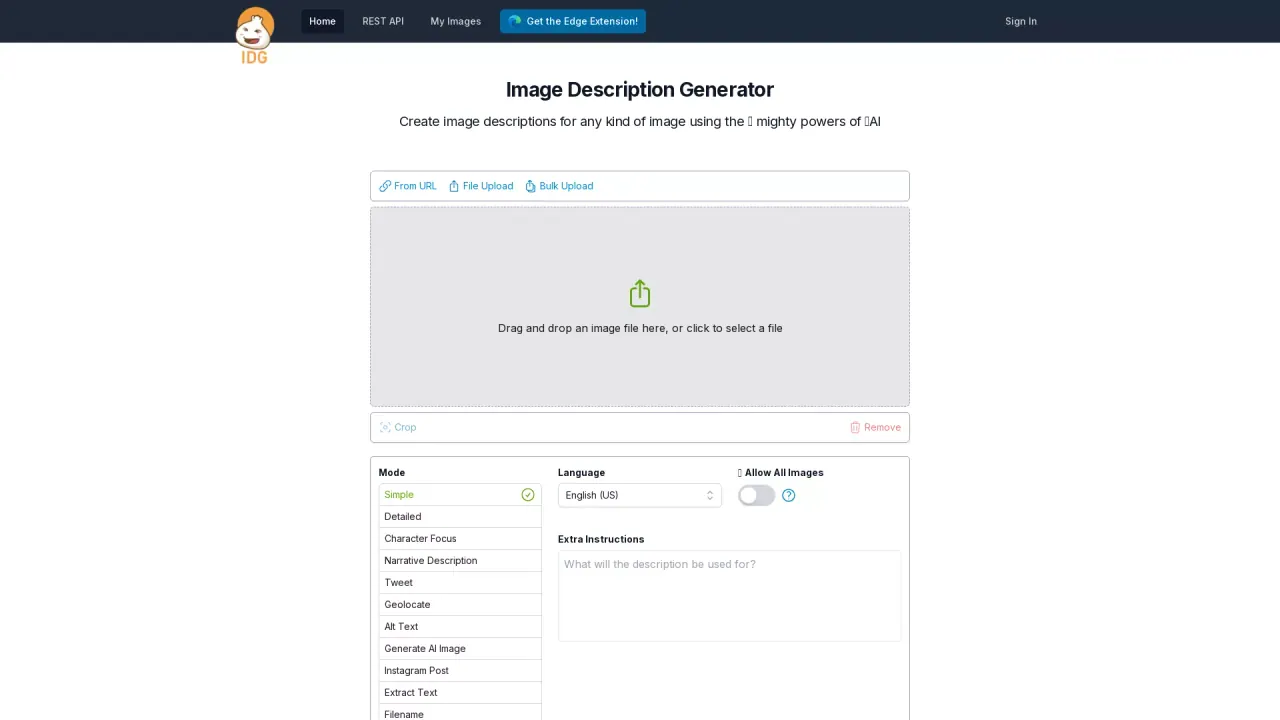
Image Description Generator (IDG) is a tool that describes images using AI. The content of the image is determined by AI, and the response is text tailored to the mode, extra instructions, and other settings. IDG can also speak the response, for accessibility, and you can choose to improve the response by adding additional instructions. Tools like Image Description Generator usually have other related aliases or keywords, such as: photo describer, picture describer, ai image describer, online image describer, describe image tool, describe image ai, ai describe image, image caption generator, describe picture tool, and describe picture ai.
What are some unique features of imagedescriptiongenerator.net?
Image Description Generator supports cropping images to focus on the most important areas, bulk uploading to process multiple images at once, the ability to read aloud for any generated description, the ability to create descriptions in multiple different languages, and the ability to improve descriptions after they are created by providing additional feedback.
Can a user use Image Description Generator for free?
Yes, the first 15 descriptions are free.
How Can I Upload Images to Image Description Generator?
You can upload images to the Image Description Generator by either dragging and dropping the image file into the designated area or clicking to select a file from your device. The tool also supports bulk uploading, allowing you to process multiple images simultaneously.
What Types of Descriptions Can Be Generated with Image Description Generator?
Image Description Generator offers several modes for creating descriptions: Simple, Detailed, Character Focus, Narrative Description, and more. You can generate text suited for various formats like Alt Text, Instagram Posts, or Tweets, and even utilize the Geolocate feature to add contextually relevant location information.
How Can I Customize and Save My Generated Descriptions?
After generating an image description, you can further customize it by using additional instructions to improve the output. There is also an option to save these descriptions for later use, and you can enable the Read Aloud feature for accessibility. Additionally, descriptions can be copied or adjusted to meet specific requirements.
Is this your tool?
Claim ImageDescriptionGenerator to manage this listing, or upgrade to Pro for featured-first placement and a newsletter feature.