CodingAgentFix
AI Code Writers & Generator Tools
CodingAgentFix is an error-first, source-linked troubleshooting hub for OpenAI Codex and Anthropic Claude Code.
Promoted
 AI Checker PlusAI detector that highlights which passages AI wrote. Free check, no sign-up. Plagiarism too.
 RewindType any X/Twitter handle. Get their year back as a narrated video story. Then ask it anything.
 KurodyneSell the tools from your AI side projects. Listing is free.
 Pixmax.aiPixmax.ai is an all-in-one AI workspace for videos, visual stories, and marketing content.
 SEOify - Improve your SEO & rankingsBuild links to rank in Google. Improve your DR with links you can start building now.Advertise here330,000+ people visit Dang.ai every month.
What does CodingAgentFix do?
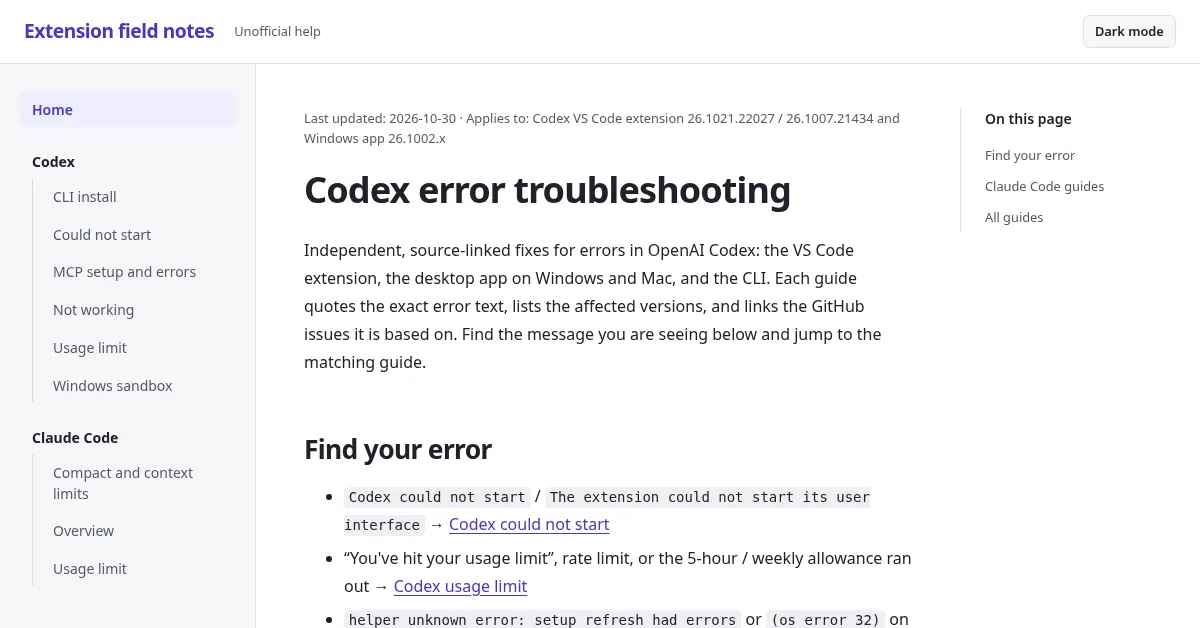
CodingAgentFix provides independent, source-linked help to troubleshoot AI coding agents—especially OpenAI Codex and Anthropic Claude Code. Instead of generic forum advice, you start with the exact error text you’re seeing and jump straight to the matching guide.
Guides cover common failure points across Codex and Claude Code, including Codex usage limit and rate-limit messages, extension startup issues (like “Codex could not start”), Windows sandbox problems (os error 32), MCP setup and errors, and interrupted responses (like “stream disconnected”). You’ll also find Claude Code troubleshooting for startup/process failures (e.g., “process exited with code 1”), webview and ServiceWorker issues, CLI PATH problems, and guidance for Compact and context limits.
Most guides are version-aware, listing relevant versions (for example, Codex VS Code extension and Windows app versions) and pairing steps with direct links back to GitHub issues and official documentation. This makes it easier to verify the fix and apply the steps that match your environment—extension, desktop app, or CLI.
There’s no signup or paywall-style gating. Use it when your agent breaks, stops starting, hits a limit, or fails during setup, and you want targeted, versioned steps tied to the underlying reports and docs.
How do I find the right fix on CodingAgentFix?
Look up the exact error message you’re seeing (for example, a usage limit message, a “could not start” error, or a ServiceWorker/InvalidStateError wording) and jump to the matching guide.
Does CodingAgentFix include fixes for both Codex and Claude Code?
Yes. It covers OpenAI Codex (including extension/CLI and Windows sandbox issues) and Anthropic Claude Code (including webview ServiceWorker errors, process exits, and CLI PATH problems).
Are the guides version-specific?
They provide relevant version notes, including specific Codex VS Code extension and Windows app version applicability, and they help you apply steps appropriate to your setup.
Do the troubleshooting steps link back to primary sources?
Yes. Each guide links to the underlying GitHub issues and relevant official documentation, so you can review the details alongside the recommended steps.
Is there a signup or payment required to use the guides?
No—CodingAgentFix is presented as free, source-linked help without a paywall-style signup barrier.
What should I do if my agent fails during setup (for example, MCP or Windows errors)?
Find the guide that matches the exact setup error text (MCP startup issues, Windows sandbox os error 32, or Windows “setup refresh” failures), then follow the version-matched, step-by-step recovery path provided in that guide.
This listing is claimed
Own CodingAgentFix? Sign in with the email used to claim it to manage this listing, or upgrade to Pro for featured-first placement and a newsletter feature.