
ChirpyDesk
AI Assistant Tools
ChirpyDesk is a 24/7 AI voice receptionist that answers calls on the first ring, books appointments in your calendar, and warm-transfers emergencies.
- Pricing
- Free
- Category
- Assistant
- Listed
- Aug 28, 2026
- Updated
- Aug 29, 2026
Promoted
 RewindType any X/Twitter handle. Get their year back as a narrated video story. Then ask it anything.
 KurodyneSell the tools from your AI side projects. Listing is free.
 Sidrune AI85% off. Stable Claude API for agent developers. Pay as you go. Invoices & refunds available.
 Pixmax.aiPixmax.ai is an all-in-one AI workspace for videos, visual stories, and marketing content.
 SEOify - Improve your SEO & rankingsBuild links to rank in Google. Improve your DR with links you can start building now.Advertise here270,000+ people visit Dang.ai every month.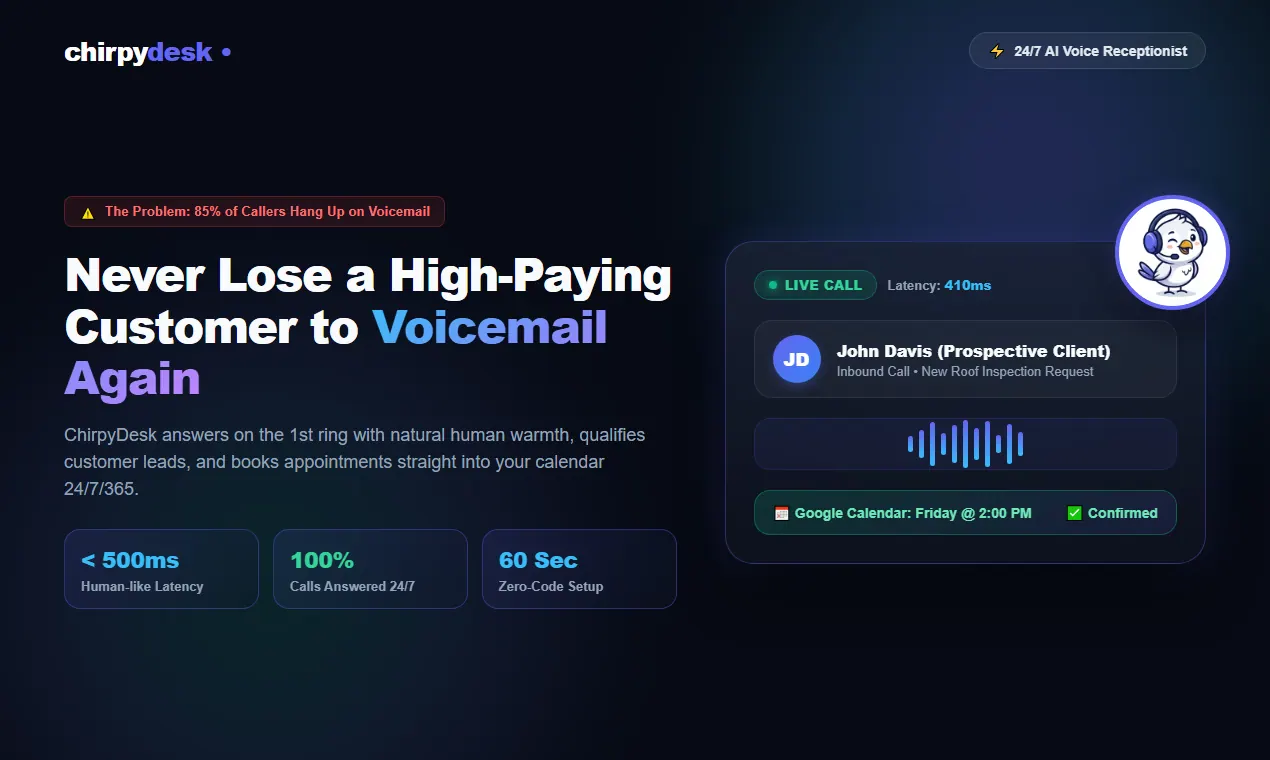
What does ChirpyDesk do?
ChirpyDesk is an ultra-realistic 24/7 AI Voice Receptionist and phone agent designed for service businesses that can’t afford missed calls. It answers inbound calls on the first ring, understands natural interruptions and complex requests, and handles continuous coverage through nights, weekends, and holidays.
ChirpyDesk can book appointments directly into your Google Calendar or Outlook by checking live availability and creating confirmed booking events. It collects details like customer name, phone, address, and service needs, and can send a confirmation text after booking.
For urgent situations, ChirpyDesk supports warm call transfers that route callers to the right on-call staff or cell number, including pre-screening and warm bridging so your team is prepared. It can also take and provide voicemail audio/transcripts when staff is unavailable, helping you respond faster and keep leads from slipping to competitors.
You can train the AI with a custom knowledge base built from your business website (pricing, operating hours, service areas, and policies) and also update it as your details change. Use the live web simulator to test and refine voice, scripts, and business logic before going live.
How does ChirpyDesk answer calls—does it route callers to voicemail?
ChirpyDesk answers inbound calls on the 1st ring for 24/7/365 coverage. It’s built to prevent calls from being sent to voicemail when you’re unavailable.
Can ChirpyDesk book appointments directly into my calendar?
Yes. ChirpyDesk connects with Google Calendar and Outlook to check real-time availability and book appointment slots directly during the call.
Does ChirpyDesk handle emergency or urgent requests?
Yes. ChirpyDesk can identify true emergencies based on your criteria and warm-transfer urgent callers to your on-call technicians or staff, with the caller details surfaced before the transfer.
How do I train ChirpyDesk on my business details and pricing?
Paste your website URL so ChirpyDesk can absorb your pricing, operating hours, service areas, and company policies. You can also upload PDF brochures, rate cards, and policy documents to expand the knowledge base.
How long does setup take?
Setup is designed to take about 5 minutes, including entering your business URL, connecting your calendar, and forwarding your phone line.
Can I keep my existing phone number?
Yes. You can forward calls from your existing carrier (such as AT&T or Verizon) or use a new ChirpyDesk number to activate 24/7 answering.
This listing is claimed
Own ChirpyDesk? Sign in with the email used to claim it to manage this listing, or upgrade to Pro for featured-first placement and a newsletter feature.