
CastReader
AI Text to Speech Tools
CastReader reads articles, PDFs & Kindle aloud in natural AI voices—and Quickread explains hard pages in the language you choose.
- Pricing
- Free
- Category
- TTS
- Listed
- Jun 16, 2026
- Updated
- Jun 17, 2026
Promoted
 Pixmax.aiPixmax.ai is an all-in-one AI workspace for videos, visual stories, and marketing content.
 AI Checker PlusAI detector that highlights which passages AI wrote. Free check, no sign-up. Plagiarism too.
 RewindType any X/Twitter handle. Get their year back as a narrated video story. Then ask it anything.
 KurodyneSell the tools from your AI side projects. Listing is free.
 Sidrune AI85% off. Stable Claude API for agent developers. Pay as you go. Invoices & refunds available.
 SEOify - Improve your SEO & rankingsBuild links to rank in Google. Improve your DR with links you can start building now.Advertise here270,000+ people visit Dang.ai every month.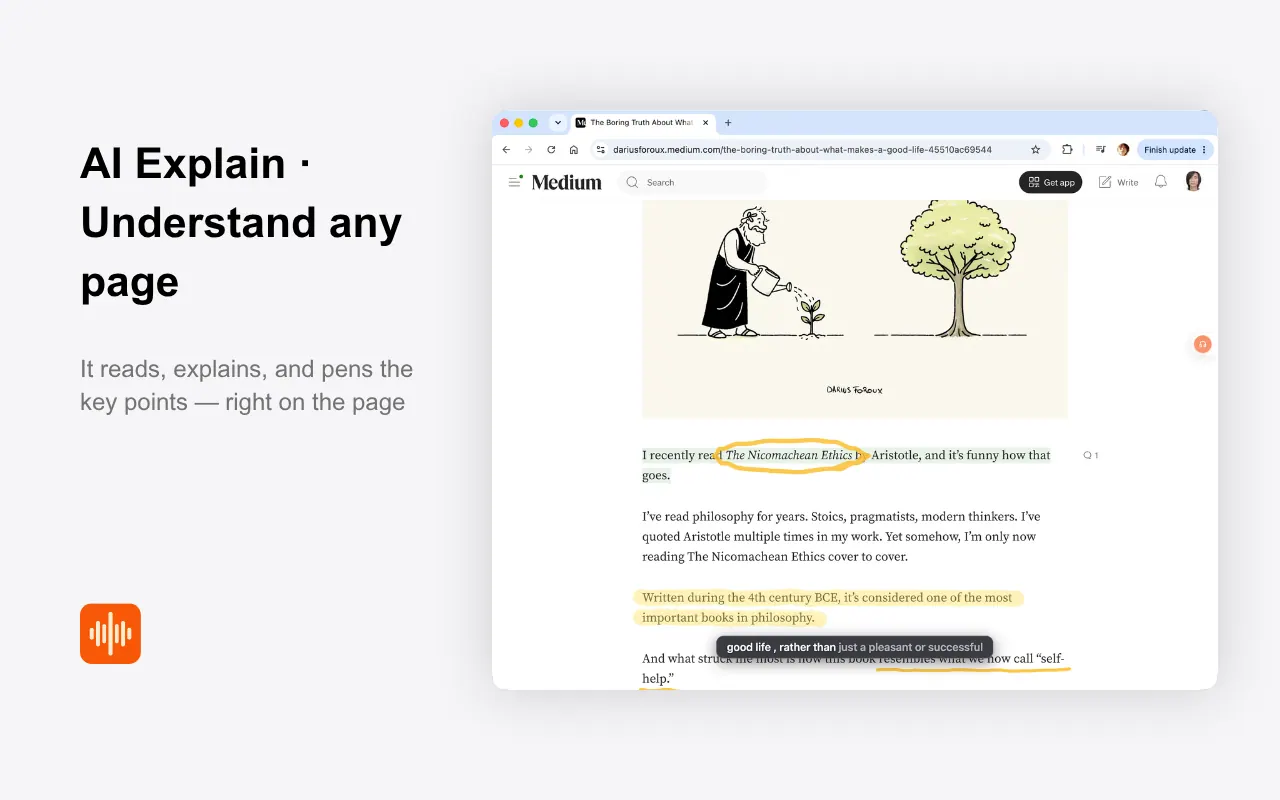
What does CastReader do?
CastReader is a “read it, hear it, finally understand it” tool for long-form content. It combines plain read‑aloud narration with Quickread, which explains a difficult or foreign page in the language you prefer while highlighting key points with a moving pen.
Use it for dense research papers, technical documentation, foreign-language news, and any long read you want to understand faster. Quickread focuses on meaning (not just word-by-word reading), so you can follow along as the key ideas are marked up and unpacked.
CastReader also supports listening directly from the screen for Kindle and other readable content, with chapter-by-chapter audio and auto page turning. For the go-anywhere part, you can send audio to your phone, so what you start on desktop can continue on your commute.
In addition, CastReader includes listen buttons and a “read selected text” gesture for documents, emails, AI chat answers, and web pages—letting you turn exactly what you need into audio with paragraph-level or word-level highlighting.
What is the difference between Quickread and plain read-aloud?
Plain read-aloud narrates the content in natural AI voices with highlighting so you can follow along. Quickread explains a hard or foreign page in your chosen language, marking key points as it walks you through the meaning.
Can CastReader read Kindle content aloud?
Yes. It supports reading Kindle (including DRM-protected pages) and can narrate chapter by chapter with auto page turning.
How do I get explanations in my language when the page is in another language?
Use Quickread: it cross-language explains the passage in the language you think in, while highlighting the key points on the original text.
Does CastReader work on web pages and long articles?
Yes. You can turn an article or any website page into audio with real-time word highlighting, and Quickread can explain foreign-language pieces in your language.
Can I listen to just a specific section of text instead of the whole page?
Yes. Select any text and use the read selected text action to have CastReader voice just that passage, with paragraph highlighting.
Do I need to sign in or pay to start?
You can start free with no login, and CastReader supports 40+ languages.
This listing is claimed
Own CastReader? Sign in with the email used to claim it to manage this listing, or upgrade to Pro for featured-first placement and a newsletter feature.