
AIVideoSummarizer
Verified
Video Summarization Tool
Summarize any video into subtitles and structured notes in seconds—100% free online with no sign-up and no waiting in a queue.
Promoted
 Pixmax.aiPixmax.ai is an all-in-one AI workspace for videos, visual stories, and marketing content.
 RewindType any X/Twitter handle. Get their year back as a narrated video story. Then ask it anything.
 KurodyneSell the tools from your AI side projects. Listing is free.
 Sidrune AI85% off. Stable Claude API for agent developers. Pay as you go. Invoices & refunds available.
 SEOify - Improve your SEO & rankingsBuild links to rank in Google. Improve your DR with links you can start building now.Advertise here270,000+ people visit Dang.ai every month.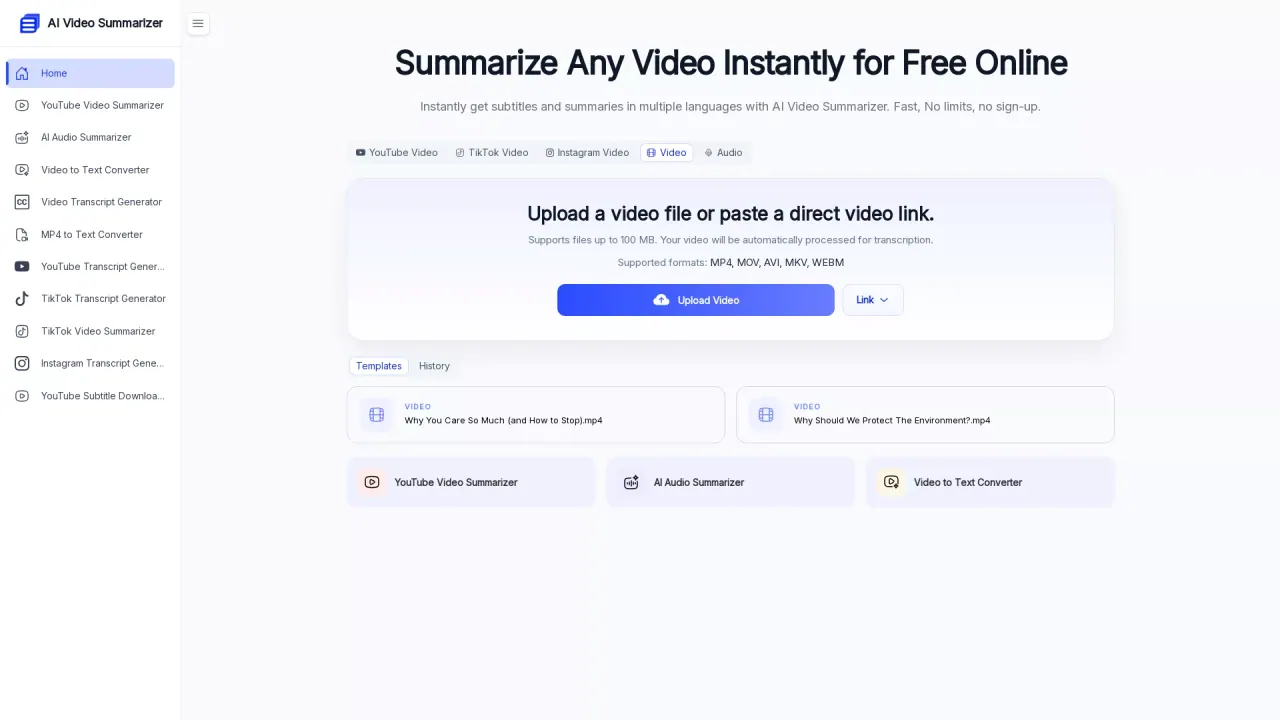
What does AIVideoSummarizer do?
AI Video Summarizer is an online tool that turns video into text, then summarizes that content to extract the key insights you need. It supports summarizing and learning from long-form media without having to watch all the way through—helpful for students, researchers, and anyone who needs quick takeaways from recorded content.
You can upload a video file or paste a direct link (including YouTube, TikTok, and Instagram options). Once processed, you can get a full transcript along with subtitles, chapters, and a structured summary. Choose from multiple summary templates to match different content types, and use mind map generation to convert key ideas into a simple visual outline for faster understanding and review.
It also supports multi-language workflows, including automatic output language selection and 100+ languages supported for summarization and translation. For meetings, lessons, interviews, and other long recordings, it can produce summaries quickly—aimed at making it practical to reuse video content as editable notes.
Pricing: The service is available free to use online with no sign-up, no hidden fees, and no usage limits. Video processing supports files up to the stated size limits on the tool (including up to 1GB video file support).
What can I summarize with AI Video Summarizer?
You can summarize uploaded videos and also use direct links for supported platforms like YouTube, TikTok, and Instagram. The tool can generate summaries along with transcripts, subtitles, and chapters.
Do I need to sign up or log in to use it?
No—AI Video Summarizer is free to use online without sign-up or logging in, and it doesn’t rely on a queue.
What formats and size limits are supported?
Supported formats include common video files like MP4 and MOV, and videos can be uploaded as long as they stay within the tool’s stated file size limits. The tool also supports up to 1GB video file size.
How fast are summaries generated for long videos?
For 1–2 hour videos, summaries can be generated in about 3–5 seconds, without waiting in a queue.
Can I get both the transcript and the summary at the same time?
Yes. The tool generates a full transcript alongside subtitles, chapters, and a structured summary in one processing run.
Can the output language be changed?
Yes. You can set the output language (including an Auto option), and the tool supports 100+ languages for summarization and translation.
This listing is claimed
Own AIVideoSummarizer? Sign in with the email used to claim it to manage this listing, or upgrade to Pro for featured-first placement and a newsletter feature.