VoiSpark
Verified
AI Text to Speech Tool
Transform text into lifelike speech instantly using leading voice engines (ElevenLabs, Cartesia, MiniMax etc.).
Promoted
 KurodyneSell the tools from your AI side projects. Listing is free.
 Sidrune AI85% off. Stable Claude API for agent developers. Pay as you go. Invoices & refunds available.
 Pixmax.aiPixmax.ai is an all-in-one AI workspace for videos, visual stories, and marketing content.
 RewindType any X/Twitter handle. Get their year back as a narrated video story. Then ask it anything.
 SEOify - Improve your SEO & rankingsBuild links to rank in Google. Improve your DR with links you can start building now.Advertise here270,000+ people visit Dang.ai every month.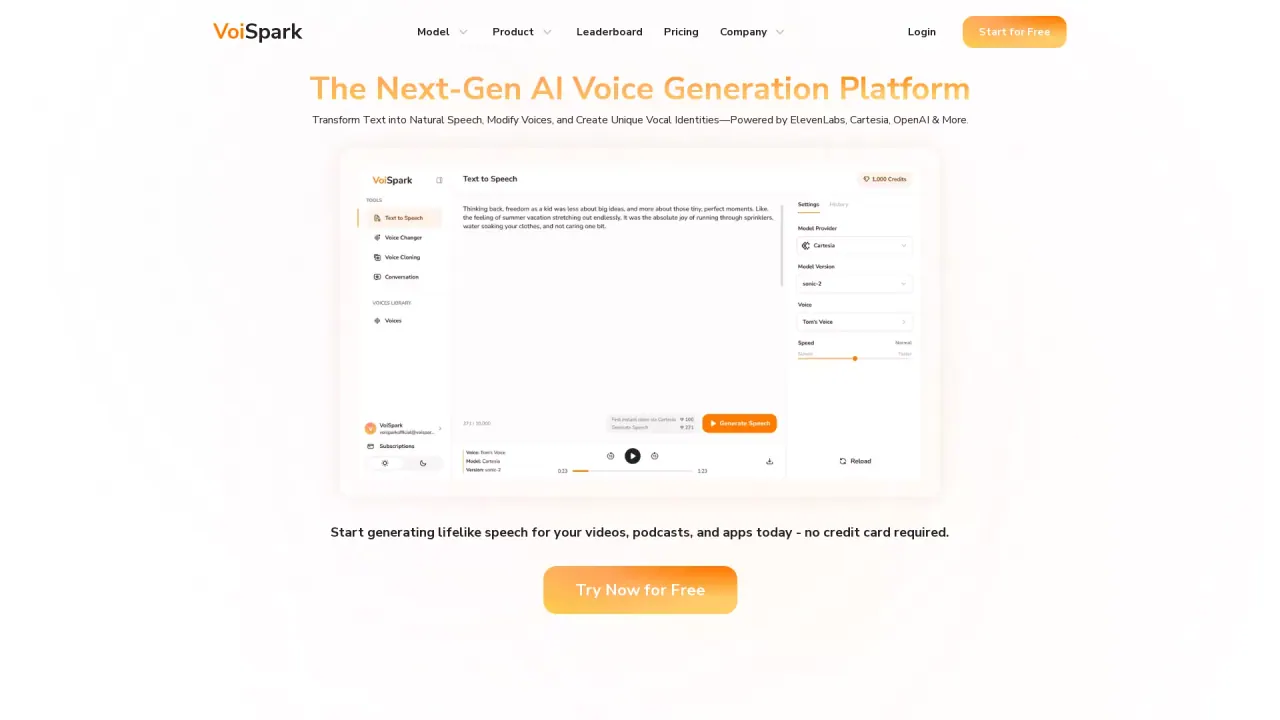
What does VoiSpark do?
What is VoiSpark and who is it for?
VoiSpark is the AI voice studio designed for content creators who want to sound human and engaging. It lets you generate natural-sounding voiceovers, clone voices (including your own), and create audio content at scale—without requiring technical expertise. Start for free.
How do I create my first voiceover in VoiSpark?
Create your first voiceover in three simple steps:
- Pick a voice from 700+ expressive options (or clone your own in seconds).
- Drop in your content by pasting text, uploading a file, or recording directly.
- Generate and share: adjust emotion, pacing, and tone, then export ready-to-use audio.
How does voice cloning work and how quickly can I clone my voice?
VoiSpark supports realistic voice cloning. You can create a close clone of your voice in seconds using just 15 seconds of uploaded material, and you can further refine the clone to match your needs.
How many voices are available and can I get diverse accents?
VoiSpark offers a massive library with 700+ voice options, including celebrities, with global accents available. This provides far more variety than many other AI voice tools.
What are the most popular use cases for VoiSpark?
Key use cases include:
- YouTube/TikTok voiceovers & commentary
- Shorts, memes, parody content
- Celebrity and historical parodies; character mashups
- Podcasts and consistent host voices; guest voice re-creation; re-record fixes
- E-learning: course narration, tutorials, training content
- Marketing & branding: brand voice, ad voiceovers, promotional content
- Events: intros, outros, host scripts, conference updates
- Creative roles: ASMR and sensory voices, character/fantasy voice work, custom or NSFW performances
What about long-form content and multi-speaker narration?
VoiSpark supports long-form content with consistent voice quality. You can upload entire chapters, edit lines without re-doing everything, and assign different speakers to keep narration engaging.
Do I need technical skills to use VoiSpark?
No. VoiSpark is built for creators who want human-sounding voices without technical hurdles. The platform guides you through a simple, three-step process to go from idea to finished audio.
How is VoiSpark different from subscribing to ElevenLabs or another single provider?
VoiSpark aggregates a large, diverse library and multiple voice engines in one platform. It offers 700+ voices (including celebrity-style options) and access to various voice models, giving you more options across providers rather than being tied to a single service.
What happens to my voice data? Is it stored or shared?
The scraped content does not specify how voice data is stored or shared. Please review VoiSpark’s privacy/terms or contact support for exact data handling details.
Are the credits monthly or one-time? Do they roll over?
The scraped content does not specify how credits are issued (monthly vs. one-time) or whether they roll over. For exact details, check the pricing information or contact support.
Do you offer API access or custom workflows?
Yes. For custom workflows, API solutions, bulk processing, or dedicated support, you can contact the VoiSpark team.
Where can I find more information about features, updates, and pricing?
VoiSpark provides resources such as Documentation, API Reference, Roadmap, Changelog, FAQ, and Pricing pages. You can also reach out via support channels for specific questions.
Are NSFW or custom performances allowed on VoiSpark?
Yes. The platform lists "Custom or NSFW performances" as a supported use case within its creator-focused voice options.
How can I start for free?
You can start for free by visiting VoiSpark and using the Start for Free option to generate your first voiceover.
This listing is claimed
Own VoiSpark? Sign in with the email used to claim it to manage this listing, or upgrade to Pro for featured-first placement and a newsletter feature.