
ConsultScribe
AI Medical Transcription Tool
Turn recorded consultations into professional, template-based reports in seconds.
- Pricing
- Free trial
- Category
- Summary
- Listed
- Feb 15, 2026
- Updated
- Oct 21, 2026
Promoted
 AI Checker PlusAI detector that highlights which passages AI wrote. Free check, no sign-up. Plagiarism too.
 RewindType any X/Twitter handle. Get their year back as a narrated video story. Then ask it anything.
 KurodyneSell the tools from your AI side projects. Listing is free.
 Sidrune AI85% off. Stable Claude API for agent developers. Pay as you go. Invoices & refunds available.
 Pixmax.aiPixmax.ai is an all-in-one AI workspace for videos, visual stories, and marketing content.
 SEOify - Improve your SEO & rankingsBuild links to rank in Google. Improve your DR with links you can start building now.Advertise here270,000+ people visit Dang.ai every month.
What does ConsultScribe do?
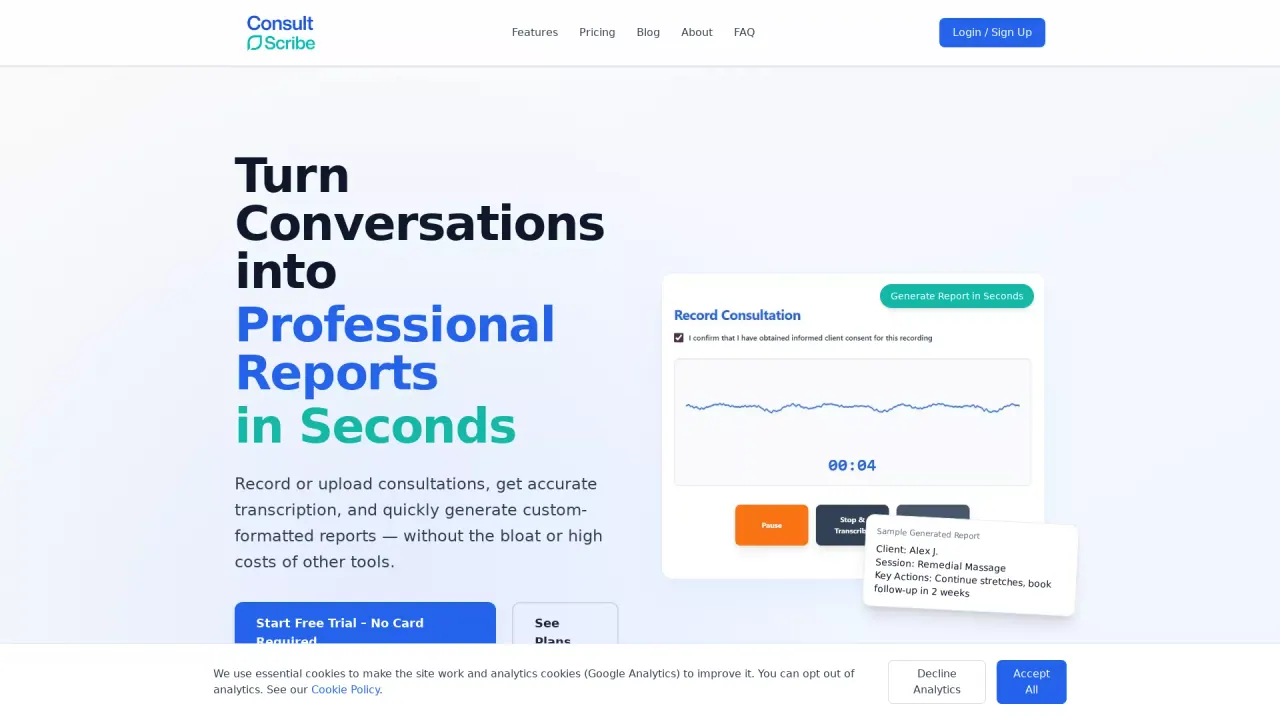
ConsultScribe helps you turn spoken consultations into structured, professional reports quickly. You can record directly in your browser or upload an audio file, then generate a clean document formatted to your preferred structure.
The workflow is designed for speed and control: create or customize your own templates using an AI assistant, record or upload audio (MP3, WAV, M4A, etc.), review the transcript, and then export a formatted report as a PDF or copy it into your tools. Templates support placeholders and instructions so you can define exactly how each report should be structured and toned.
ConsultScribe is well suited to allied health and clinical professionals who need consistent documentation—such as creating SOAP notes, session summaries, treatment plans, and follow-ups. Teams can also collaborate by creating teams, sharing templates, and tracking usage per team, with seamless switching between personal and team modes.
Pricing is usage-based for trials and paid plans. New users can start a free trial with 30 operations and no card required. After the trial, paid plans are available, including pricing shown in AUD (from $10.50 AUD/mo), with templates described as unlimited on every plan.
What does ConsultScribe do for my practice notes?
It records or accepts audio, transcribes it, and then formats the transcript into a professional report using your custom template (for example, SOAP notes, summaries, and action plans).
Can I record directly in the browser or do I need to upload audio?
You can do either. Start recording in-browser or upload existing audio files such as MP3, WAV, or M4A.
How do custom templates work?
You can create and refine templates with the built-in AI assistant. Templates can include {instructions} and [placeholders] to control the structure and insert dynamic content, and you can also upload .docx files to convert existing templates.
What counts as an “operation” if I’m on a plan?
One transcription is one operation, and one report generation is one operation. Transcribing and then generating a report from it counts as 2 operations.
Is there a free trial and do I need a credit card?
Yes. New users get 30 free operations with no credit card required.
How does ConsultScribe handle privacy and data security?
Audio and transcripts are processed securely on encrypted Runpod servers. Reports are not stored long-term unless you choose to save them on your own machine, and data from transcriptions/reports isn’t saved.
This listing is claimed
Own ConsultScribe? Sign in with the email used to claim it to manage this listing, or upgrade to Pro for featured-first placement and a newsletter feature.