
AIPixeler
AI Ecommerce Visuals
AIPixeler turns simple product photos into campaign-ready ecommerce, ad, and social creatives using AI.
Promoted
 Pixmax.aiPixmax.ai is an all-in-one AI workspace for videos, visual stories, and marketing content.
 Sidrune AI85% off. Stable Claude API for agent developers. Pay as you go. Invoices & refunds available.
 SEOify - Improve your SEO & rankingsBuild links to rank in Google. Improve your DR with links you can start building now.Advertise here270,000+ people visit Dang.ai every month.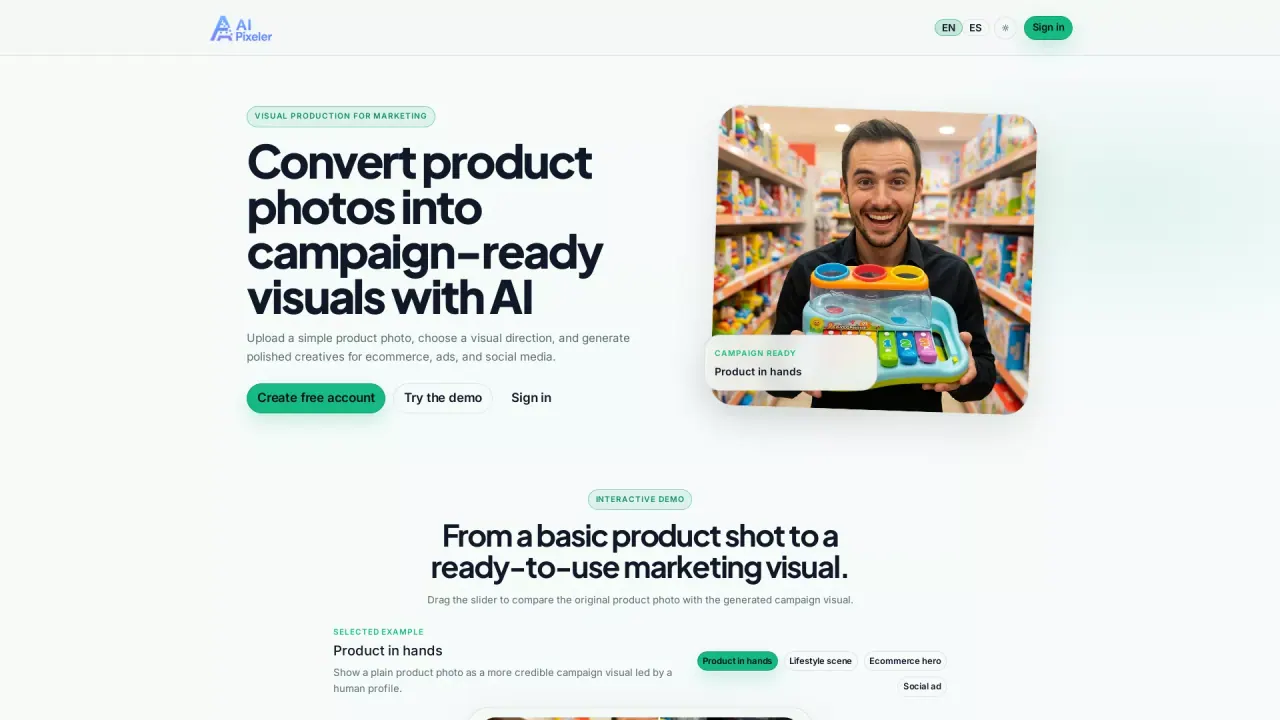
What does AIPixeler do?
AI Pixeler is an AI image platform that turns simple product photos into marketing-ready visuals. Upload a basic product shot, choose a visual direction (such as influencer-led, lifestyle, or ecommerce hero styles), and generate polished assets you can use for ecommerce pages, paid ads, and social media.
A key workflow is taking your original product photo and producing multiple campaign-ready outcomes. You can compare the generated creative against the starting image using the interactive slider, then pick the look that best fits your campaign. Common output types include product-in-hands visuals for more human, premium framing, lifestyle scenes that place the item in a branded, aspirational context, cleaner ecommerce hero imagery for launches and product pages, and social ad creatives designed for paid placement variations.
For additional creative control, the Social Editor helps you move from AI image to ready-to-post content. Add headlines, badges, calls to action, and brand colors, then choose export formats for Instagram, ads, ecommerce, and campaign needs. Exports can be saved as PNG or added to your library.
AI Pixeler is built for ecommerce brands, agencies producing faster concepts and creative tests, content creators turning everyday product photos into sponsor-ready assets, and social media teams planning posts, paid ads, and campaign calendars.
Create a free account to get started; see pricing for further details.
What can I create with AI Pixeler?
Create product-in-use campaign visuals from a simple photo, including product-in-hands images, lifestyle scenes, ecommerce hero visuals, and social ad creatives.
Do I need design experience to use AI Pixeler?
No—upload a product photo, choose a visual direction, and generate marketing-ready images. The Social Editor also provides guided options for text, CTAs, badges, and brand colors.
Can I edit the generated images before exporting?
Yes. Use the Social Editor to add headlines, badges, calls to action, logo/brand colors, and select an export format before saving.
How does the slider comparison work?
You can drag the slider to compare your original product photo with the generated campaign visual so you can quickly judge the result.
Who is AI Pixeler for?
It’s designed for ecommerce brands, agencies, content creators, and social media teams that need product visuals quickly for launches, ads, and social content.
Can I use AI Pixeler for commercial content?
You can use AI Pixeler to generate marketing visuals for ecommerce, ads, and social media, but review the platform’s content policy to match your specific use case.
This listing is claimed
Own AIPixeler? Sign in with the email used to claim it to manage this listing, or upgrade to Pro for featured-first placement and a newsletter feature.