
Video to Prompt
Analytics AI Tools
Turn short videos into detailed, editable AI prompts by extracting scenes, subjects, camera language, lighting, motion, and audio cues.
- Pricing
- Free
- Category
- Analytics
- Listed
- Sep 8, 2026
- Updated
- Sep 9, 2026
Promoted
 Sidrune AI85% off. Stable Claude API for agent developers. Pay as you go. Invoices & refunds available.
 Pixmax.aiPixmax.ai is an all-in-one AI workspace for videos, visual stories, and marketing content.
 SEOify - Improve your SEO & rankingsBuild links to rank in Google. Improve your DR with links you can start building now.Advertise here270,000+ people visit Dang.ai every month.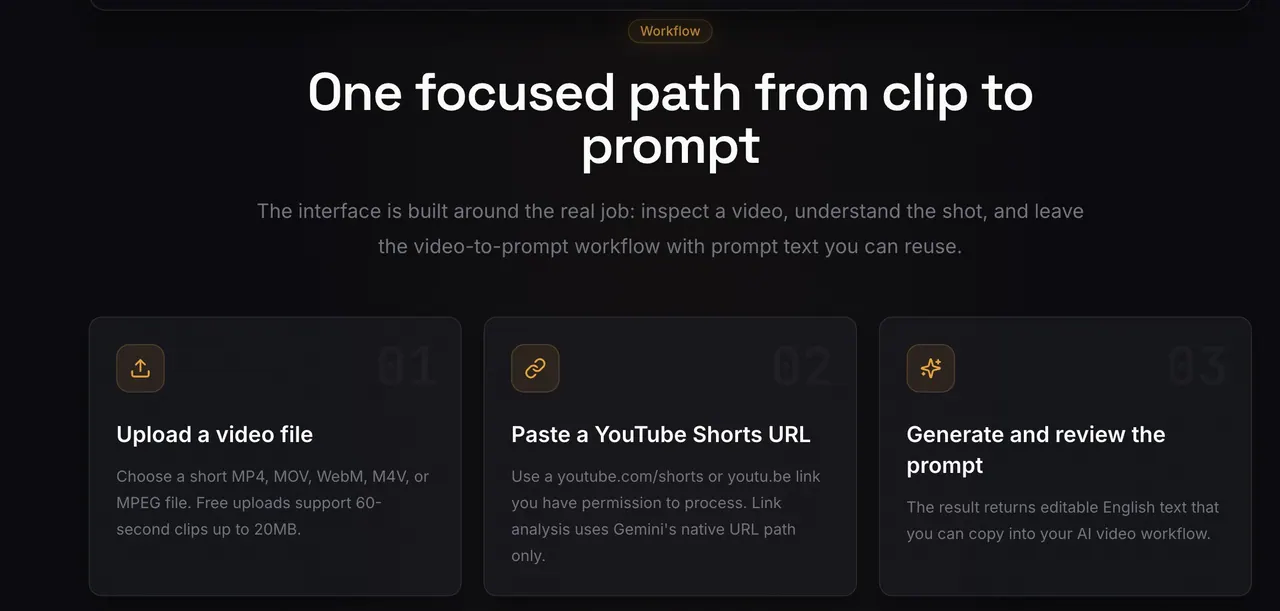
What does Video to Prompt do?
Video to Prompt is a free AI video prompt generator that analyzes a short clip and outputs written prompt text you can review, edit, and reuse. Upload a video file you own or have permission to process, or paste a YouTube Shorts link, and get scene-by-scene prompt details plus a final English prompt.
The result captures what’s happening and how it’s filmed—subject appearance, actions over time, setting and composition, camera movement and shot cues, lighting and visual style, and relevant audio/dialogue cues when available. You can then adapt the prompt to match the controls and format of your target AI workflow.
Designed for creators, filmmakers, designers, marketers, and anyone remixing visual ideas, this tool focuses on one workflow: convert a video into structured text prompts you can immediately copy and iterate.
What does Video to Prompt generate—prompts or media?
It generates editable text prompts only. It does not generate images or videos directly.
What inputs can I use to extract a prompt from video?
You can upload MP4, MOV, WebM, M4V, or MPEG files, or paste a YouTube Shorts link (youtube.com/shorts or youtu.be) you have permission to process.
Are free analyses available, and what limits apply?
Yes. You can try 1 analysis without signing in, and a free account includes 5 free analyses per month total after sign-in (including any anonymous trial already used that month).
What video length and size work best?
Free analyses support up to 60 seconds and 20MB per video; paid credits support up to 2 minutes and 50MB. Short clips with clear scenes and fewer major scene changes typically produce more detailed prompts.
Can Video to Prompt analyze links from TikTok, Instagram, or other platforms?
No. The URL-based flow supports YouTube Shorts and youtu.be links only. For other sources, upload a video file you have permission to process.
What’s included in the generated prompt output?
The output describes the subject, action and motion, scene and progression, camera and composition cues, lighting and visual style, plus relevant audio details, all as a polished English prompt you can copy.
This listing is claimed
Own Video to Prompt? Sign in with the email used to claim it to manage this listing, or upgrade to Pro for featured-first placement and a newsletter feature.