
Verbia
AI Writing Tools and Generators
Verbia drafts the reply you mean by using the conversation context you’re responding to, in the language, tone, and length you choose.
- Pricing
- Free
- Category
- Writing
- Listed
- Sep 19, 2026
- Updated
- Sep 19, 2026
Promoted
 KurodyneSell the tools from your AI side projects. Listing is free.
 Sidrune AI85% off. Stable Claude API for agent developers. Pay as you go. Invoices & refunds available.
 Pixmax.aiPixmax.ai is an all-in-one AI workspace for videos, visual stories, and marketing content.
 AI Checker PlusAI detector that highlights which passages AI wrote. Free check, no sign-up. Plagiarism too.
 RewindType any X/Twitter handle. Get their year back as a narrated video story. Then ask it anything.
 SEOify - Improve your SEO & rankingsBuild links to rank in Google. Improve your DR with links you can start building now.Advertise here270,000+ people visit Dang.ai every month.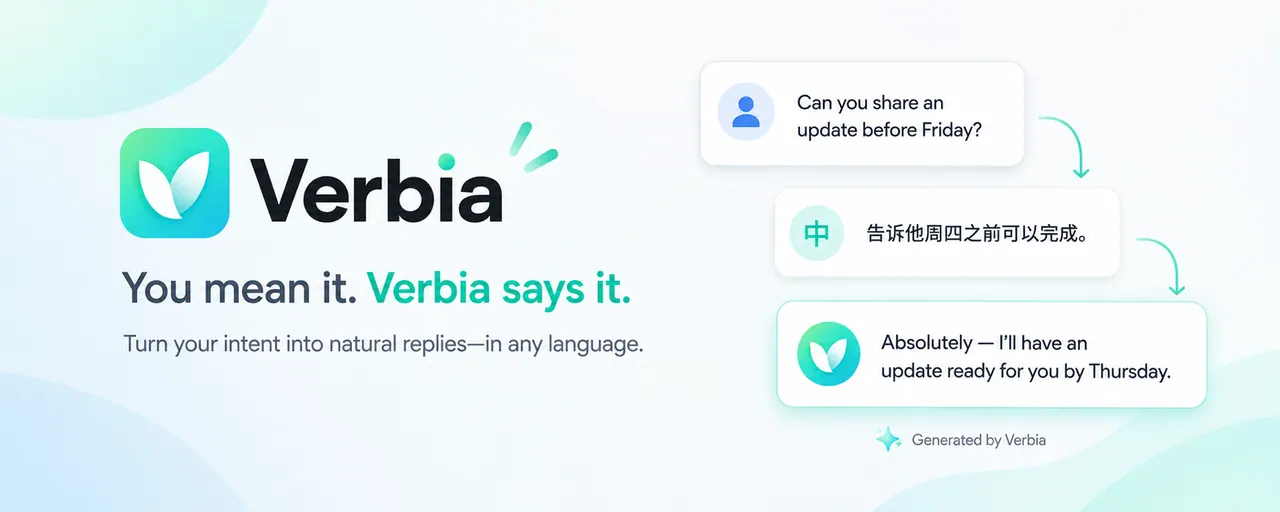
What does Verbia do?
Verbia is an in-line browser writing assistant that turns your intent into a natural, context-aware reply. Instead of forcing word-for-word translation, you can think in your language and have Verbia express it naturally in theirs.
When you’re replying, Verbia can automatically detect relevant visible context on supported platforms like Reddit, WhatsApp Web, Gmail, Outlook on the web, and QQ Mail. If automatic detection isn’t available or needs correction, you can use AI Identify for email on supported webmail; on other sites, you can select the exact text you’re responding to (Universal Mode) or provide no context.
Verbia only produces drafts. Review, edit, and insert the generated reply yourself—Verbia does not send, submit, or post anything on your behalf. You can type or use voice input, choose reply language, tone, and length, and switch interface languages any time in the Dashboard.
What does Verbia actually do?
Verbia drafts a reply based on the conversation context around where you’re writing plus your intent. You review the draft and decide what to insert and send.
Can I use Verbia without knowing the other person’s language?
Yes. Tell Verbia what you mean in your language (type or speak), then choose the reply language so the draft matches the conversation.
How does Verbia know what I’m replying to?
On supported platforms, Automatic Mode detects relevant visible context when the reply panel opens. Elsewhere, you can add context by selecting the exact text you’re responding to or by using AI Identify for email on supported webmail.
Does Verbia send or post my message automatically?
No. Verbia only generates a draft. You insert it into the reply box and send it yourself.
Can I dictate my intent instead of typing?
Yes. Voice input turns what you say into a draft you can review and edit.
Where is Verbia available?
Verbia is available as a browser extension for Google Chrome and Microsoft Edge. Automatic Mode works on Reddit, WhatsApp Web, Gmail, Outlook on the web, and QQ Mail, with other sites supported via selected context.
This listing is claimed
Own Verbia? Sign in with the email used to claim it to manage this listing, or upgrade to Pro for featured-first placement and a newsletter feature.