
Tweetmonk
Twitter AI Writing Tool
Schedule tweets & write faster with Tweetmonk, the AI-powered Twitter AI Writing Tool. Engage your audience with well-crafted tweets & threads.
What does Tweetmonk do?
What is Tweetmonk and how does it help Twitter users?
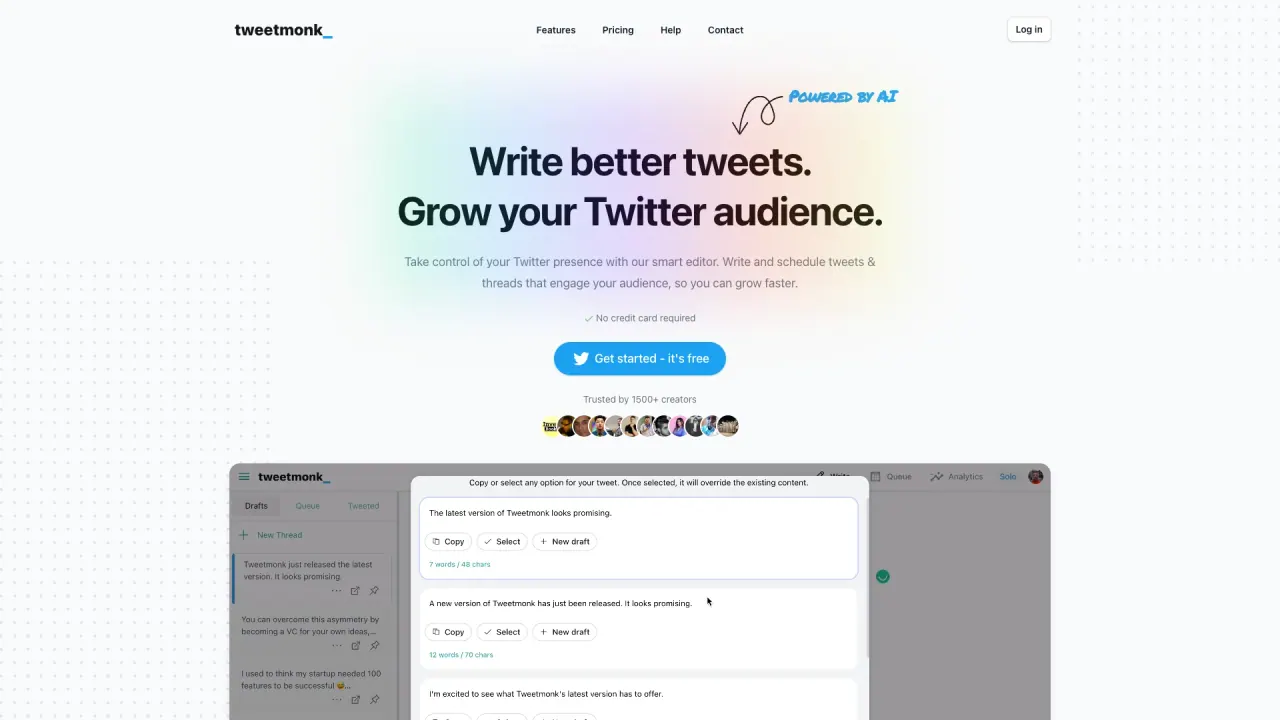
Tweetmonk is an AI-powered Twitter thread editor and scheduler that helps you maximize your reach by letting you create and schedule engaging tweets and threads. It combines an intelligent editor with AI writing assistance, thread ideas and hooks, hashtags generation, automatic text splitting for threads, and one-click or scheduled publishing. It supports images, GIFs, and videos and is powered by ChatGPT, with the option to use your own API key.
What features make Tweetmonk's scheduler and editor unique?
Tweetmonk offers an easy-to-use interface with AI-powered writing, paraphrase or continue writing, and fresh thread ideas/hooks. It automatically splits long threads, can auto-number tweets in a thread, supports images, GIFs, and videos (with GIPHY integration), and provides hashtag generation. It also supports multi-account publishing, quick scheduling, quote-first-tweet functionality, and poll integration. You can use your own OpenAI/ChatGPT API key if you prefer.
How does the recent change in Twitter API pricing affect access to Tweetmonk?
Due to Twitter API pricing changes, login access is currently limited to current paid subscribers. The Tweetmonk team is actively working to restore access for all users.
Can I publish videos with Tweetmonk?
Yes. Tweetmonk supports publishing images, GIFs, and videos.
Can I publish polls with Tweetmonk?
Yes. Tweetmonk includes poll integration to help you gather input and engagement from your audience.
Can I manage multiple accounts with Tweetmonk?
Yes. Tweetmonk supports multi-account publishing with easy switching between accounts.
Does Tweetmonk support LinkedIn?
Tweetmonk has launched a new tool for LinkedIn to boost engagement. Details are available after signing up.
Can I use my own OpenAI/ChatGPT API key with Tweetmonk?
Yes. You can use your own API key with Tweetmonk.
How do I sign up or log in to Tweetmonk?
Click the Login with Twitter button to authorize Tweetmonk to access your Twitter account. After authorization, you’ll be guided to select a plan and start using the service. Note that login access is currently limited to paid subscribers.
Is this your tool?
Claim Tweetmonk to manage this listing, or upgrade to Pro for featured-first placement and a newsletter feature.