Trilo3D
3D Modeling AI Tools
Trilo3D is an online AI 3D studio that converts a photo (or multi-view) into textured 3D models you can export in multiple formats.
- Pricing
- Free
- Category
- 3D
- Listed
- Aug 24, 2026
- Updated
- Aug 25, 2026
Promoted
 KurodyneSell the tools from your AI side projects. Listing is free.
 Sidrune AI85% off. Stable Claude API for agent developers. Pay as you go. Invoices & refunds available.
 Pixmax.aiPixmax.ai is an all-in-one AI workspace for videos, visual stories, and marketing content.
 RewindType any X/Twitter handle. Get their year back as a narrated video story. Then ask it anything.
 SEOify - Improve your SEO & rankingsBuild links to rank in Google. Improve your DR with links you can start building now.Advertise here270,000+ people visit Dang.ai every month.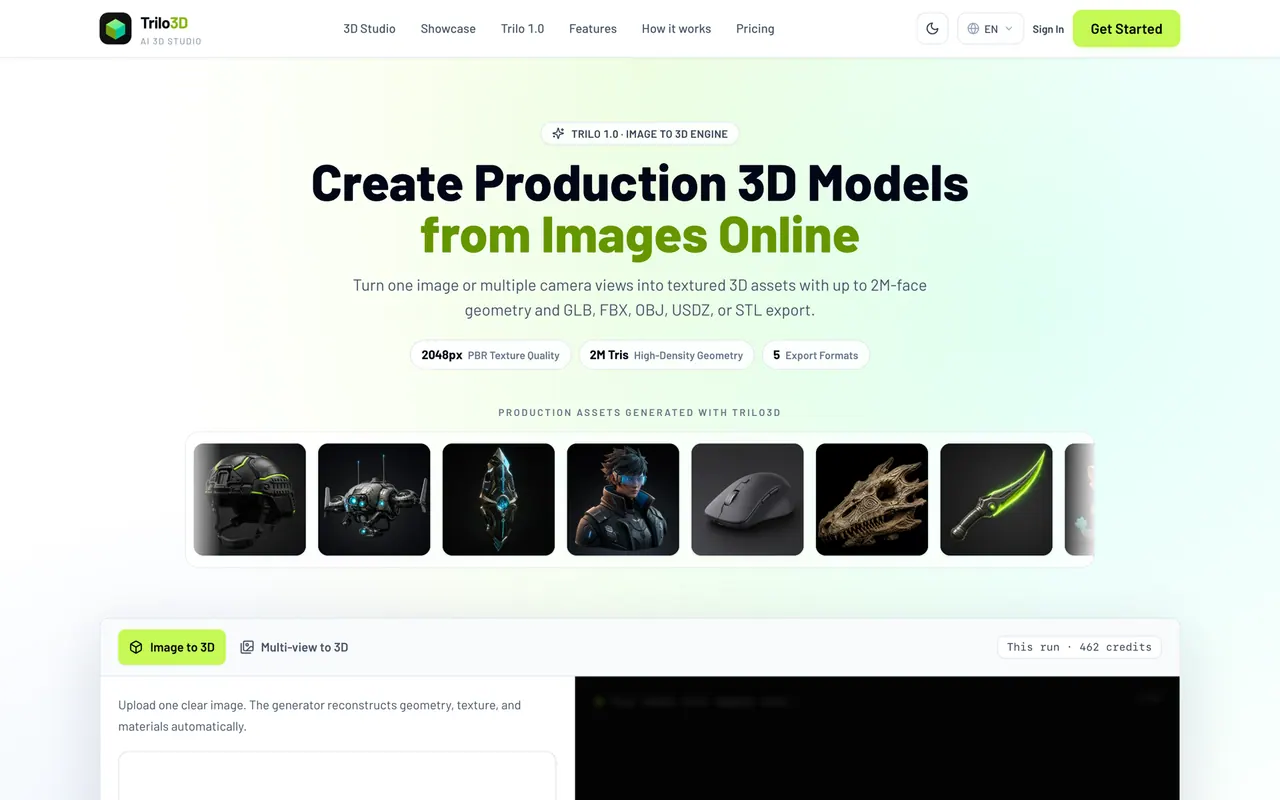
What does Trilo3D do?
Trilo3D turns a single photo or multi-view references into production-ready textured 3D models for games, ecommerce, AR, and design. Trilo 1.0 focuses on reconstructing geometry, texture, and materials directly in your browser—so you can go from reference to 3D without spinning up a desktop DCC.
Choose your quality and material options, generate, then preview the textured result in the live studio. If you need tighter reconstruction than one angle can provide, add more views to improve multi-view alignment for more consistent surfaces.
When you’re ready, download your asset in export-ready formats including GLB, FBX, OBJ, USDZ, and STL. Credits are prepaid generation units, shown before each run so you can plan your cost for image-to-3D and multi-view generations.
What input types can I use in Trilo3D?
You can upload one clear image (PNG, JPG, or WebP) or use multi-view references by adding more views for tighter reconstruction.
What kind of 3D output will I get?
You’ll download a textured 3D model with surface color, with optional PBR materials and production-ready texture maps.
Which export formats are supported?
You can export GLB, FBX, OBJ, USDZ, and STL. GLB is the default lightweight choice with embedded textures.
How does multi-view to 3D help compared to image to 3D?
Multi-view adds more reference angles to improve depth and alignment, helping produce tighter geometry and more consistent textures than a single image alone.
How are credits used in Trilo3D?
Each generation spends credits based on the run options (including resolution and material options), and the credit cost is shown before you click Generate.
Can I use Trilo3D models commercially?
Commercial use rights are included on paid plans.
This listing is claimed
Own Trilo3D? Sign in with the email used to claim it to manage this listing, or upgrade to Pro for featured-first placement and a newsletter feature.