
Transcribe Audio to Text (AudioConverterAI)
Verified
Audio AI Tools
Transcribe audio, video, and YouTube into accurate, searchable text with AI summaries—fast, private, and free to start.
Promoted
 Pixmax.aiPixmax.ai is an all-in-one AI workspace for videos, visual stories, and marketing content.
 RewindType any X/Twitter handle. Get their year back as a narrated video story. Then ask it anything.
 KurodyneSell the tools from your AI side projects. Listing is free.
 Sidrune AI85% off. Stable Claude API for agent developers. Pay as you go. Invoices & refunds available.
 SEOify - Improve your SEO & rankingsBuild links to rank in Google. Improve your DR with links you can start building now.Advertise here270,000+ people visit Dang.ai every month.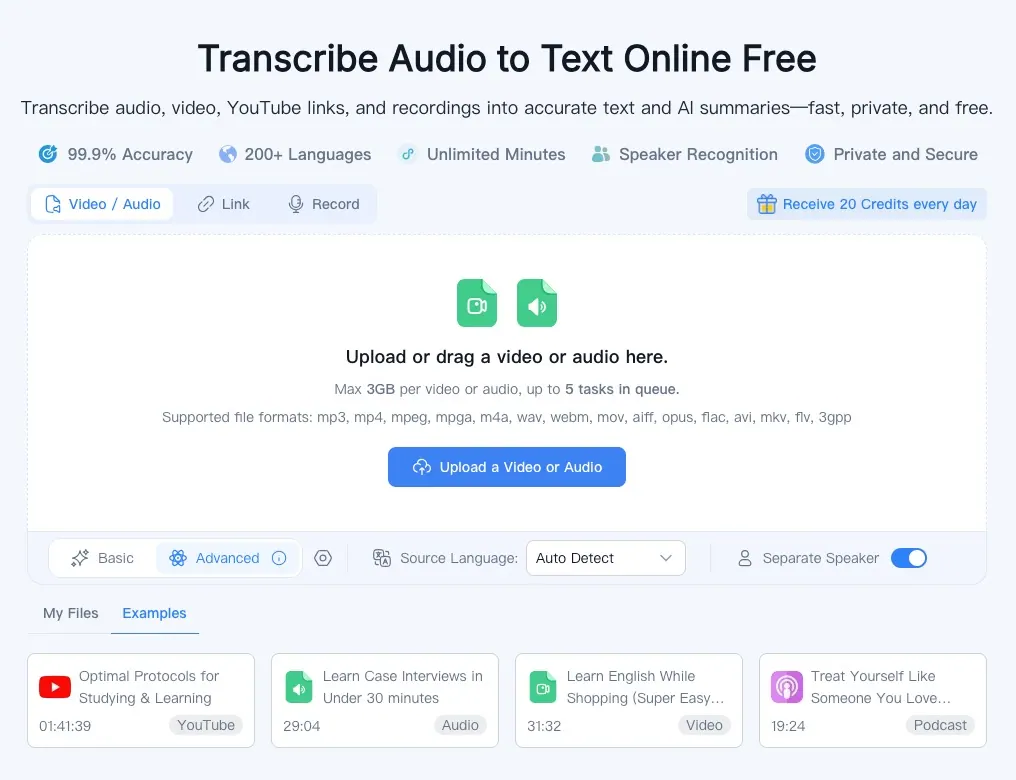
What does Transcribe Audio to Text (AudioConverterAI) do?
Transcribe Audio to Text helps you convert audio, video, recordings, and YouTube links into clear, editable transcripts plus AI summaries. Upload a file, paste a media link, or record directly in your browser to turn spoken content into text you can search and reuse.
The transcription workflow supports automatic source language detection and speaker recognition, with options like separating speakers and adding timestamps. Choose your language (or use auto-detect), run the transcription, then review the generated text to correct and refine it for your notes or content.
You can use it for lectures, meetings, interviews, podcasts, study sessions, and research—so you can find key moments quickly and organize what was said. It’s built for convenient browser use and includes secure, private handling of uploaded files with encrypted processing and automatic cleanup after processing. A free plan with daily credits is available to get started.
What can I transcribe with Transcribe Audio to Text?
You can transcribe audio and video files, recordings, and YouTube links into text and AI summaries. You can also record audio directly in your browser.
Do I need to choose the language before transcribing?
You can use auto-detect for the source language, or set the source language manually. This makes it easier to transcribe multilingual content.
Can it recognize different speakers in the transcript?
Yes—speaker recognition is available, with an option to separate speakers. This helps keep conversations, interviews, and meetings organized.
What file formats are supported?
Supported formats include MP3, MP4, MPEG, MPGA, M4A, WAV, WEBM, MOV, AIFF, OPUS, FLAC, AVI, MKV, FLV, and 3GPP.
Is my audio and transcript processing private and secure?
Files are handled with encryption in transit and at rest, and audio is processed in isolated, encrypted environments. Automatic cleanup removes files after processing, and you can delete data manually at any time.
Is there a free way to try transcription?
Yes. A free plan with daily credits is available so you can transcribe and review results without needing a credit card.
This listing is claimed
Own Transcribe Audio to Text (AudioConverterAI)? Sign in with the email used to claim it to manage this listing, or upgrade to Pro for featured-first placement and a newsletter feature.