
Tesla Wrap
AI Design Tools
Preview custom Tesla wrap designs in 3D and export template-ready Paint Shop PNGs with clear credit-based pricing.
- Pricing
- Free
- Category
- Design
- Listed
- Oct 8, 2026
- Updated
- Oct 23, 2026
Promoted
 RewindType any X/Twitter handle. Get their year back as a narrated video story. Then ask it anything.
 KurodyneSell the tools from your AI side projects. Listing is free.
 Sidrune AI85% off. Stable Claude API for agent developers. Pay as you go. Invoices & refunds available.
 Pixmax.aiPixmax.ai is an all-in-one AI workspace for videos, visual stories, and marketing content.
 SEOify - Improve your SEO & rankingsBuild links to rank in Google. Improve your DR with links you can start building now.Advertise here270,000+ people visit Dang.ai every month.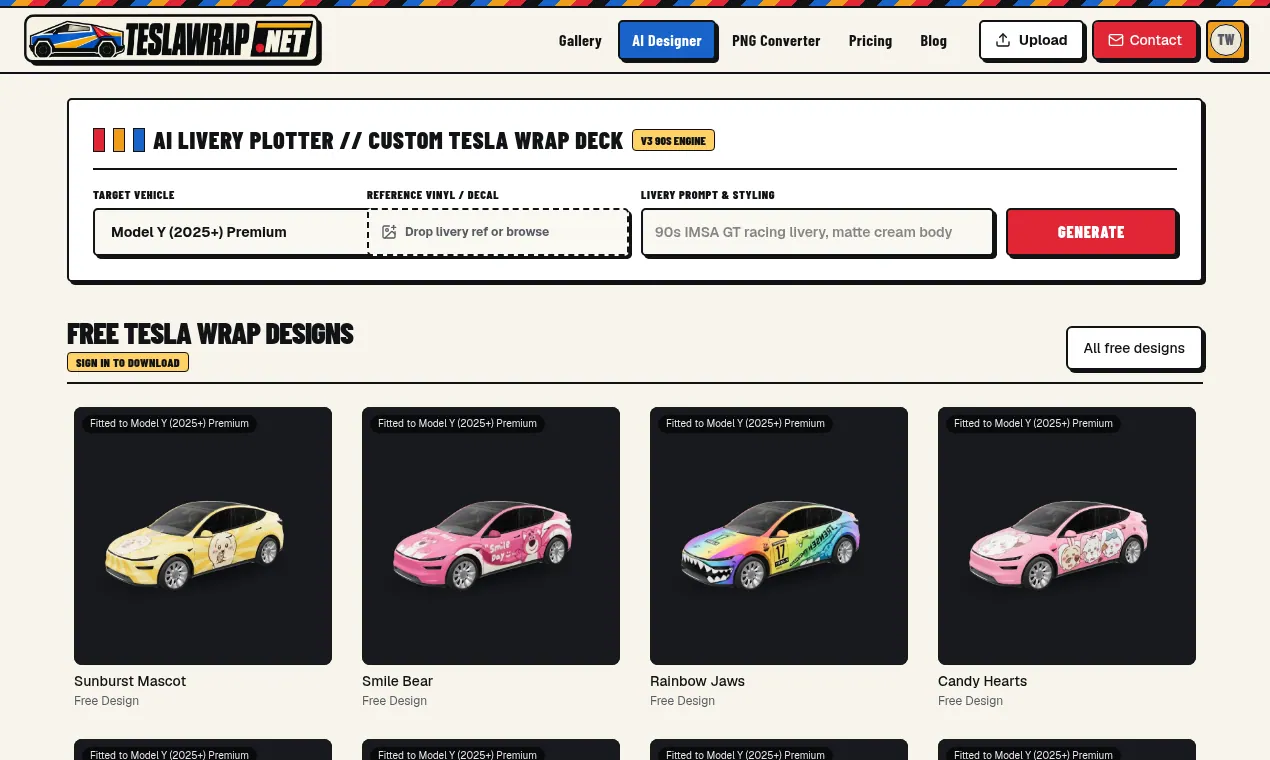
What does Tesla Wrap do?
Tesla Wrap is an independent, fan-made tool for creating and previewing custom Tesla livery designs. Choose your Tesla model, then describe your wrap using a text prompt, photo, or sketch. You can also pick an optional style and color (or use Auto colors) to explore different looks before committing.
The flow is built around fitted previews on your chosen vehicle template. Previews don’t require an account, so you can browse and test design ideas quickly. When you’re ready to export for the in-car workflow, Tesla Wrap provides an output that’s prepared for Tesla Paint Shop—delivered as template-sized PNG files (with Cybertruck using its own 1024 × 768 output).
For generation, you can create 1–4 AI images per run, with the credit cost shown on the generate button. You can refine a picked result using targeted edits, priced separately from initial generation. If an image fails a render or validation check, credits are automatically refunded. Downloading a fitted wrap via PNG Converter uses 3 credits; re-downloading the same PNG doesn’t cost additional credits.
Who it’s for: Tesla owners and designers who want wrap ideas to fit the correct vehicle template and export cleanly for Tesla Paint Shop uploads, including quick free previews and credit-based paid design generation.
Do I need an account to preview Tesla wrap designs?
No. You can preview wraps on your selected vehicle template without signing in. You’ll only need an account for downloading a library wrap or for generating custom AI designs.
Which Tesla models and template variants are supported?
Supported templates include Cybertruck; Model 3 (2024+ Standard & Premium, and 2024+ Performance); Model Y (2025+ Standard, Premium, Performance, and Model Y L); Model S (2021+ and 2025+ Plaid); and Model X (2021+).
How does PNG Converter prepare the export file?
PNG Converter stretches your image to the vehicle canvas, then cuts it to the official vehicle template for the selected model. Downloads from PNG Converter use 3 credits and are ready for Tesla Paint Shop import.
How many credits does it cost to generate or refine a wrap?
Generating a new AI image costs 10 credits per image. Refining a selected result costs 8 credits per image.
If I download the same fitted wrap again, do I pay again?
No. Re-downloading a wrap created via PNG Converter doesn’t cost additional credits.
Is Tesla Wrap affiliated with Tesla, Inc.?
No. Tesla Wrap is an independent fan-made tool and isn’t affiliated with, endorsed by, or sponsored by Tesla, Inc.
This listing is claimed
Own Tesla Wrap? Sign in with the email used to claim it to manage this listing, or upgrade to Pro for featured-first placement and a newsletter feature.