Talat
Verified
AI Transcription Software Tools
Talat is a local, private transcription app that records meetings, supports dictation and imports, and keeps audio and notes on your computer.


- Pricing
- Freemium
- Category
- Transcription
- Listed
- Sep 7, 2026
- Updated
- Sep 8, 2026
Promoted
 AI Checker PlusAI detector that highlights which passages AI wrote. Free check, no sign-up. Plagiarism too.
 RewindType any X/Twitter handle. Get their year back as a narrated video story. Then ask it anything.
 KurodyneSell the tools from your AI side projects. Listing is free.
 Sidrune AI85% off. Stable Claude API for agent developers. Pay as you go. Invoices & refunds available.
 Pixmax.aiPixmax.ai is an all-in-one AI workspace for videos, visual stories, and marketing content.
 SEOify - Improve your SEO & rankingsBuild links to rank in Google. Improve your DR with links you can start building now.Advertise here330,000+ people visit Dang.ai every month.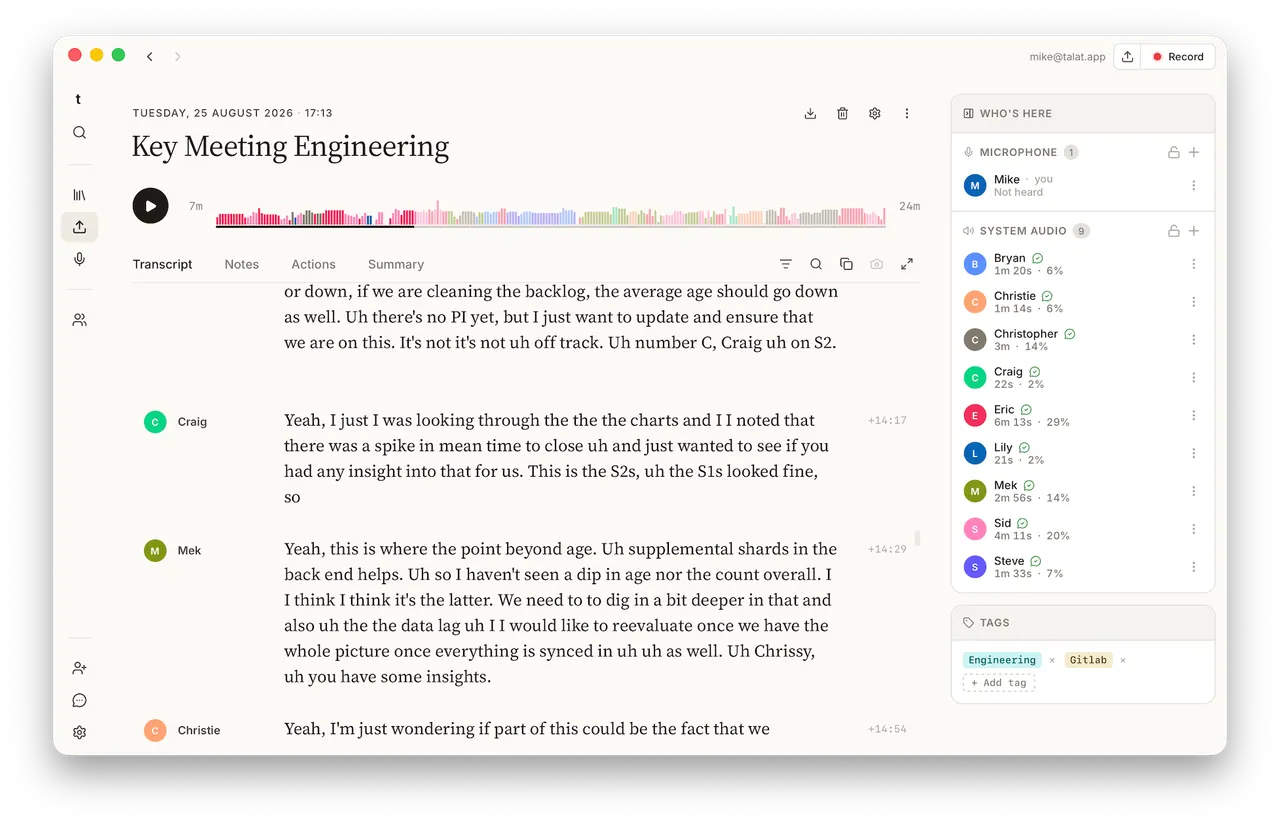
What does Talat do?
Talat transcribes meetings, dictation, and recordings on your own computer. Transcription runs locally and everything you record stays stored in a local database on your machine—no audio upload and no account required. You can work offline and keep your notes private by design.
Use it to record meetings with dual-stream capture, calendar integration, and auto-start for Zoom, Teams, Meet, and other conferencing apps. As people speak, you get real-time transcription, speaker identification, and AI notes such as summaries, action points, chapters, and a title using a built-in local model or a cloud LLM you choose.
Talat also lets you dictate into any app via a global hotkey with auto-paste, or import existing audio and video (WAV, MP3, M4A, MP4, FLAC, OGG, AAC) through the same on-device pipeline. Export options include Markdown, PDF, Obsidian, and webhooks, with support for MCP-aware assistants and additional integrations to fit your workflow.
Does Talat send my meeting audio to the cloud?
No—audio is processed on your computer, and your recordings, transcripts, and notes are stored locally. You can use Talat fully offline.
Which meeting tools can Talat auto-start with?
Talat can detect calls and record itself for Zoom, Teams, and Meet, with a visible notice during recording. It also supports other conferencing apps as well.
Can I dictate into other apps with Talat?
Yes. Press a global hotkey to dictate anywhere, and Talat can auto-paste the transcribed text into the focused app.
Can I transcribe existing audio and video files?
Yes. You can import audio and video (including WAV, MP3, M4A, MP4, FLAC, OGG, and AAC) and Talat will run the same on-device transcription and speaker handling.
Do my AI notes have to use the built-in model?
No. You can use the built-in local model for summaries, or bring your own cloud LLM by supplying an API key (OpenAI, Anthropic, Ollama, or OpenAI-compatible endpoints).
What export formats are supported?
Talat supports exporting notes to Markdown, Obsidian, and PDF, plus webhooks. It can also work with MCP-aware assistants.
This listing is claimed
Own Talat? Sign in with the email used to claim it to manage this listing, or upgrade to Pro for featured-first placement and a newsletter feature.