
Sumyfi
AI Finance Modeling Tools
Sumyfi is an AI-powered dashboard that brings subscriptions, budgets, balances, and savings goals into one weekly money review.
- Pricing
- Free
- Category
- Finance
- Listed
- Jul 10, 2026
- Updated
- Jul 11, 2026
Promoted
 Sidrune AI85% off. Stable Claude API for agent developers. Pay as you go. Invoices & refunds available.
 Pixmax.aiPixmax.ai is an all-in-one AI workspace for videos, visual stories, and marketing content.
 SEOify - Improve your SEO & rankingsBuild links to rank in Google. Improve your DR with links you can start building now.Advertise here270,000+ people visit Dang.ai every month.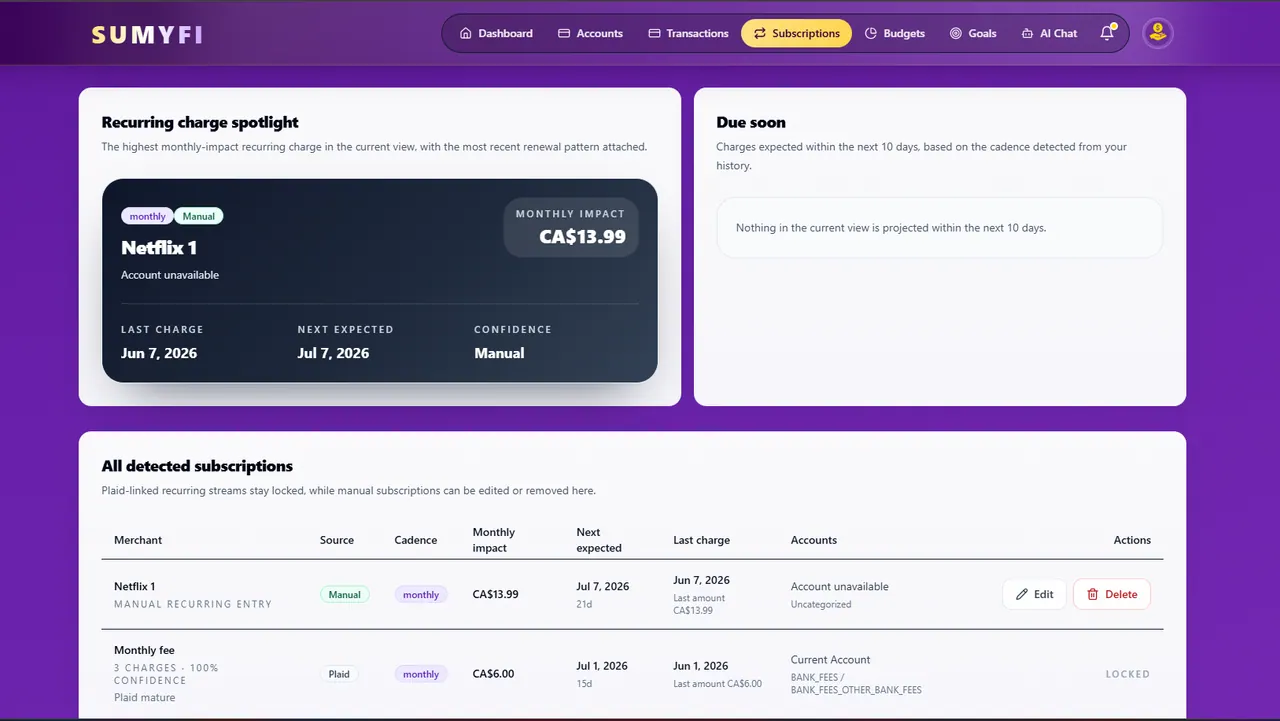
What does Sumyfi do?
Sumyfi is an all-in-one financial dashboard and companion built to simplify your recurring spend and keep the rest of your money picture connected in one place. You can track subscriptions and recurring charges, review budgets and progress toward goals, and use an AI assistant to support your weekly review.
The clearest entry point is recurring-spend visibility: find leaking subscriptions first, then expand into a fuller view of balances, spending, and goals without rebuilding your context every week. Sumyfi also supports savings tracking, showing whether savings goals are actually on pace and what’s helping—or slowing—your progress.
If you want connected account visibility, Sumyfi’s Premium plan includes automatic Plaid sync for read-only balances and transaction data. It’s designed for cautious finance decisions, with security and coverage details available before you connect, and clear limits on what the connection can and can’t do.
What can I track in Sumyfi?
You can review recurring charges and subscription costs, create and track budgets, monitor savings goals and progress, and view read-only balances and transaction history in one connected dashboard.
How does Sumyfi handle subscription tracking?
Sumyfi helps you spot recurring charges (like streaming services, app renewals, and recurring bills) in one review loop so you can catch subscriptions that are costing more than you expect.
Does Sumyfi use bank sync, and is it read-only?
Premium includes automatic Plaid sync for read-only balances and transaction data. Sumyfi can’t move money or make account changes.
Can Sumyfi cancel subscriptions or transfer funds for me?
No. Plaid connections are read-only, so Sumyfi can’t transfer funds, cancel subscriptions for you, or log in as you to change bank settings.
What should I check before connecting accounts?
Review security and privacy details, then review institution coverage and any notes about how connections work so you know what to expect for your region, account type, and multi-factor authentication method.
Is there a free option to try first?
Yes. You can start with a Free account at $0 for manual account linking, budget creation and tracking, goal setting and progress tracking, Sumyfi Score tracking, and basic financial reports.
This listing is claimed
Own Sumyfi? Sign in with the email used to claim it to manage this listing, or upgrade to Pro for featured-first placement and a newsletter feature.