
SubtitleGenerator
AI Detector & Detecting Tools
SubtitleGenerator generates subtitles and uses a Fix Loop review queue to flag likely AI mishears so you can correct what matters fast.
- Pricing
- Free
- Category
- AI Detector
- Listed
- Sep 8, 2026
- Updated
- Oct 16, 2026
Promoted
 Sidrune AI85% off. Stable Claude API for agent developers. Pay as you go. Invoices & refunds available.
 Pixmax.aiPixmax.ai is an all-in-one AI workspace for videos, visual stories, and marketing content.
 SEOify - Improve your SEO & rankingsBuild links to rank in Google. Improve your DR with links you can start building now.Advertise here270,000+ people visit Dang.ai every month.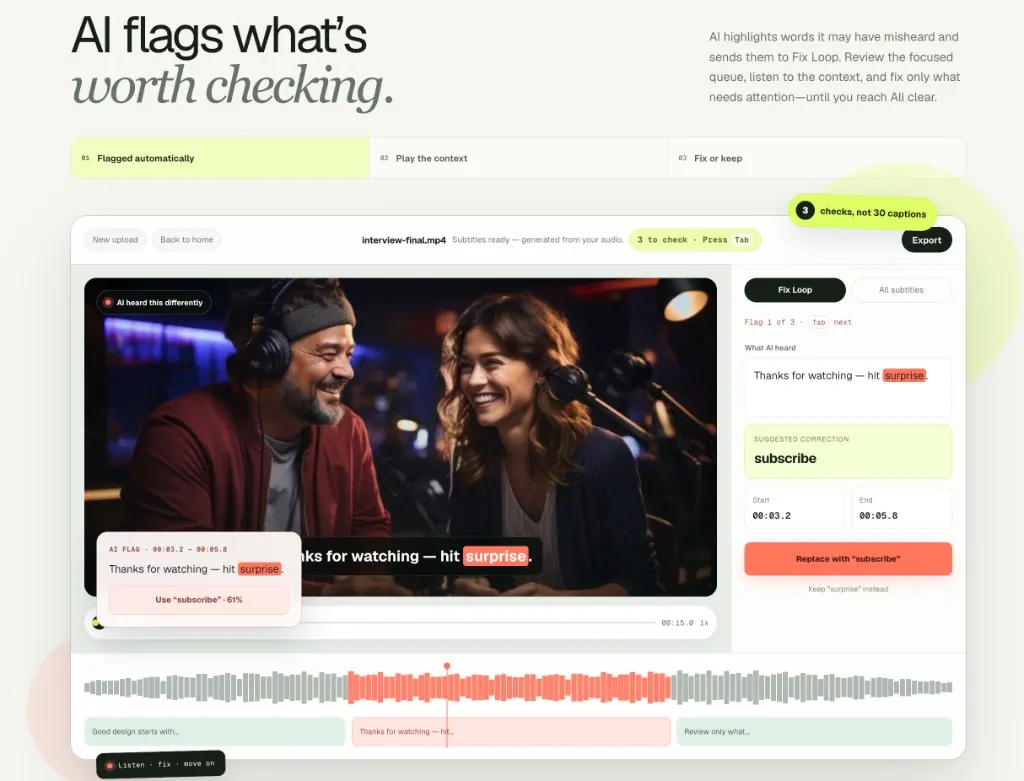
What does SubtitleGenerator do?
SubtitleGenerator is a free AI subtitle generator that creates timed captions from your video and highlights words the AI may have misheard. Instead of making you scan every line, it focuses your attention where corrections are most likely.
The Fix Loop workflow flags “what’s worth checking,” then gathers those moments into a simple review queue. You can play the surrounding context, choose a suggested correction or keep the original wording, and move forward until the queue reaches “All clear.” The goal is fewer checks and a faster path from uncertain words to ready-to-publish captions.
You can upload common video formats (MP4, MOV, WebM, MKV), preview subtitles in your browser, and finish by applying a caption style before exporting. Captions can be exported as subtitle files (SRT, VTT, ASS) and you can also export a publish-ready video. Subtitle styles include multiple built-in options, plus live preview while you edit.
For privacy, your source video stays on your device for preview and export; only extracted audio is sent when you request transcription. Pricing is free to start with 60 processing minutes per month after sign-in, and you can upgrade to Pro/Max for higher-capacity delivery and additional tools like High Accuracy, Range re-transcribe, and Translate.
How does Fix Loop help me correct subtitles faster?
Fix Loop flags words the AI may have misheard and collects them into a focused review queue. You replay the context, fix what needs attention, and continue until everything is marked “All clear.”
Can I try SubtitleGenerator for free without creating an account?
Yes—there’s a free-to-start option that requires no signup. You can try generating and reviewing subtitles with your video in the browser.
Does my video stay on my device during subtitle creation?
Yes. Your video stays in your browser for preview and export. Only extracted audio is sent when you ask for transcription.
What can I export once my captions are finished?
You can export subtitle files including SRT and VTT, and also export a publish-ready video (including MP4). Some export options may depend on your plan.
What does the free plan include, and are there limits?
The free plan is $0 to create, review, and try caption looks. It includes 60 processing minutes each month after sign-in, plus Fix Loop through “All clear,” 37 styles with live preview, and 720p video export with a small watermark.
What extra features come with Pro/Max?
Pro/Max upgrades provide more processing capacity and HD video export without a watermark. They also add delivery tools like High Accuracy, Range re-transcribe, and Translate, plus subtitle files, custom fonts, and saved brand styles.
This listing is claimed
Own SubtitleGenerator? Sign in with the email used to claim it to manage this listing, or upgrade to Pro for featured-first placement and a newsletter feature.