
Skillry
Verified
AI Design Tools
Skillry adds taste to AI agent outputs with curated Agent Skills for web, slides, images, and video.
Promoted
 Pixmax.aiPixmax.ai is an all-in-one AI workspace for videos, visual stories, and marketing content.
 AI Checker PlusAI detector that highlights which passages AI wrote. Free check, no sign-up. Plagiarism too.
 RewindType any X/Twitter handle. Get their year back as a narrated video story. Then ask it anything.
 KurodyneSell the tools from your AI side projects. Listing is free.
 Sidrune AI85% off. Stable Claude API for agent developers. Pay as you go. Invoices & refunds available.
 SEOify - Improve your SEO & rankingsBuild links to rank in Google. Improve your DR with links you can start building now.Advertise here270,000+ people visit Dang.ai every month.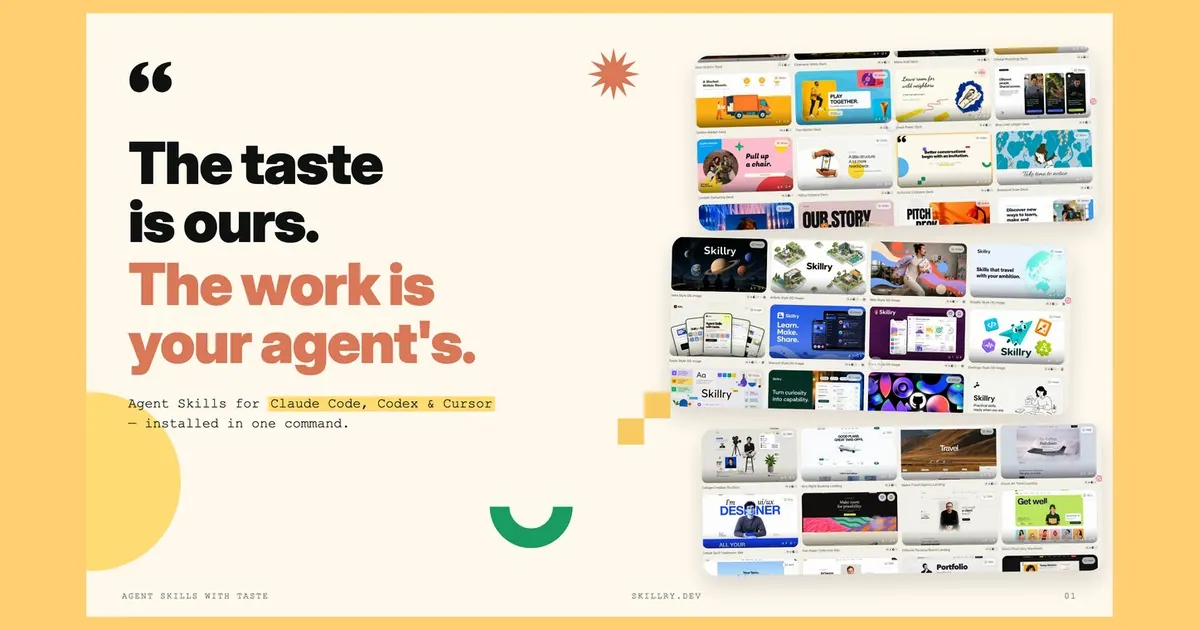
What does Skillry do?
Skillry is a curated library of Agent Skills that help your AI coding agent produce finished creative work with a consistent visual point of view. Instead of relying on free-form prompts, you install a Skill and then ask your agent to invoke it by name to generate a complete landing page, deck, image, or video.
You can browse Skills to preview what each one makes before installing, so you’re choosing an output style—not just a description. Skills are delivered via web install or a one-time browser authorization followed by a single CLI command, then run end to end by invoking the Skill within your agent.
Skillry is for people building with AI agents who care about what the output looks like—indie makers shipping landing pages, founders needing decks quickly, and teams wanting one house style across web, images, and video. It’s not a marketplace: the library stays deliberately small and adds one Skill at a time. Skillry works with agents including Claude Code, Codex, Cursor, and more, and it doesn’t require an API key.
What is a Skill in Skillry?
A Skill is a reusable set of instructions and resources that helps an AI agent complete a specific kind of work—like producing a landing page, slide deck, image, or video.
How do I install a Skillry Skill?
You can install from the web, or authorize your browser once and then run a single command in your CLI. After that, you invoke the Skill by name inside your agent.
Do I need an API key to use Skillry?
No—Skillry is designed to work without requiring an API key.
What kinds of outputs can Skills generate?
Skills support four kinds of work: web pages, slide decks, images, and video.
Can I preview what a Skill will produce before installing?
Yes. You can see exactly what a Skill makes before you install it, so you’re selecting a visual outcome.
How does Skillry differ from a marketplace?
Skillry isn’t a community upload marketplace. The library is deliberately small and grows one Skill at a time.
This listing is claimed
Own Skillry? Sign in with the email used to claim it to manage this listing, or upgrade to Pro for featured-first placement and a newsletter feature.