
Shopify Theme Detector by Koala Apps
Verified
AI Ecommerce Tools
Paste any Shopify store URL to instantly identify the exact theme name in seconds—free and no account needed.
Promoted
 AI Checker PlusAI detector that highlights which passages AI wrote. Free check, no sign-up. Plagiarism too.
 RewindType any X/Twitter handle. Get their year back as a narrated video story. Then ask it anything.
 KurodyneSell the tools from your AI side projects. Listing is free.
 Sidrune AI85% off. Stable Claude API for agent developers. Pay as you go. Invoices & refunds available.
 Pixmax.aiPixmax.ai is an all-in-one AI workspace for videos, visual stories, and marketing content.
 SEOify - Improve your SEO & rankingsBuild links to rank in Google. Improve your DR with links you can start building now.Advertise here270,000+ people visit Dang.ai every month.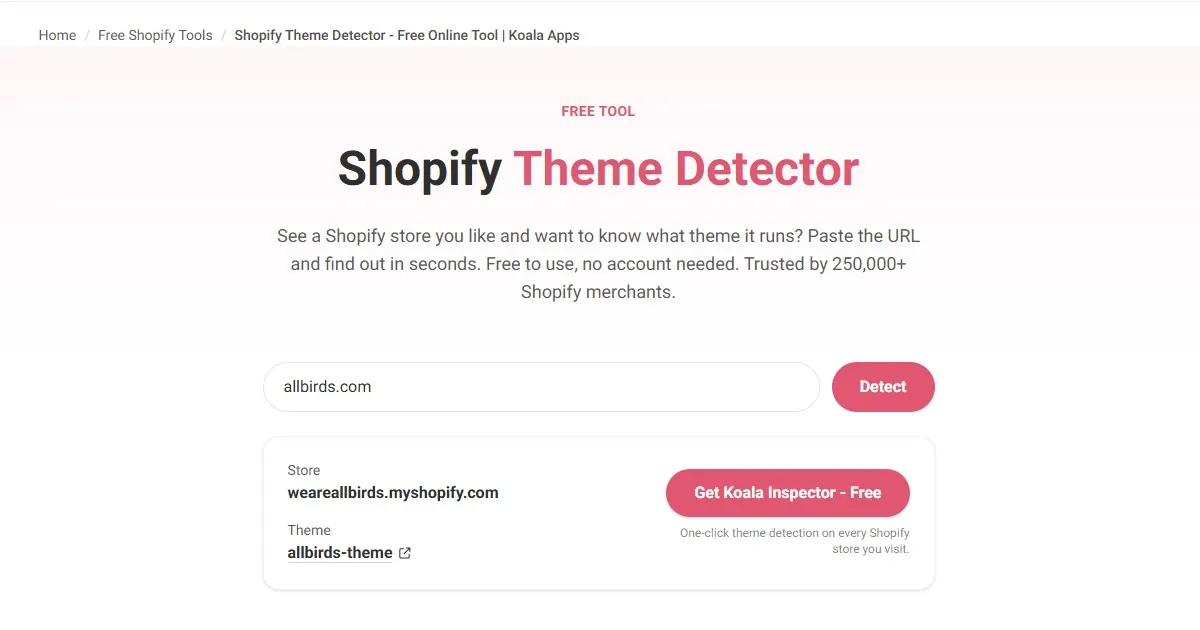
What does Shopify Theme Detector by Koala Apps do?
See a Shopify store you like and want to know what theme it runs? Shopify Theme Detector by Koala Apps lets you paste a store URL and get the active theme name in seconds, with no account and no install required.
It’s built to work even when a store has been customized—like renamed sections, changed colors/fonts, or built on top of an older theme—so you still get a useful match. You can also use Koala Inspector via Chrome extension for a one-click experience while browsing.
Once you’ve identified the theme, you can use the theme name to jump to the theme’s listing in the Shopify Theme Store (when available) to review the demo and details before you test anything on your own store. Use it for competitor research, niche benchmarking, and faster shortlisting of themes that are already working in your category.
If a store uses a fully custom theme, runs a headless setup, or has heavy modifications via a page builder, detection may be limited—though it covers the majority of active Shopify storefronts effectively.
Do I need an account to use Shopify Theme Detector?
No. The online tool is free to use and doesn’t require an account.
How does the detector know which theme a store is using?
It reads what the store already shows to every visitor and recognizes the underlying Shopify theme from the public “signposts” that themes leave on storefront pages.
Will it still work if the store has customized colors or renamed sections?
Yes. The detector is designed to handle cases where a base theme has been customized with renamed sections, different colors, or updates built on top of older versions.
How fast is theme identification?
After you paste a store URL and run the detector, the theme name appears within seconds.
Are there cases where it can’t identify the theme?
Yes. A store built entirely on a custom theme may have no matching theme name, and headless Shopify setups can prevent detection. Heavy page-builder modifications may also lead to partial results.
What should I do after I detect the theme?
Use the detected theme name to check the Shopify Theme Store listing (when available) for the demo and details, then verify fit for your needs before choosing or purchasing anything.
This listing is claimed
Own Shopify Theme Detector by Koala Apps? Sign in with the email used to claim it to manage this listing, or upgrade to Pro for featured-first placement and a newsletter feature.