
Seedance 2.5 Video Generator
AI Design Tools
Seedance 2.5 turns prompts and references into native 30-second 4K videos with synced audio and director-style shot control.
- Pricing
- Free
- Category
- Design
- Listed
- Jul 22, 2026
- Updated
- Jul 23, 2026
Promoted
 Sidrune AI85% off. Stable Claude API for agent developers. Pay as you go. Invoices & refunds available.
 Pixmax.aiPixmax.ai is an all-in-one AI workspace for videos, visual stories, and marketing content.
 AI Checker PlusAI detector that highlights which passages AI wrote. Free check, no sign-up. Plagiarism too.
 RewindType any X/Twitter handle. Get their year back as a narrated video story. Then ask it anything.
 KurodyneSell the tools from your AI side projects. Listing is free.
 SEOify - Improve your SEO & rankingsBuild links to rank in Google. Improve your DR with links you can start building now.Advertise here270,000+ people visit Dang.ai every month.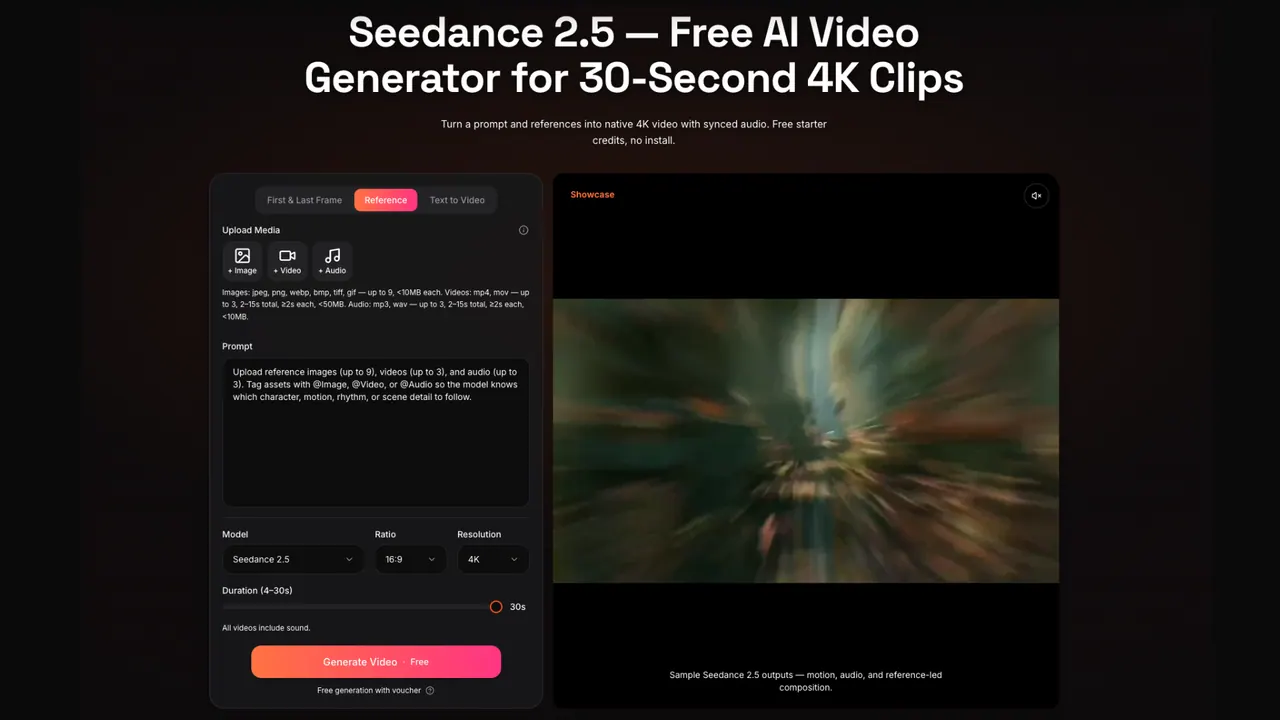
What does Seedance 2.5 Video Generator do?
Seedance 2.5 is an online AI video generator for finished cuts, designed to output a single continuous 30-second clip in native 4K (no stitching a second half and no upscale pass). Build a shot from a text brief, then reinforce it with multimodal references so the model follows your character, scene, motion, and style across the entire render.
Use up to 50 reference slots in one job, including images, reference videos (up to 3, up to 15s total), audio (up to 3), and a 3D white-model blockout to establish camera path and blocking. Tag each asset with roles (like character, location, motion style, or color palette) so references stay pinned to their intended parts of the scene.
Seedance 2.5 is also built for shot-level control: it supports directional language for camera and motion, native audio generation synced to the video, and practical iteration workflows where you can re-run or adjust segments (like trimming and holding) while keeping the clip’s intent consistent.
What can I generate with Seedance 2.5?
You can generate native 30-second single-shot clips in 4K from a prompt alone, or from a mix of text plus references (images, video, audio, and 3D blockouts). The output comes back as an MP4 you can preview and download in the browser.
How long is the maximum video output?
Seedance 2.5 generates videos up to 30 seconds in a single continuous render. If you need more time, you can extend by chaining extensions from an existing clip.
Does Seedance 2.5 generate native audio with the video?
Yes—audio is generated natively alongside the video. If you want a specific rhythm or sonic feel, you can also provide an audio reference track to keep it consistent across the full clip.
How many references can I use in one Seedance 2.5 brief?
On paid packs you can use up to 50 multimodal references in one job. A focused set often works better than a cluttered upload, especially if you want the model to lock onto a few key roles.
What is 3D blockout input in Seedance 2.5?
It’s a simple untextured geometry scaffold you upload as a reference so the model follows your camera path and blocking. You can export a low-poly scene from tools like Blender, Cinema 4D, Maya, or SketchUp, then describe materials and lighting in your prompt.
Is Seedance 2.5 truly native 4K, or is it upscaled?
Paid packs export native 4K rendered at that resolution rather than enlarged from a lower-resolution render. Free starter credits cap resolution at 720p with a watermark.
This listing is claimed
Own Seedance 2.5 Video Generator? Sign in with the email used to claim it to manage this listing, or upgrade to Pro for featured-first placement and a newsletter feature.