
RewriteBar
AI Writing Tools and Generators
RewriteBar is a macOS AI writing assistant that fixes grammar, improves tone and clarity, and translates across 500+ languages from selected text.
- Category
- Writing
- Listed
- Nov 12, 2026
- Updated
- Nov 12, 2026
Promoted
 Sidrune AI85% off. Stable Claude API for agent developers. Pay as you go. Invoices & refunds available.
 Pixmax.aiPixmax.ai is an all-in-one AI workspace for videos, visual stories, and marketing content.
 AI Checker PlusAI detector that highlights which passages AI wrote. Free check, no sign-up. Plagiarism too.
 RewindType any X/Twitter handle. Get their year back as a narrated video story. Then ask it anything.
 KurodyneSell the tools from your AI side projects. Listing is free.
 SEOify - Improve your SEO & rankingsBuild links to rank in Google. Improve your DR with links you can start building now.Advertise here330,000+ people visit Dang.ai every month.
What does RewriteBar do?
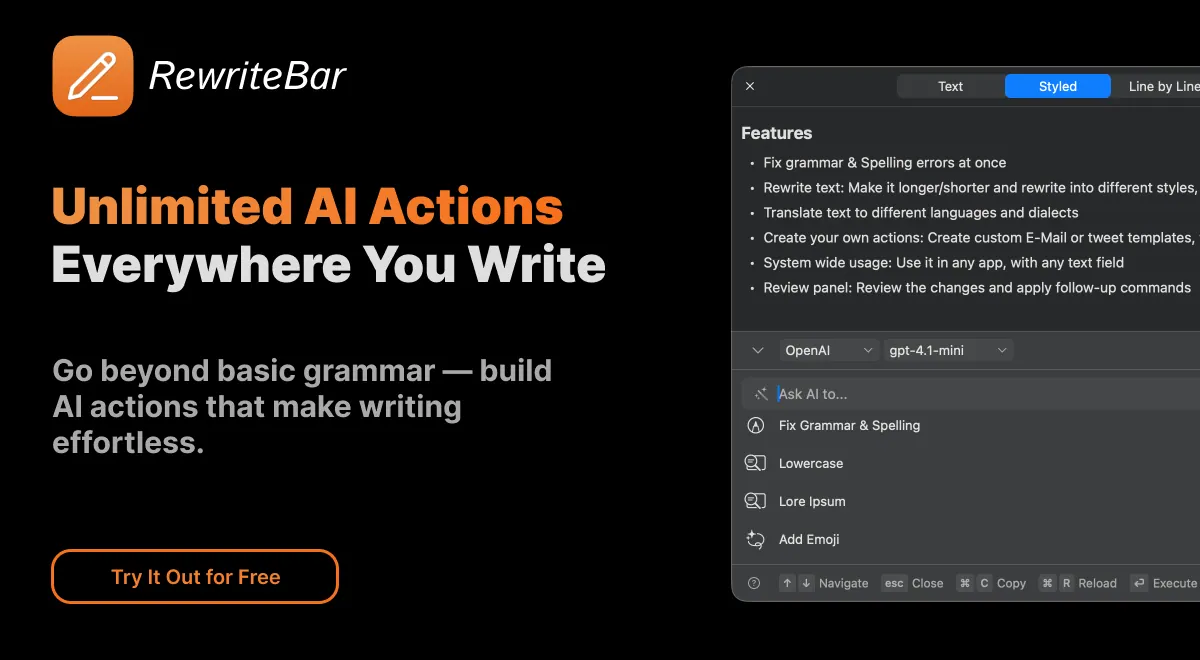
RewriteBar is an AI writing assistant for macOS that helps you improve what you write without breaking your flow. It works on the text you’ve selected in any app, then replaces it with a rewritten version. Use it for quick grammar and spelling fixes, tone adjustments, clearer phrasing, or direct translation.
Beyond single edits, RewriteBar lets you build custom AI workflows. Combine multiple actions in one flow—such as expanding text, adding formatting or emojis, and translating—to transform your draft step by step. You can also personalize actions by starting from available presets and customizing them to match your typical writing style and needs. Changes are easy to review side by side with the original, so you can compare line by line or word by word.
RewriteBar is designed for writers and power users who want repeatable, shortcut-driven editing across common tasks like polishing emails and social posts, summarizing notes, generating headlines, formatting code-adjacent output, or extracting action items. It also includes developer-focused utilities such as fixing JSON errors, converting JSON↔YAML, formatting transcribed text, and SQL formatting.
You can use local AI models for offline assistance and privacy, with supported providers including Ollama, LM Studio, oMLX, Apple Intelligence, Osaurus, and others. If you prefer cloud rewriting, you can use supported providers for those actions. Pricing includes a free trial and license options: Standard (one-time), Pro (one-time with a 1-year RewriteBar Gateway subscription), plus an optional RewriteBar Gateway add-on.
How do I use RewriteBar in another app?
Select the text you want to improve, then trigger RewriteBar with a keyboard shortcut. The main window loads your selection, you choose an action, and the rewritten result replaces your selection.
What editing actions can RewriteBar do?
You can fix grammar and spelling, adjust tone, improve writing and clarity, expand text, and summarize content. It also includes utilities like removing smart quotes/AI dashes and formatting tasks such as JSON↔YAML and SQL formatting.
Can RewriteBar translate text directly inside my workflow?
Yes. RewriteBar translates words, sentences, or even code across 500+ supported languages, while still fitting into your current app workflow.
What are custom workflows in RewriteBar?
Custom workflows let you combine several actions into one repeatable flow. For example, you can run “expand” and then “translate,” and review the result compared to the original.
Does RewriteBar support offline use with local models?
Yes. RewriteBar supports local AI models for offline assistance and added privacy, including Ollama, LM Studio, oMLX, Apple Intelligence, and Osaurus.
What license options are available?
You can start with a free trial, then choose license options like Standard (one-time) or Pro (one-time with a 1-year RewriteBar Gateway subscription). There’s also an optional RewriteBar Gateway add-on.
Is this your tool?
Claim RewriteBar to manage this listing, or upgrade to Pro for featured-first placement and a newsletter feature.