
ReelMuse
AI Design Tools
Create dance videos from one photo using templates or your own motion reference—no dance prompts required.
- Pricing
- Free
- Category
- Design
- Listed
- Sep 22, 2026
- Updated
- Sep 22, 2026
Promoted
 Pixmax.aiPixmax.ai is an all-in-one AI workspace for videos, visual stories, and marketing content.
 AI Checker PlusAI detector that highlights which passages AI wrote. Free check, no sign-up. Plagiarism too.
 RewindType any X/Twitter handle. Get their year back as a narrated video story. Then ask it anything.
 KurodyneSell the tools from your AI side projects. Listing is free.
 Sidrune AI85% off. Stable Claude API for agent developers. Pay as you go. Invoices & refunds available.
 SEOify - Improve your SEO & rankingsBuild links to rank in Google. Improve your DR with links you can start building now.Advertise here270,000+ people visit Dang.ai every month.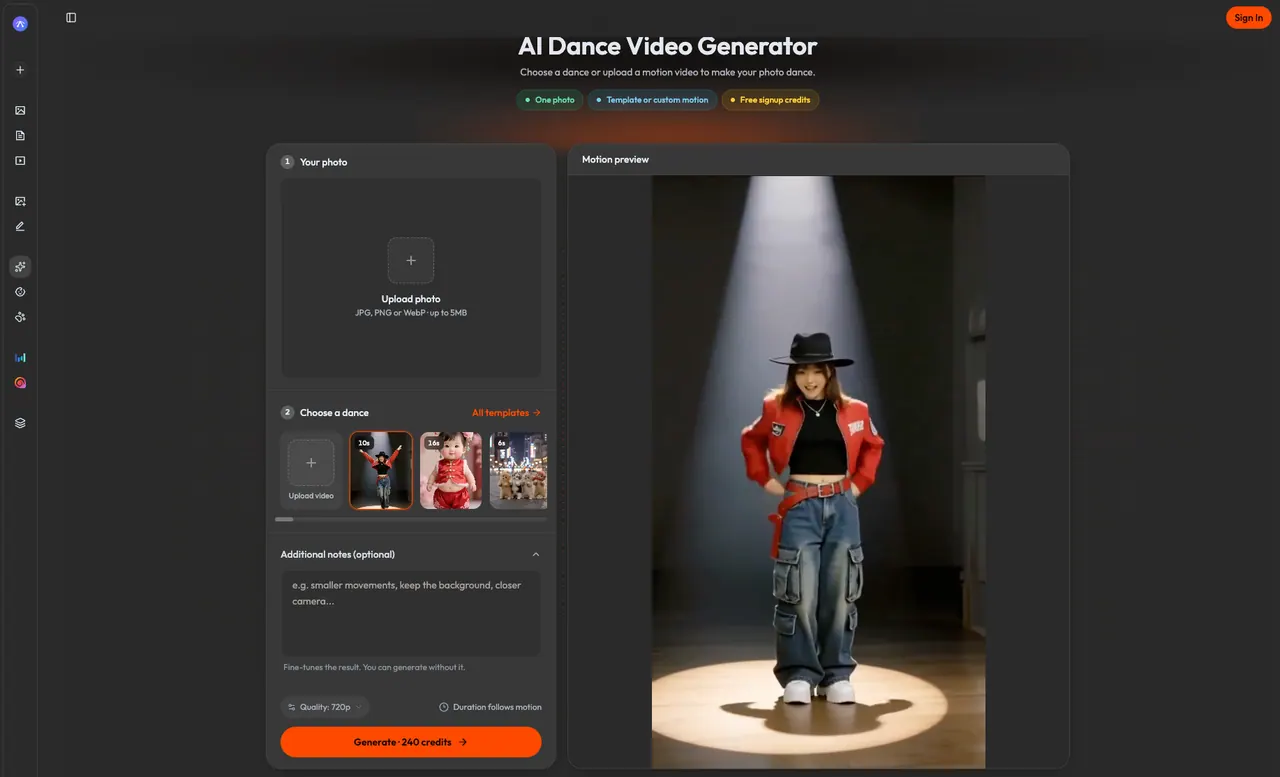
What does ReelMuse do?
ReelMuse is an AI dance video generator that turns a single photo into a moving dance clip. Pick from built-in dance templates across styles, preview the motion, and apply it to your photo to generate a share-ready video.
You can also guide the movement with your own motion reference video. Upload a short dance clip in the selector, then add the photo you want to animate, helping the system follow the motion more closely. Add optional notes to fine-tune the result when you want more control.
To get the best output, start with a clear photo where the face and body are visible (full-body framing works well for footwork and arm movement). Preview different templates for the same photo, and adjust by changing one element at a time if hands, feet, or timing drift.
ReelMuse generates in 720p and the output duration follows the length of the motion reference. Credit costs are shown before generation, and the service includes options for Free signup credits, subscriptions, or credit packs; generation uses different credit costs depending on templates and workflows.
Do I need to write a dance prompt to use ReelMuse?
No—choose a dance template and upload your photo. Additional notes are optional and only used if you enter them.
Can I use my own dance video as a motion reference?
Yes. Use the upload motion video option in the dance selector, then add your photo to be animated. A clear dancer and steady camera make the movement easier to follow.
What kinds of dance templates can I try?
You can browse styles in the template library, including categories like K-pop, Amapiano, shuffle, beat-drop spin, stage performance, plus Baby and Pet templates.
Will the generated video match my exact face and choreography?
Your photo and the motion reference guide the result, but exact identity, choreography, and timing aren’t guaranteed. Review the face, hands, and feet throughout the clip and try a simpler move if needed.
How much does a ReelMuse dance video cost?
The Generate button shows the credit cost before you submit. Costs can vary by workflow and the motion/template you choose.
Will my finished video include a watermark?
Some generations include a ReelMuse watermark when funded by signup or daily-login credits. Generations using purchased credits are watermark-free, and paying later doesn’t change the watermark on already created videos.
This listing is claimed
Own ReelMuse? Sign in with the email used to claim it to manage this listing, or upgrade to Pro for featured-first placement and a newsletter feature.