
reap: AI Video Editor
Project Management AI Tools
reap is an AI video editor that turns long videos into publish-ready, localized clips with animated captions, dubbing, translation, and automation.
- Pricing
- Free
- Category
- Project Management
- Listed
- Jul 21, 2026
- Updated
- Jul 23, 2026
Promoted
 Pixmax.aiPixmax.ai is an all-in-one AI workspace for videos, visual stories, and marketing content.
 AI Checker PlusAI detector that highlights which passages AI wrote. Free check, no sign-up. Plagiarism too.
 RewindType any X/Twitter handle. Get their year back as a narrated video story. Then ask it anything.
 KurodyneSell the tools from your AI side projects. Listing is free.
 Sidrune AI85% off. Stable Claude API for agent developers. Pay as you go. Invoices & refunds available.
 SEOify - Improve your SEO & rankingsBuild links to rank in Google. Improve your DR with links you can start building now.Advertise here270,000+ people visit Dang.ai every month.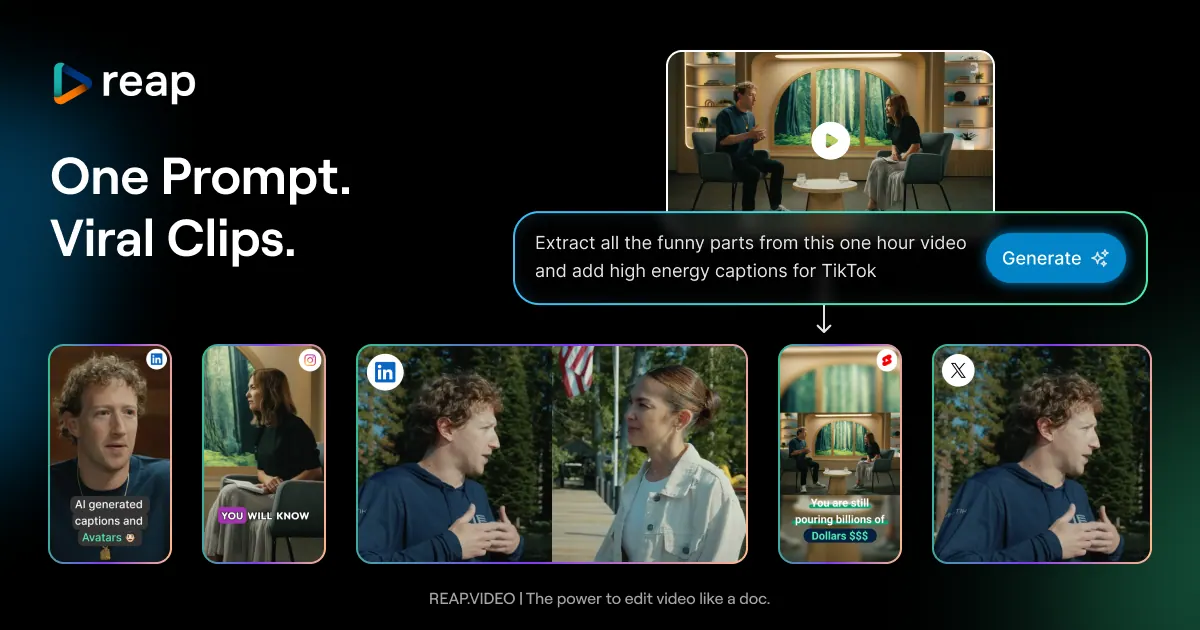
What does reap: AI Video Editor do?
Turn one long video—like a webinar, interview, or podcast—into a set of polished, social-ready clips. reap uses prompt-first AI clipping to find the moments by intent (topics, hot takes, hooks, audiences) instead of random highlight detection, then prepares each clip for publishing.
Customize how your clips look with 50+ animated caption styles and brand templates. Multi-signal analysis tracks speakers, keeps them centered with auto reframing for vertical formats, and supports editing by text (delete/rearrange text and the cut follows). You can also combine multiple videos into one finished asset.
Go global without re-recording: AI dubbing is available in 80+ languages, and subtitle translation covers 100+ languages, including romanized formats like Hinglish, Romanized Urdu, and Arabizi. Automate the full workflow with the same toolkit via REST API, CLI, and MCP, including multi-platform publishing and scheduling from one place.
What types of videos is reap designed for?
reap is built for long-form content like webinars, interviews, and podcasts, turning them into shorter clips that are ready to publish.
How does prompt-first clipping work?
You describe what you want the AI to find (for example, product mentions or hot takes), and it generates clips by intent, topic, hook, or audience angle rather than relying on random highlight detection.
Does reap support animated captions and brand styling?
Yes—reap includes 50+ animated caption presets and brand templates that lock in caption style, fonts, colors, and intro/outro elements.
Can it keep multiple speakers framed correctly in vertical video?
Yes. Multi-speaker detection keeps each speaker centered in vertical format, so interviews, panels, and podcasts stay properly framed.
Which languages are supported for dubbing, subtitles, and romanized captions?
Captions are available in 100+ languages, dubbing in 80+ languages, and romanized script formats are supported for styles like Hinglish, Romanized Urdu, Arabizi, and more.
What automation options are available beyond using the editor?
You can automate clipping, captioning, dubbing, translation, and publishing with REST API, CLI, and MCP.
Is this your tool?
Claim reap: AI Video Editor to manage this listing, or upgrade to Pro for featured-first placement and a newsletter feature.