PixelTools
AI Design Tools
PixelTools is a free, privacy-first browser toolkit for image, PDF, audio, and video tasks—no upload, no account, and no watermarks.
- Pricing
- Free
- Category
- Design
- Listed
- Aug 15, 2026
- Updated
- Oct 19, 2026
Promoted
 Pixmax.aiPixmax.ai is an all-in-one AI workspace for videos, visual stories, and marketing content.
 AI Checker PlusAI detector that highlights which passages AI wrote. Free check, no sign-up. Plagiarism too.
 RewindType any X/Twitter handle. Get their year back as a narrated video story. Then ask it anything.
 KurodyneSell the tools from your AI side projects. Listing is free.
 Sidrune AI85% off. Stable Claude API for agent developers. Pay as you go. Invoices & refunds available.
 SEOify - Improve your SEO & rankingsBuild links to rank in Google. Improve your DR with links you can start building now.Advertise here270,000+ people visit Dang.ai every month.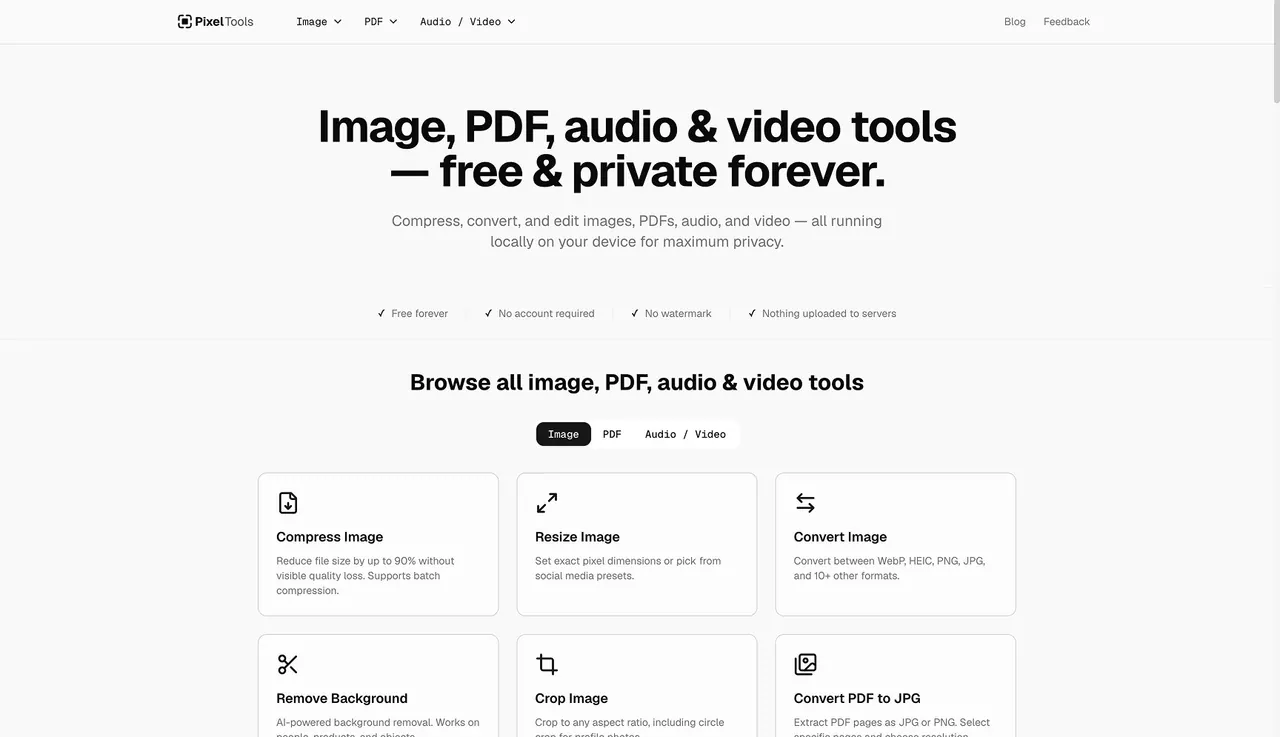
What does PixelTools do?
PixelTools is a free, privacy-first toolkit for everyday work with images, PDFs, audio, and video. It brings a curated set of tools into one place—so you can convert formats, resize and enhance media, edit PDFs, and transform audio/video files without switching apps.
For images, PixelTools includes features like AI background removal, image upscaling (2× and 4×), resizing with social presets, cropping, rotate/flip, compression (up to 90% file size reduction), watermarking, blur (including automatic face blur), pixelation, color inversion, and Instagram grid creation. There are also helpful “one-off” utilities such as extracting text with OCR (runs locally), picking colors from an image, and beautifying screenshots.
For PDFs, you can merge and split documents, compress and crop pages, rotate, unlock, sign and annotate, delete/extract/reorder pages, add page numbers, and extract text. It also supports converting PDF pages to JPG/PNG and converting images to a PDF, plus converting common file types (Word, PowerPoint, Excel, HTML) into PDF.
For audio/video, PixelTools offers format conversion, compression, trimming/cropping/merging, speed changes, video-to-GIF conversion, frame extraction, audio removal, MP4-to-MP3 extraction, and full audio editing utilities like convert, compress, trim, split, join, and pitch changes. Files are processed locally in your browser (JavaScript/Canvas, ffmpeg WebAssembly, and on-device AI), with no upload, no server processing, and no account required. Everything is free forever with no trials, subscriptions, credit cards, daily limits, or watermarks.
Does PixelTools require an account or sign-up?
No—open a tool and start right away. There’s no sign-up, email step, or account requirement.
Are my files uploaded to a server when I use PixelTools?
No. Processing happens on your device in the browser, so your files never leave your device (no upload, no server, and no tracking wall).
What image-related tasks can I do with PixelTools?
You can remove backgrounds (AI), upscale (2×/4×), resize, crop, rotate/flip, compress, add watermarks, blur (including automatic face blur), pixelate, invert colors, extract text with OCR, and more (including converting formats and turning images into social grids).
What can I do with PDFs in PixelTools?
Merge or split PDFs, compress/crop/rotate pages, unlock, sign and annotate, delete/extract/reorder pages, add page numbers, extract text, and convert between PDFs and images. You can also convert Word/PowerPoint/Excel/HTML into PDF.
Which kinds of audio and video tools are included?
You can convert formats (including MP4/MOV/WebM/MKV/AVI), compress and trim clips, change playback speed, extract frames, convert video to GIF, remove audio from video, extract MP4 to MP3, and handle audio tasks like convert, compress, trim, split, join, and change pitch.
Is PixelTools completely free?
Yes. All tools are free forever—no trials, subscriptions, credit cards, daily limits, or watermarks.
This listing is claimed
Own PixelTools? Sign in with the email used to claim it to manage this listing, or upgrade to Pro for featured-first placement and a newsletter feature.