
OpenUsage
Analytics AI Tools
OpenUsage is a free macOS menu bar app that tracks AI coding plan limits across your accounts so you never get cut off mid-task.
- Category
- Analytics
- Listed
- Nov 11, 2026
- Updated
- Nov 18, 2026
Promoted
 AI Checker PlusAI detector that highlights which passages AI wrote. Free check, no sign-up. Plagiarism too.
 RewindType any X/Twitter handle. Get their year back as a narrated video story. Then ask it anything.
 KurodyneSell the tools from your AI side projects. Listing is free.
 Pixmax.aiPixmax.ai is an all-in-one AI workspace for videos, visual stories, and marketing content.
 SEOify - Improve your SEO & rankingsBuild links to rank in Google. Improve your DR with links you can start building now.Advertise here330,000+ people visit Dang.ai every month.
What does OpenUsage do?
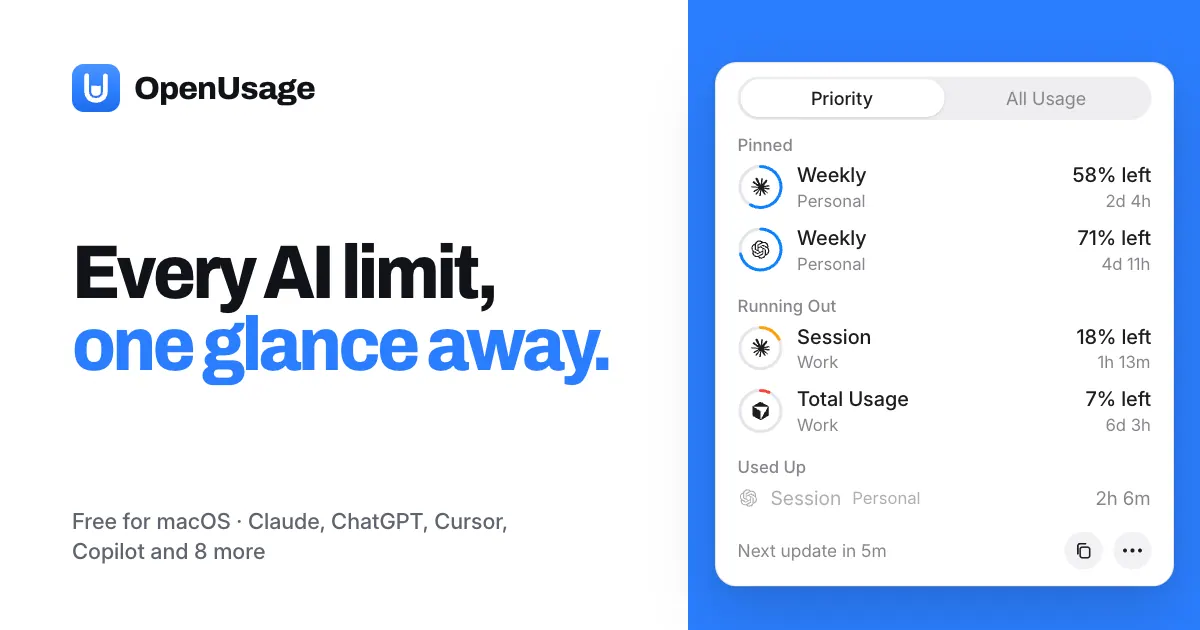
OpenUsage is a free, open-source macOS menu bar app that tracks the AI plan limits you pay for, across multiple providers and accounts. It surfaces what’s closest to running out first—so you can adjust your workflow before a weekly or monthly cap interrupts you.
With OpenUsage, you get priority lists of limits running low, what’s already used, what’s still available, and which accounts need attention. The most important metrics appear directly in your menu bar (up to five at a time), and you can rearrange or hide metrics to match what matters most. You can add every account you use—personal and work—and give each one a name so everything stays organized in one place.
OpenUsage also helps you stay ahead with notifications. Set alerts for specific remaining thresholds such as 30% and 10%, including cases where a limit is likely to run out before it resets. It’s also designed to warn you when a weekly or monthly limit is about to reset, even if usage is mostly unused.
Your keys stay private: you sign in to each provider account inside the app, and OpenUsage never reads other tools’ credentials. For editor tools and agents, it can output a machine-readable JSON forecast via the openusage command (“no tokens, no network calls”). OpenUsage runs on macOS 15+ and is available as a free, open-source app under the MIT License.
What does OpenUsage track on macOS?
It tracks AI coding plan limits across the provider plans you pay for, based on the accounts you add. It prioritizes what will run out first at your current usage pace.
Which AI coding providers can OpenUsage monitor?
OpenUsage is built for a coding stack and supports 12 providers in its list, including Claude, ChatGPT, Cursor, Copilot, and others. You can add the specific accounts you use.
How do I see my limit status during work?
OpenUsage places up to five limit metrics in your macOS menu bar. You can pin, hide, and reorder metrics and accounts so the most relevant information is always visible.
Can OpenUsage notify me before a limit runs out?
Yes. You can set alerts at thresholds like 30% and 10% left, including warnings when a limit is expected to run out before it resets and when weekly or monthly limits are about to reset.
Do I need to share my credentials with other tools?
No. OpenUsage signs in within the app for each account and does not read other tools’ credentials. It can also hide your usage from the menu bar while you share your screen.
How can my editor or agent read the limit status?
Your tools can call the openusage command, which returns a JSON forecast. This provides the limit status without token usage or network calls.
Is this your tool?
Claim OpenUsage to manage this listing, or upgrade to Pro for featured-first placement and a newsletter feature.