
Omnifit AI
Verified
AI Design Tools
OmniFit uses generative AI to outpaint a video’s edges instantly, letting you expand for any platform without losing original content.
Promoted
 Pixmax.aiPixmax.ai is an all-in-one AI workspace for videos, visual stories, and marketing content.
 Sidrune AI85% off. Stable Claude API for agent developers. Pay as you go. Invoices & refunds available.
 SEOify - Improve your SEO & rankingsBuild links to rank in Google. Improve your DR with links you can start building now.Advertise here270,000+ people visit Dang.ai every month.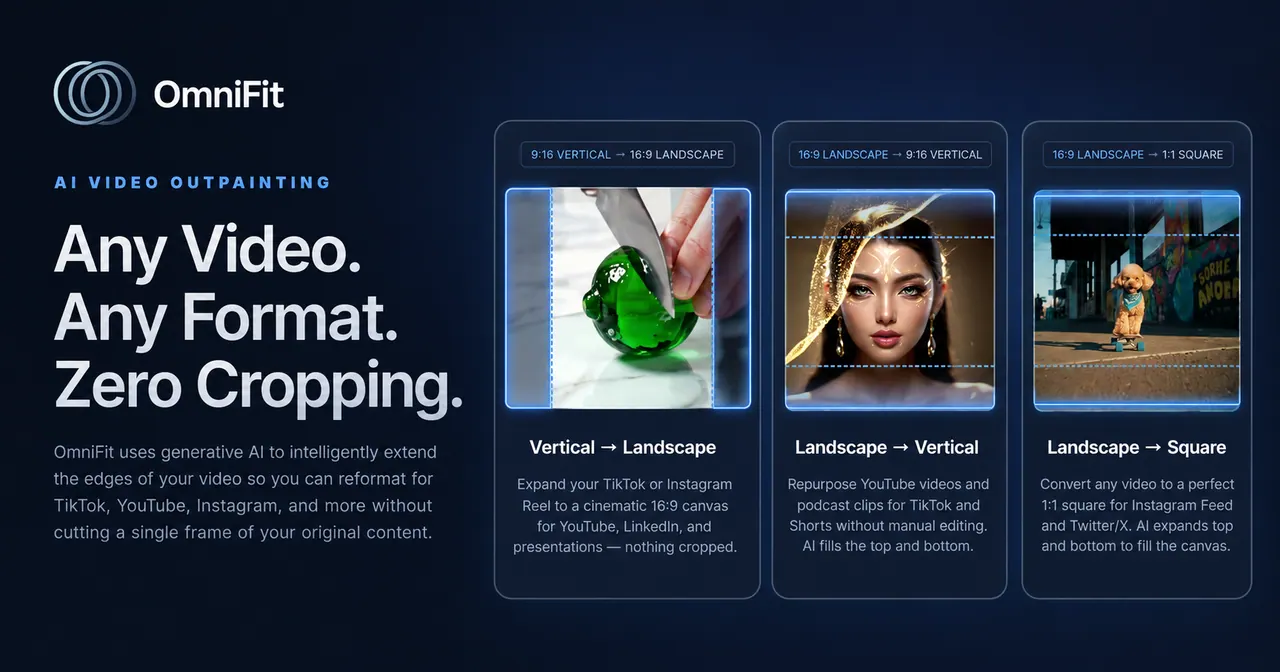
What does Omnifit AI do?
OmniFit is a video reformatting tool that expands your footage for different platforms without cutting any of the original frame. Instead of cropping, it uses generative AI to outpaint the edges, preserving your content while giving you a cleaner, fuller view in wider or platform-friendly formats.
Using OmniFit is straightforward: log in, then drop a video file into the upload area. OmniFit supports mp4, mov, avi, and webm formats, and it generates an expanded version of your video. The goal is “Expand. Don’t Crop.”—so your original content stays intact even as the framing changes.
OmniFit is a good fit if you want one video you can repurpose across platforms like TikTok, YouTube, Instagram, and others without sacrificing parts of the source footage. It’s especially useful when standard aspect ratios or layout requirements would normally force cropping.
You can upload a video up to the maximum file size listed for OmniFit (max 400MB). After the AI finishes generating the outpainted edges, you can use the updated video for your platform needs.
What does OmniFit do to my video?
OmniFit expands your video by outpainting its edges using generative AI, so you avoid cropping away any original content.
Does OmniFit crop my video?
No. OmniFit is designed to expand the edges (“Expand. Don’t Crop.”) to keep the original content fully present.
Which video formats are supported?
OmniFit supports mp4, mov, avi, and webm.
What is the maximum upload size?
The maximum upload size is 400MB.
How do I use OmniFit?
Log in, then drop a supported video file into the upload area. OmniFit will generate an outpainted version of your video’s edges.
Which platforms can I prepare videos for?
OmniFit is meant for reformatting videos for platforms such as TikTok, YouTube, and Instagram, along with others.
This listing is claimed
Own Omnifit AI? Sign in with the email used to claim it to manage this listing, or upgrade to Pro for featured-first placement and a newsletter feature.