
MermaidViewer
AI Development Tools
Free Mermaid editor & viewer with an AI diagram generator
- Category
- Development
- Listed
- Oct 15, 2026
- Updated
- Nov 4, 2026
Promoted
 Pixmax.aiPixmax.ai is an all-in-one AI workspace for videos, visual stories, and marketing content.
 AI Checker PlusAI detector that highlights which passages AI wrote. Free check, no sign-up. Plagiarism too.
 RewindType any X/Twitter handle. Get their year back as a narrated video story. Then ask it anything.
 KurodyneSell the tools from your AI side projects. Listing is free.
 Sidrune AI85% off. Stable Claude API for agent developers. Pay as you go. Invoices & refunds available.
 SEOify - Improve your SEO & rankingsBuild links to rank in Google. Improve your DR with links you can start building now.Advertise here270,000+ people visit Dang.ai every month.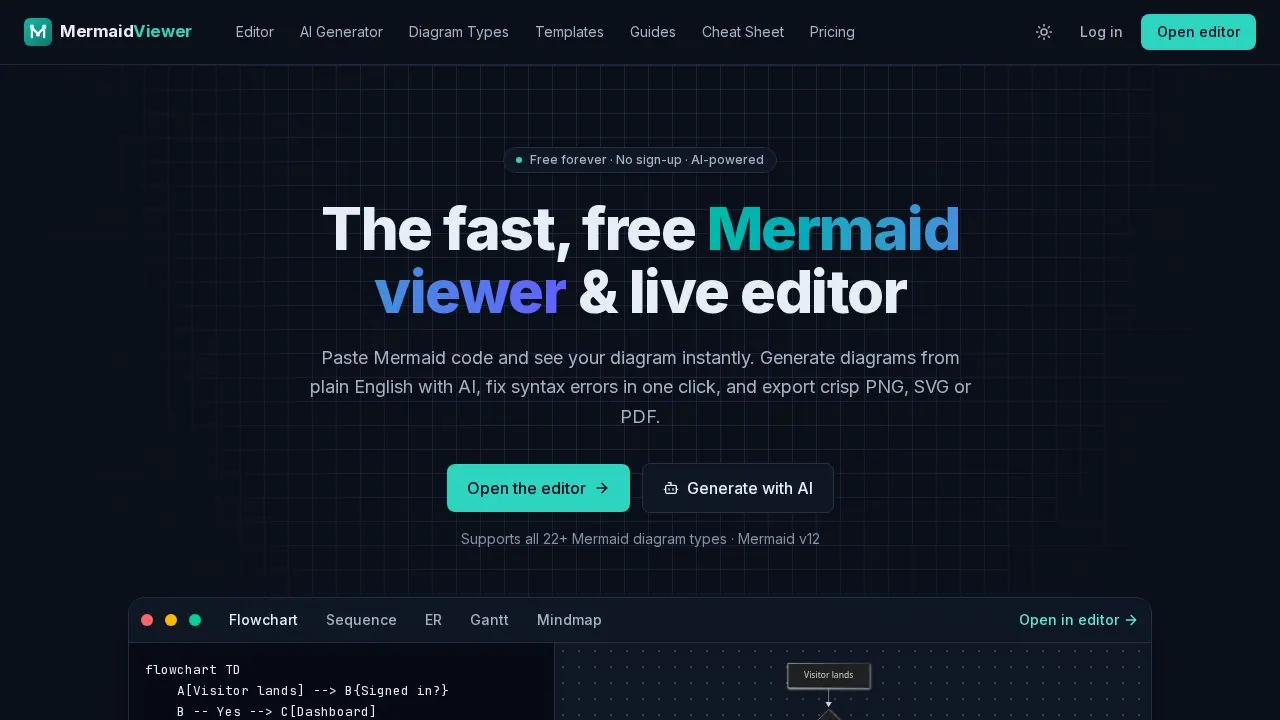
What does MermaidViewer do?
If you write documentation, design systems or explain processes to other people, you've probably met Mermaid: the little text language that turns a few lines like A --> B into a proper diagram. It's built into GitHub, GitLab, Notion, Obsidian and plenty of docs tools. The language is great. The tools around it often aren't. You either get a bare playground that forgets your work, or a heavy platform that wants a seat licence before you've drawn a single box.
MermaidViewer sits in between. Open the editor, paste your code, and the diagram renders as you type. There's no account wall, no install and no watermark on the basics. When something breaks, the error message points to the line that broke it, so you're not hunting through a 60-line flowchart for one missing bracket.
The part people usually come for is the AI. Describe what you want in plain English, something like "sequence diagram for OAuth login with refresh tokens" or "checkout flow with payment failure and retry, max 3 attempts", and valid Mermaid code streams into the editor and renders live. Because the result is Mermaid text rather than an image, you can still edit every node and arrow, diff it in Git and paste it straight into a README. You can also ask the AI to change an existing diagram ("add a cache layer", "make the error paths red"), explain a diagram you inherited from someone else, or repair broken syntax in one click using the parser's own error.
It covers every Mermaid diagram type: flowcharts, sequence, class, state, entity-relationship, Gantt, pie, mindmaps, timelines, git graphs, user journeys, quadrant charts, Sankey, XY charts, requirement diagrams, C4, block, packet, kanban, architecture, radar and treemap. If you'd rather not start from a blank page, there are 30+ templates for common jobs: a login flowchart, an OAuth 2.0 sequence, an e-commerce ER schema, a CI/CD pipeline, a Kubernetes deployment, an incident-response runbook and more. Each type also has its own syntax reference with live examples, and there's a cheat sheet and a set of guides for when you just need to remember how subgraphs work.
The editor is built for people who live on the keyboard. It has syntax highlighting, autocomplete, find and replace, and shortcuts for save, AI and export. On a phone or tablet it switches to a tabbed code/preview layout with pinch-to-zoom and a full-screen preview, which is handy when someone drops a diagram in a chat and you want to check it properly.
Getting diagrams out is straightforward. Every plan can export PNG, with a transparent or solid background, or copy the image straight to your clipboard. Pro adds JPG, clean SVG and vector PDF. You can share an editable link without signing up, or save a diagram, make it public and drop a read-only page or iframe embed into your docs, Notion or Confluence. Embeds always show the latest saved version, so you update the diagram once and it changes everywhere.
There are a few small utilities too. The Markdown Mermaid viewer lets you paste a whole README or ADR and see every mermaid block rendered in place, which makes it easy to find the one broken diagram before you push. There are also quick converters for Mermaid to PNG, SVG and PDF.
Privacy is the default. Diagrams render in your browser and autosave locally. Nothing is stored on a server unless you choose to save it to your account, and the diagram text only goes to an AI provider when you actually use an AI feature.
On pricing: the editor, live preview, every diagram type, templates and PNG export are free, with or without an account. A free account also saves up to 3 diagrams to the cloud and includes 5 AI uses. Starter ($6.99/month, or $69.90/year) is for people who diagram every week: 30 saved diagrams, 500 AI conversations a month, watermark-free high-res PNGs and 30-version history. Pro ($11.99/month, or $119.90/year) removes the limits, with unlimited diagrams and AI plus JPG, SVG and PDF export. You can cancel any time.
If you already use the Mermaid Live Editor, nothing changes about your syntax. Both run the official Mermaid library, so anything that renders there renders here. Paste it in and keep going.
This listing is claimed
Own MermaidViewer? Sign in with the email used to claim it to manage this listing, or upgrade to Pro for featured-first placement and a newsletter feature.