Magnific AI
3D Modeling AI Tools
Magnific AI is an online creative platform to generate images, videos, voiceovers, 3D models, and more from prompts or your media.
- Pricing
- Free
- Category
- 3D
- Listed
- Sep 19, 2026
- Updated
- Sep 19, 2026
Promoted
 RewindType any X/Twitter handle. Get their year back as a narrated video story. Then ask it anything.
 KurodyneSell the tools from your AI side projects. Listing is free.
 Sidrune AI85% off. Stable Claude API for agent developers. Pay as you go. Invoices & refunds available.
 Pixmax.aiPixmax.ai is an all-in-one AI workspace for videos, visual stories, and marketing content.
 SEOify - Improve your SEO & rankingsBuild links to rank in Google. Improve your DR with links you can start building now.Advertise here270,000+ people visit Dang.ai every month.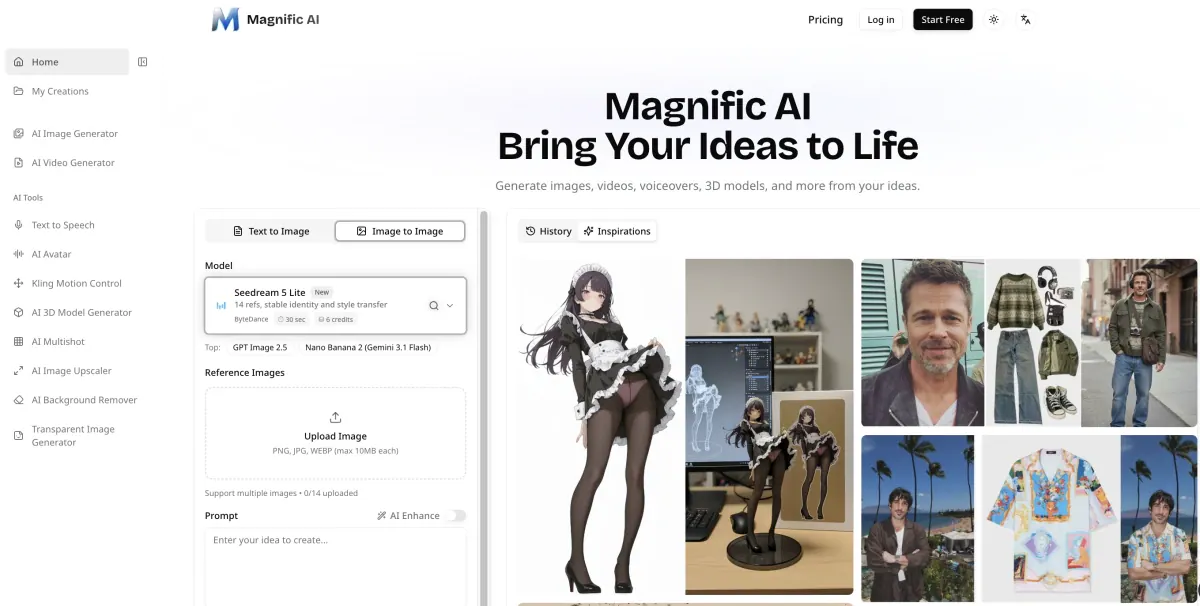
What does Magnific AI do?
Turn your ideas into polished creative assets with Magnific AI, an online platform for generating and refining content from prompts or your own references. Create images, animate scenes into video, produce spoken audio, and generate 3D models—all in one workflow.
For images, use text-to-image or image-to-image to guide style, composition, and variations. Enhance results, upscale selected outputs to 2× or 4×, remove backgrounds for clean cutouts, and generate transparent PNG assets for easy layering.
Magnific AI also supports video and character experiences. Generate videos from a prompt or an image, use motion control when you have a performance reference, and create talking avatars by pairing a portrait with an audio track. For 3D work, generate a model from text or reference images, preview and inspect the shape, then download for use in your 3D software.
What kinds of content can I generate with Magnific AI?
You can generate images, videos, voiceovers (text to speech), talking avatars, and 3D models, plus use editing and image processing tools to refine results.
Can I start from my own images instead of a text prompt?
Yes. You can use image-to-image workflows to change a setting, adjust style, or create variations from a reference.
What’s the difference between image editing and upscaling?
Image editing changes the content using instructions (for example, adjusting style or composition). Upscaling enlarges an existing picture to improve resolution for closer crops or larger layouts.
Can I make video from text or from a reference?
Yes. You can create a video from a prompt or from a still image, and you can also use motion control with a character image and a reference video.
How do voiceovers and talking avatars work in Magnific AI?
You can turn a script into spoken audio by choosing voices and shaping delivery. For talking avatars, pair a portrait with an audio track to bring the character to life.
Can I turn an image into a 3D model?
Yes. Generate a 3D model from text or reference images, preview and rotate it, and download it for further work in your 3D software.
This listing is claimed
Own Magnific AI? Sign in with the email used to claim it to manage this listing, or upgrade to Pro for featured-first placement and a newsletter feature.