
LaTeX2SVG
AI Writing Tools and Generators
Turn LaTeX into clean SVG, PNG, or PDF
Promoted
 Pixmax.aiPixmax.ai is an all-in-one AI workspace for videos, visual stories, and marketing content.
 MuzieCreate professional AI music videos starring you. Bring a song or make one, done in minutes.
 AI Checker PlusAI detector that highlights which passages AI wrote. Free check, no sign-up. Plagiarism too.
 SEOify - Improve your SEO & rankingsBuild links to rank in Google. Improve your DR with links you can start building now.Advertise here330,000+ people visit Dang.ai every month.
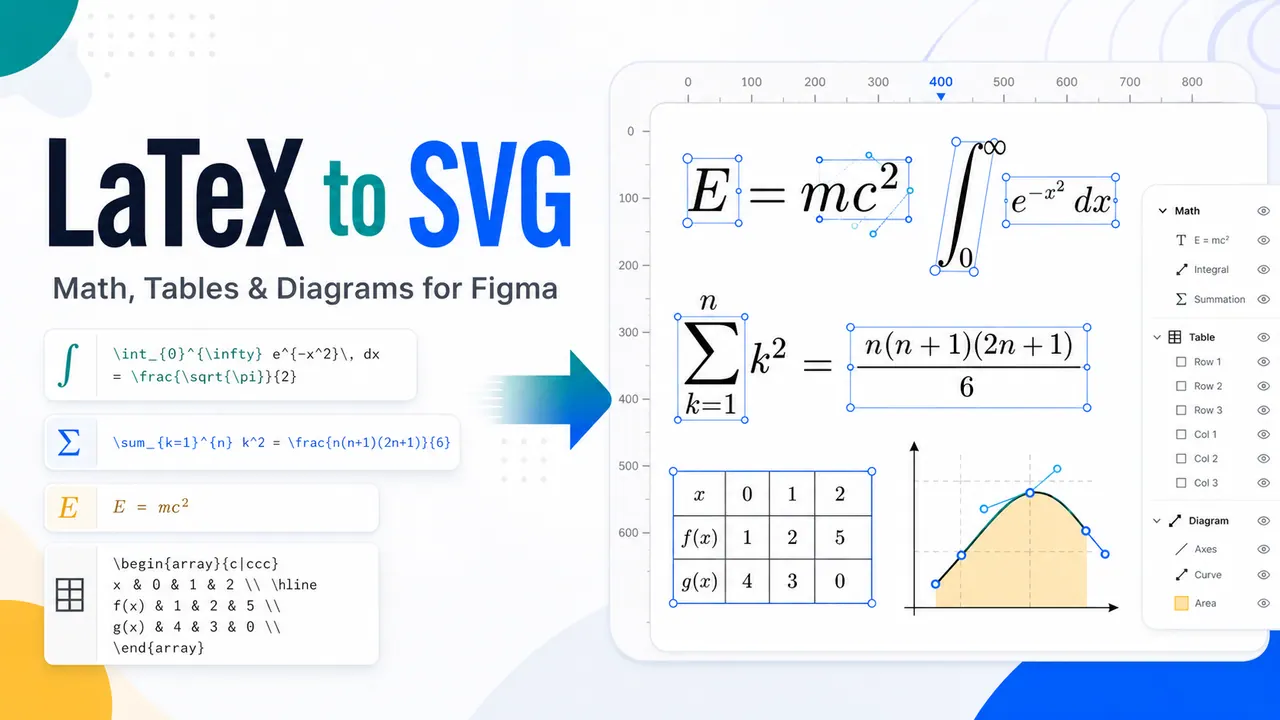
What does LaTeX2SVG do?
LaTeX2SVG turns LaTeX into clean, scalable graphics. Paste an equation, table, TikZ diagram, algorithm or theorem, and it compiles on a real LaTeX engine and gives you an SVG, a transparent PNG or a PDF. The SVG stores glyphs as vector paths, so it looks the same everywhere, with no MathJax and no missing fonts. It's free to start and you don't need an account.
Features
- Real LaTeX compilation (Tectonic + dvisvgm), not a browser approximation
- Export to SVG, transparent PNG or PDF from the same render
- Self-contained SVG output: glyphs are converted to vector paths, so no fonts are needed
- Presets for equations, tables, TikZ diagrams, text and theorems, and algorithms
- Common packages supported: amsmath, booktabs, siunitx, tabularray, TikZ, circuitikz, tikz-cd, forest, pgfplots and algpseudocode
- Add your own packages and macros to the preamble
- Chinese and Korean text with ctex and kotex
- Clear error messages that point to the line that failed
- Copy the SVG straight to the clipboard, or share a link to a render
- Figma plugin for placing LaTeX directly on the canvas
- Sandboxed compilation: risky commands such as shell escape and file input are blocked
Use Cases
- Slides: put crisp equations in PowerPoint, Keynote or Google Slides without blurry screenshots
- Design tools: drop vector math and diagrams into Figma, Illustrator, Inkscape or Affinity Designer
- Web and docs: embed equations as lightweight SVGs that don't need a JavaScript math library
- Papers and posters: test a table, circuit or commutative diagram on its own before it goes into the manuscript
- Teaching: make worksheet, LMS and lecture-note graphics from the same source
- Technical writing: render pseudocode, theorem blocks and results tables for blogs, READMEs and Notion
This listing is claimed
Own LaTeX2SVG? Sign in with the email used to claim it to manage this listing, or upgrade to Pro for featured-first placement and a newsletter feature.