
Kane CLI (TestMu AI)
Verified
AI Development Tools
Kane CLI lets developers and AI agents validate real end-to-end browser flows from the terminal using plain-English instructions.
- Pricing
- Freemium
- Category
- Development
- Listed
- Jul 23, 2026
- Updated
- Jul 24, 2026
Promoted
 Pixmax.aiPixmax.ai is an all-in-one AI workspace for videos, visual stories, and marketing content.
 AI Checker PlusAI detector that highlights which passages AI wrote. Free check, no sign-up. Plagiarism too.
 RewindType any X/Twitter handle. Get their year back as a narrated video story. Then ask it anything.
 KurodyneSell the tools from your AI side projects. Listing is free.
 Sidrune AI85% off. Stable Claude API for agent developers. Pay as you go. Invoices & refunds available.
 SEOify - Improve your SEO & rankingsBuild links to rank in Google. Improve your DR with links you can start building now.Advertise here270,000+ people visit Dang.ai every month.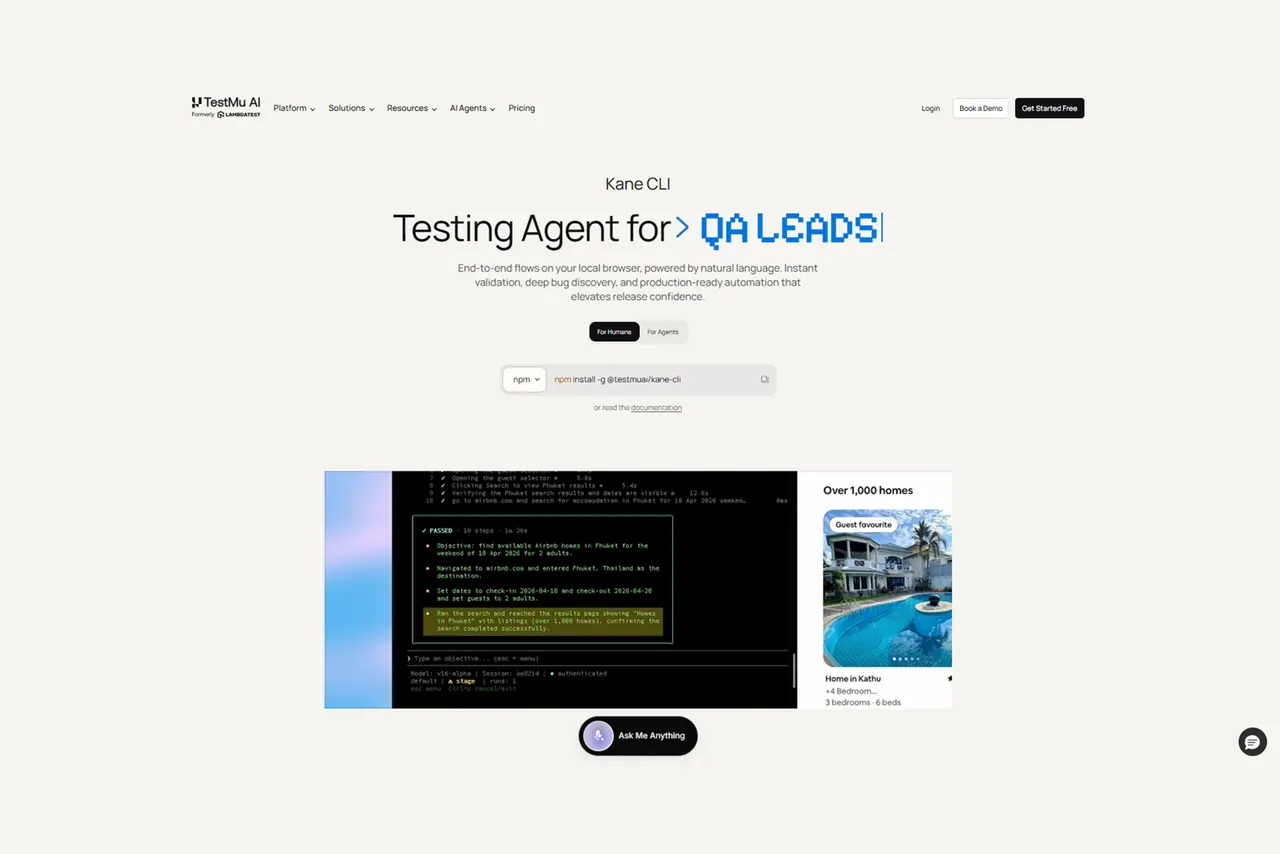
What does Kane CLI (TestMu AI) do?
Kane CLI is a terminal-native browser testing tool for developers, QA engineers, and AI coding agents. You describe an end-to-end browser flow in plain English, and Kane CLI drives a real Chrome browser to execute the steps and return a clean pass or fail.
It’s designed for fast validation before PRs or deploys, and also as a browser-verification primitive for AI agents that need to confirm what they built works end to end. Instead of brittle selector-heavy scripts, Kane CLI uses a vision-based approach that matches elements by what they look like on screen.
Kane CLI supports multiple execution modes: an interactive TUI mode for keeping the browser open between runs, a headless mode for CI workflows, and an agent mode that outputs structured NDJSON for programmatic consumption. It also includes autoheal and smart waiting to handle loaders, animations, shadow DOM, and dynamically rendered components.
Runs can be shared as watchable evidence links with session recording, step-by-step logs, and full network capture synced to the KaneAI Test Manager dashboard. You can install it globally via npm, and agent workflows can use an agent skill (npx @testmuai/kane-cli-skill). Test flows can be captured in Test.md as replayable markdown, and flows can be exported to native Playwright scripts.
What is Kane CLI used for?
Kane CLI is used to execute and validate end-to-end browser flows in a real Chrome browser by describing the flow in plain English, then getting a pass/fail result.
Do I need to write selectors or brittle test scripts?
No—Kane CLI is designed to avoid selector-based authoring. It uses a vision-based approach to identify elements by what they look like on screen.
How does Kane CLI fit with AI coding agents?
Kane CLI can act as a browser verification step that agents call when they need end-to-end confirmation in a real browser. Agent mode outputs structured NDJSON so agents can process results programmatically.
Can I run Kane CLI in headless mode for CI?
Yes. You can run flows in headless CLI mode for CI/CD usage, while still keeping the same flow description.
What execution modes are available in Kane CLI?
Kane CLI includes an interactive TUI mode (browser stays open between runs), a headless CLI mode (no visible browser), and an agent mode (structured NDJSON output per line).
What evidence do I get after a run?
Each run generates a shareable evidence link with session recording, step-by-step logs, and full network capture synced to the KaneAI Test Manager dashboard.
This listing is claimed
Own Kane CLI (TestMu AI)? Sign in with the email used to claim it to manage this listing, or upgrade to Pro for featured-first placement and a newsletter feature.