
InsertPeople
AI Design Tools
InsertPeople uses AI to seamlessly add people or pets into your photos, matching lighting and shadows for natural results in your browser.
- Pricing
- Free
- Category
- Design
- Listed
- Aug 19, 2026
- Updated
- Aug 19, 2026
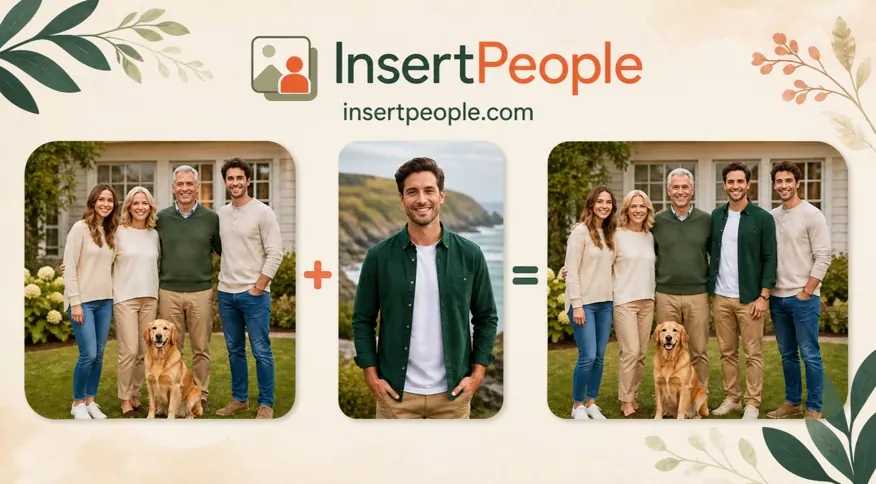
What does InsertPeople do?
InsertPeople is an online AI photo editor that helps you insert a person or pet into an existing photo. Upload your original image plus a clear portrait of the person (or pet) you want to add, then describe where they should appear. You’ll get a natural-looking composite that matches the scene.
The tool is designed for quick, accessible edits without needing Photoshop skills. It blends the added subject by matching lighting, shadows, colors, and perspective, and it can work with a wide range of photo styles—from modern smartphone photos to professional portraits, vintage black-and-white images, and scanned prints.
InsertPeople also supports multilingual instructions so you can specify placement details in your preferred language. If something looks slightly off, you can try again and refine the directions (pose, lighting, and location) to get the result you want.
Starter credits are available after your first free photo, with optional upgrades to unlock more credits. Photos are protected and never publicly shared, with the service focused on private, respectful photo editing for personal moments and memorial use cases.
How do I add or insert a person into a photo?
Upload your original photo and a separate image of the person or pet to add. Then add optional instructions for placement (pose, lighting, location) and generate the result for preview and download.
What kind of photo do I need for the person or pet to add?
Use a clear photo of one subject so the AI can accurately blend it into your base image. More clarity in the subject photo generally helps the composite look natural.
How does InsertPeople make the result look realistic?
It matches lighting, shadows, colors, and perspective to fit the target scene. It also aims to align depth and placement so the person or pet integrates naturally.
Can I add a person to a photo on iPhone?
Yes—InsertPeople works in your browser, so you can use it on iPhone and other devices without installing a dedicated app.
Are my uploaded photos safe and private?
Your photos are protected and never publicly shared. Your uploads are handled privately and not used for public display.
How do free credits work, and what are the paid options?
You can try a first photo free. After that, you can upgrade anytime to credit packs, including Starter (20 credits) or Pro (100 credits).
This listing is claimed
Own InsertPeople? Sign in with the email used to claim it to manage this listing, or upgrade to Pro for featured-first placement and a newsletter feature.