INKterest
Verified
AI Design Tools
Try tattoos on your own body in 2D or 3D on iPhone—move, resize, and save results before you commit.
Promoted
 AI Checker PlusAI detector that highlights which passages AI wrote. Free check, no sign-up. Plagiarism too.
 RewindType any X/Twitter handle. Get their year back as a narrated video story. Then ask it anything.
 KurodyneSell the tools from your AI side projects. Listing is free.
 Pixmax.aiPixmax.ai is an all-in-one AI workspace for videos, visual stories, and marketing content.
 SEOify - Improve your SEO & rankingsBuild links to rank in Google. Improve your DR with links you can start building now.Advertise here330,000+ people visit Dang.ai every month.
What does INKterest do?
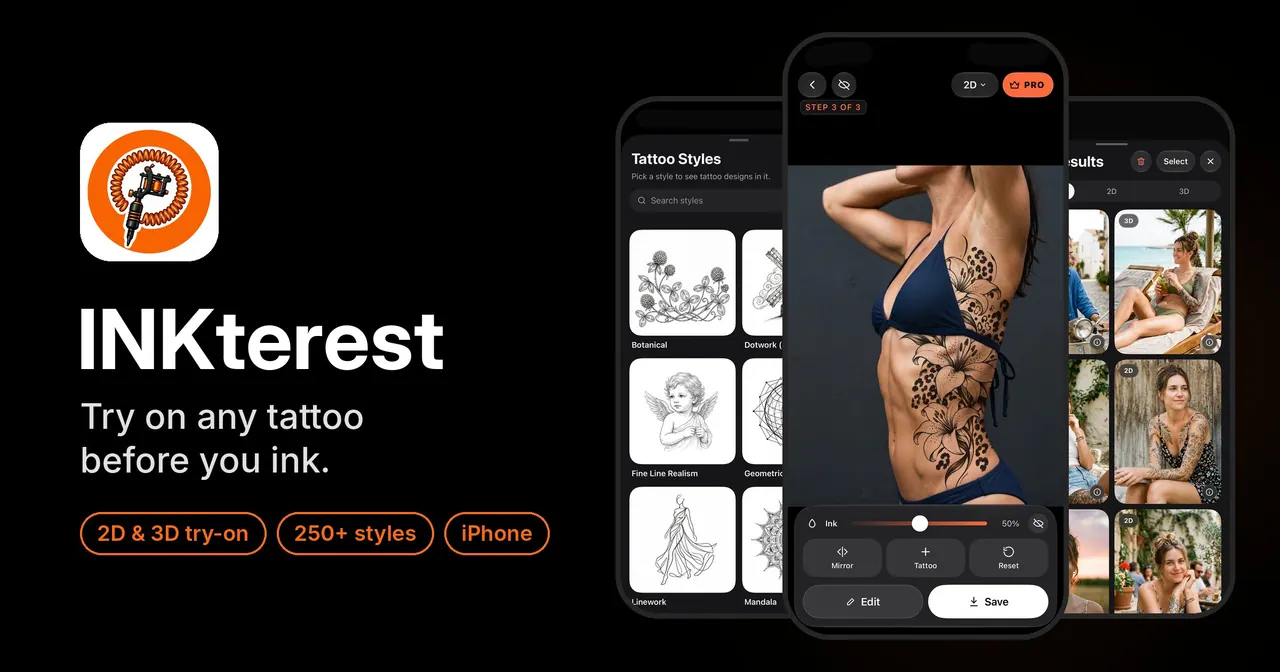
INKterest is an iPhone app that lets you preview how a tattoo will look on your own skin before it becomes permanent. Choose a design (or type custom lettering), add a photo of yourself, and place the tattoo directly on your body. You can fine-tune placement and orientation, compare options, and save the results to help you decide with confidence.
The app offers two try-on modes. 2D is a quick, live camera overlay for fast checks and adjustments, with drag, pinch, rotate, and a three-finger tilt gesture. 3D estimates your body shape from a single photo and wraps the tattoo around your curves so it appears more like real ink. Both modes work on your iPhone camera without needing AR markers or special sensors.
INKterest helps you bring designs in from multiple sources. Browse Pinterest inside the app, paste a Pinterest link, or pull from your photo library. Start with a built-in set of tattoo styles and themes (about 250 styles and roughly 25,000 designs), or create lettering using one of 59 tattoo fonts.
Key features include on-device skin-aware blending (with background cleanup tools), mirroring, ink strength controls, black-and-white preview, layering up to three tattoos, and side-by-side comparisons (A vs B). You can also preview how a tattoo may look in the future with Tattoo Aging. INKterest is free to download, with 9 free try-ons to begin (watermarked saves). INKterest Pro removes the trial watermark and unlocks unlimited try-ons.
FAQ entries will help you understand privacy, device support, and costs.
How do I try a tattoo on my body in INKterest?
Pick a design from the built-in styles, Pinterest, or your photo library, then place it on a photo of yourself. Use 2D live for quick camera placement or switch to 3D to wrap the design to your body shape.
What’s the difference between 2D and 3D try-on modes?
2D provides a fast live overlay so you can drag, pinch, rotate, and tilt the tattoo while viewing it in real time. 3D wraps the tattoo around your curves using a body-shape estimate from a single photo.
Can I add more than one tattoo design in a single try-on?
Yes. You can place up to three tattoo designs on the same body, and you can also compare two options side by side using A vs B.
Do I need AR or a special iPhone to use INKterest?
No. INKterest uses your iPhone camera for 2D live and single-photo analysis for 3D shape estimation, without AR, a marker, or LiDAR.
How does privacy work with my photos?
Your photos, tattoos, and try-on results stay on your device, and there’s no account to create. Anonymous usage statistics are sent, and you can switch analytics off in Settings → Analytics.
What does INKterest cost, and how does Pro change the free plan?
INKterest is free to download and includes 9 free try-ons in 2D or 3D, with saved results carrying a small trial watermark. INKterest Pro removes the watermark and provides unlimited try-ons, with billing options available weekly, monthly, or yearly.
This listing is claimed
Own INKterest? Sign in with the email used to claim it to manage this listing, or upgrade to Pro for featured-first placement and a newsletter feature.