
ImageToSTL.pro
3D Modeling AI Tools
Convert a JPG, PNG, or WEBP image into a previewable 3D printable STL model using guided generation modes.
- Pricing
- Free
- Category
- 3D
- Listed
- Jul 18, 2026
- Updated
- Jul 27, 2026
Promoted
 Sidrune AI85% off. Stable Claude API for agent developers. Pay as you go. Invoices & refunds available.
 Pixmax.aiPixmax.ai is an all-in-one AI workspace for videos, visual stories, and marketing content.
 RewindType any X/Twitter handle. Get their year back as a narrated video story. Then ask it anything.
 KurodyneSell the tools from your AI side projects. Listing is free.
 SEOify - Improve your SEO & rankingsBuild links to rank in Google. Improve your DR with links you can start building now.Advertise here270,000+ people visit Dang.ai every month.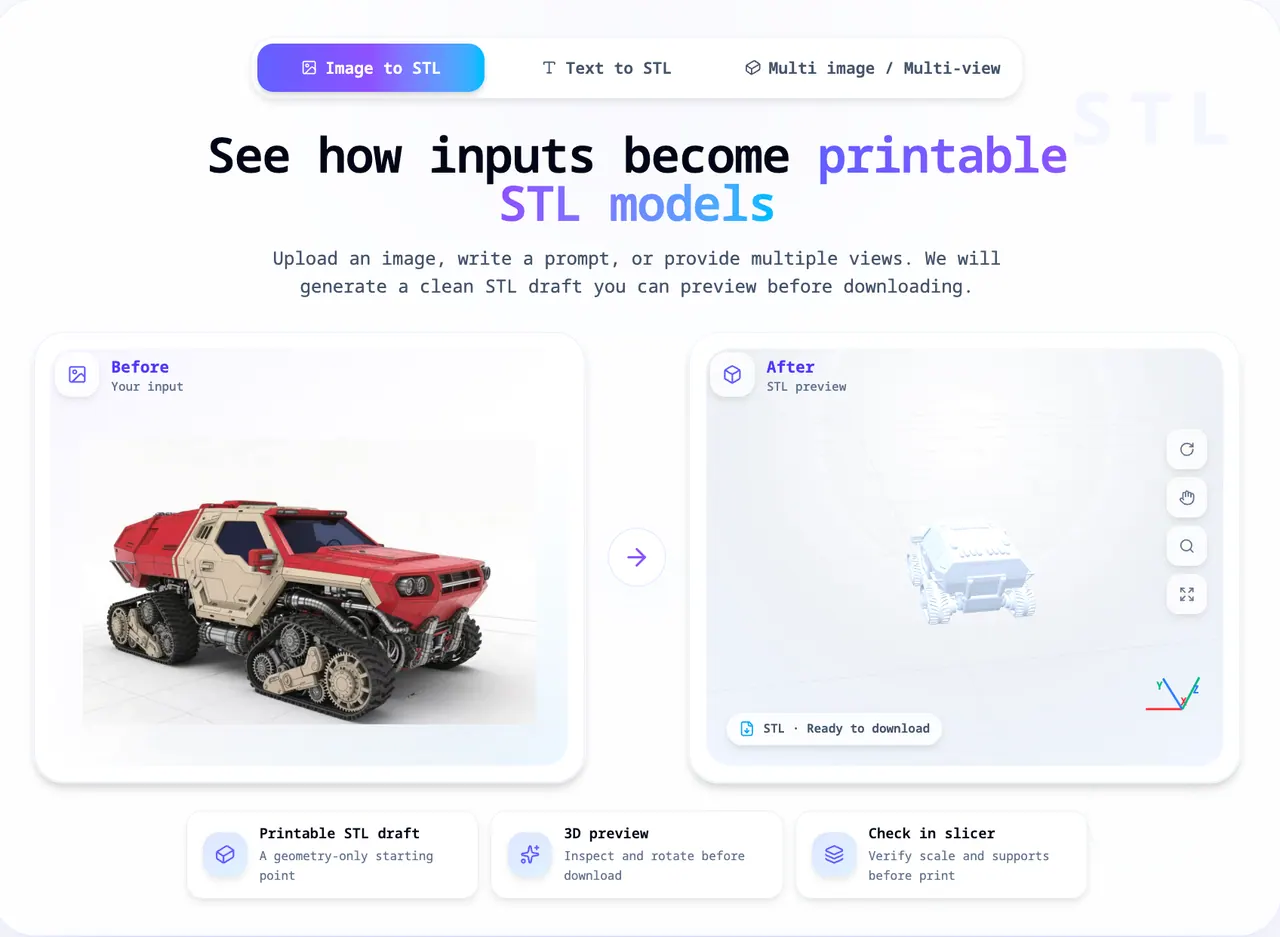
What does ImageToSTL.pro do?
ImageToSTL.pro is an online Image to STL Converter that turns a single 2D image into 3D printable STL geometry. Upload one JPG, PNG, JPEG, or WEBP image (up to 8MB), pick a generation mode, then preview the 3D result before downloading the STL.
Choose from Fast (~30s, 2 points), Standard (~60s, 3 points), or Advanced (~90s, 4 points). You can also adjust advanced options like PBR Textures, Custom Face Count, and Smart Decimation, depending on the workflow you want.
After generation, inspect and rotate the model in the 3D preview, then open the STL in your slicer to verify scale, orientation, and supports. This tool is designed as a focused starting point for printable drafts—finish setup and cleanup in your slicer or 3D editor for best results.
What file types can I upload to convert to STL?
Upload one JPG, PNG, JPEG, or WEBP image. The upload supports up to 8MB per image.
How do I convert my image to an STL?
Upload your image, choose a generation mode, preview the 3D result, then download the STL. For printing, open the STL in your slicer and check scale, orientation, and supports.
Which generation mode should I choose: Fast, Standard, or Advanced?
Fast is designed for quicker, geometry-only draft output. Standard takes longer for a more involved result, and Advanced provides the longest generation time with additional options available.
Can I preview the model before downloading the STL?
Yes. A 3D preview appears after generation so you can inspect and rotate the model prior to downloading.
Is the generated STL ready for 3D printing right away?
It’s intended as an STL draft. Always verify scale, orientation, and supports in your slicer, and make any cleanup needed before printing.
What happens to credits if generation fails?
Credits are returned automatically if generation fails.
This listing is claimed
Own ImageToSTL.pro? Sign in with the email used to claim it to manage this listing, or upgrade to Pro for featured-first placement and a newsletter feature.