
Image Text Editor
AI Design Tools
Replace text inside existing JPG, PNG, or WebP images and download a review-ready result without rebuilding the whole design.
- Pricing
- Free
- Category
- Design
- Listed
- Aug 15, 2026
- Updated
- Aug 15, 2026
Promoted
 Sidrune AI85% off. Stable Claude API for agent developers. Pay as you go. Invoices & refunds available.
 Pixmax.aiPixmax.ai is an all-in-one AI workspace for videos, visual stories, and marketing content.
 AI Checker PlusAI detector that highlights which passages AI wrote. Free check, no sign-up. Plagiarism too.
 RewindType any X/Twitter handle. Get their year back as a narrated video story. Then ask it anything.
 KurodyneSell the tools from your AI side projects. Listing is free.
 SEOify - Improve your SEO & rankingsBuild links to rank in Google. Improve your DR with links you can start building now.Advertise here270,000+ people visit Dang.ai every month.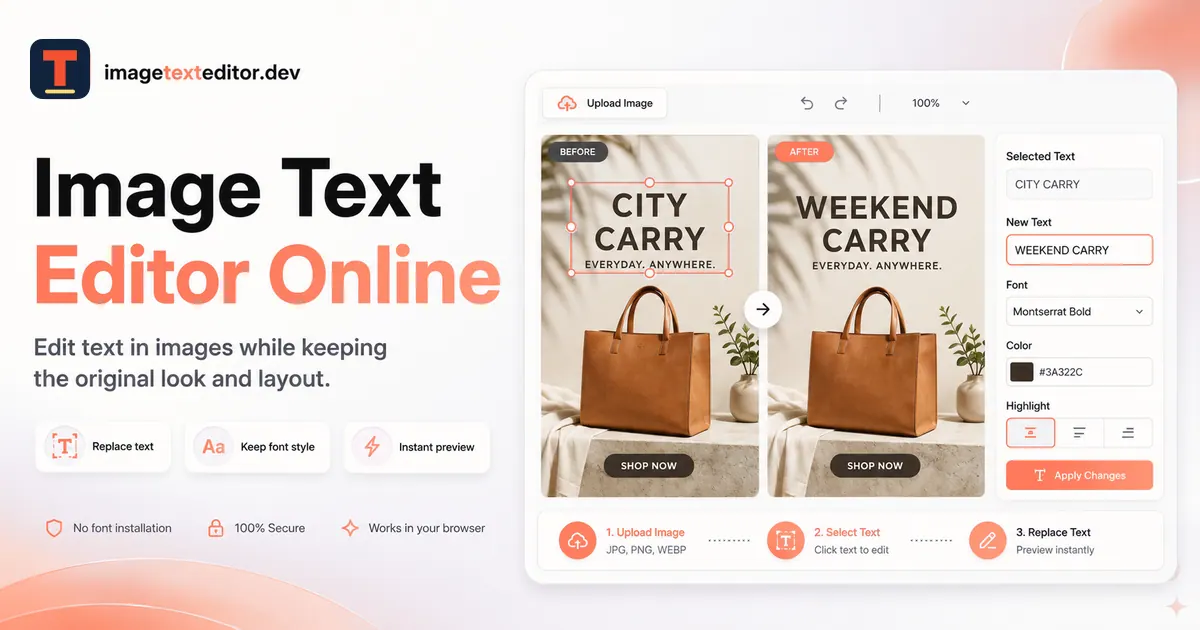
What does Image Text Editor do?
Image Text Editor is an online tool for changing words embedded in finished JPG, PNG, or WebP images when you don’t have the original design file. Upload your image, detect and select the visible text you want to replace, enter the new wording, then review and download the updated image.
The workflow focuses on replacing one selected text area rather than rebuilding the entire layout. The editor uses the existing lettering and surrounding visual details as a reference to help the replacement text blend with the approved look of the image.
Use it for posters and flyers, social graphics, screenshots and UI mockups, and ecommerce product images—especially when you need to update headlines, dates, labels, captions, or other small copy changes after exporting.
What can I edit with Image Text Editor?
You can replace text already embedded in a finished JPG, PNG, or WebP image by selecting the detected wording and generating an updated version.
Can I edit image text online without the original design file?
Yes—upload the finished image and replace the selected text block. This is intended for situations where rebuilding the design isn’t practical.
Will the new text match the original design style?
The editor uses the original lettering and surrounding design as a visual reference, but you should review spelling, placement, and nearby details before downloading.
Which image formats are supported?
JPG, PNG, and WebP are supported for uploads.
Do I need sign-in to try it?
No sign-up is required for the demo.
What should I check before downloading the edited image?
Check that the old text is removed, review every character, and inspect color, lighting, perspective, alignment, and any nearby logos or graphics for unintended changes.
This listing is claimed
Own Image Text Editor? Sign in with the email used to claim it to manage this listing, or upgrade to Pro for featured-first placement and a newsletter feature.