
Get Jev AI
AI Development Tools
Get typed, probabilistic decision outputs from any text via an API designed for routing, scoring, moderation, and guardrails.
- Pricing
- Free
- Category
- Development
- Listed
- Sep 25, 2026
- Updated
- Sep 26, 2026
Promoted
 Pixmax.aiPixmax.ai is an all-in-one AI workspace for videos, visual stories, and marketing content.
 AI Checker PlusAI detector that highlights which passages AI wrote. Free check, no sign-up. Plagiarism too.
 RewindType any X/Twitter handle. Get their year back as a narrated video story. Then ask it anything.
 KurodyneSell the tools from your AI side projects. Listing is free.
 Sidrune AI85% off. Stable Claude API for agent developers. Pay as you go. Invoices & refunds available.
 SEOify - Improve your SEO & rankingsBuild links to rank in Google. Improve your DR with links you can start building now.Advertise here270,000+ people visit Dang.ai every month.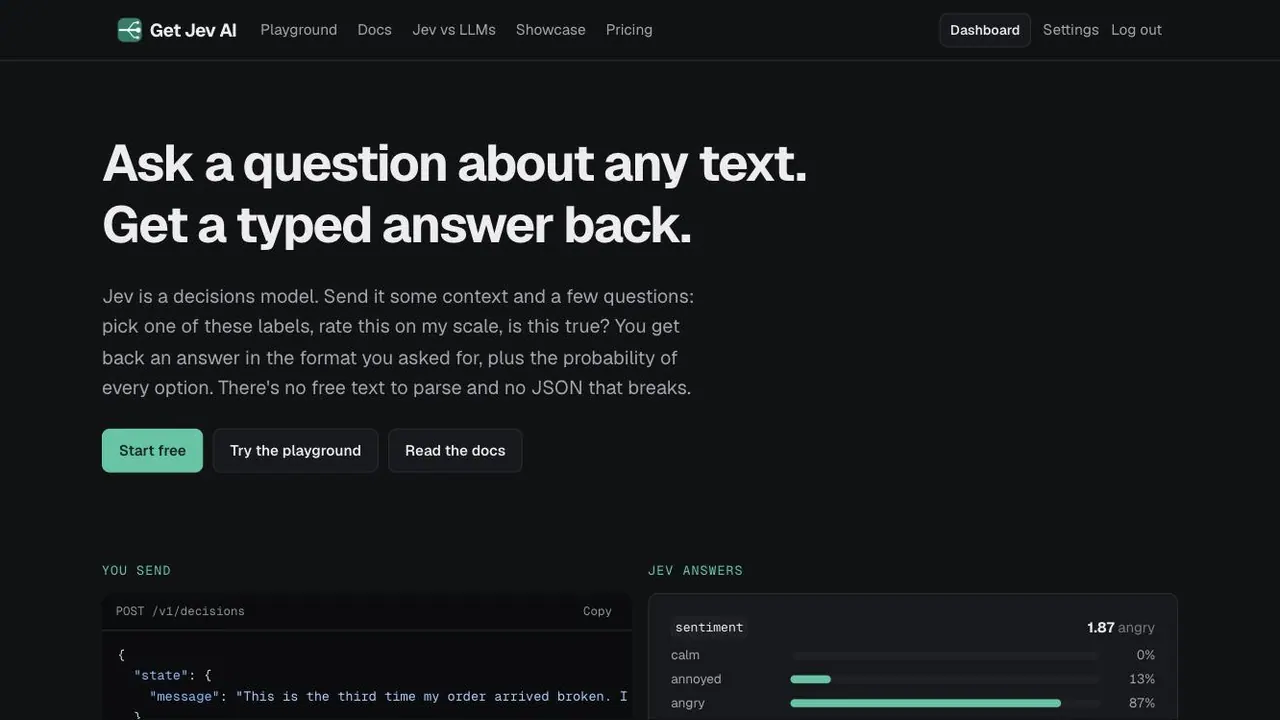
What does Get Jev AI do?
Get Jev AI (Jev) is a decisions model you can use via API to turn any provided text into a structured, typed answer. You send context plus a set of questions like label selection, scoring on your scale, or true/false with probabilities.
Each response returns the answer in the format you specify, along with a probability for every option and a confidence score for the overall result. This makes it easy to branch logic in your application—for example, routing to the right team, flagging urgent cases, or sending low-confidence outputs for human review.
Jev is used for support triage, moderation of spam/AI slop/abuse, lead scoring against an ideal customer profile, and data labeling to transform scraped text into clean columns (sentiment, topic, intent, is-a-complaint). It’s also used as agent guardrails to check whether a request is in scope or whether it looks like prompt injection.
You can try it in the browser playground and use it in production with prepaid credits (no subscription). New accounts start with free credits, and the API includes example request formats such as POST /v1/decisions.
What does Jev return when I call the API?
Jev returns a typed answer in the format you request, plus a probability for every option and a confidence score. This lets you act on results and decide when to escalate to a person.
What kinds of questions can I ask Jev?
You can ask for choice labels, score a text on your scale, or ask a true/false-style question that includes probabilities. All answers are computed in a single call.
Can I use Jev for support ticket triage?
Yes. A common setup is to route tickets to the right team, score urgency, and flag risk signals like churn—using probabilities to decide when to involve human support.
How do probabilities help in an automated workflow?
Because every option comes with a probability and each response includes a confidence score, you can set a threshold. Low-confidence cases can be routed to a person for review.
Is Jev practical to run on every ticket or every row of text?
Jev is designed to be called at scale. It reports an example of about 0.8 credits per call with a few questions, and you can run it across every ticket or scraped row—not just a sample.
How do credits and free access work?
Jeves access is via prepaid credits with no subscription, and new accounts get free credits. You can start by signing up and trying the playground before using the API.
This listing is claimed
Own Get Jev AI? Sign in with the email used to claim it to manage this listing, or upgrade to Pro for featured-first placement and a newsletter feature.